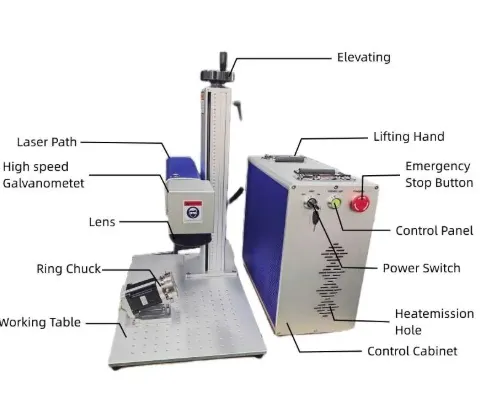
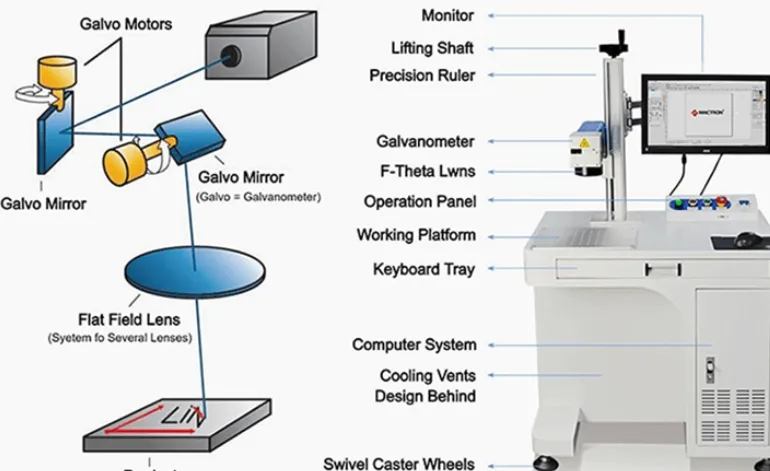
CO2 laser marking machine price changes mainly because the machine is not just a laser source. Power, laser source brand, marking area, optical system, machine structure, rotary axis, automation, vision, safety enclosure, exhaust and the material you need to process can all change the quotation. A basic 30W desktop CO2 marker for wood or packaging can cost far less than a 60W or 100W industrial system with a rotary fixture, conveyor, vision inspection and enclosed safety cabinet. The right way to compare prices is to compare the complete configuration against your actual workpiece, marking result and production cycle—not just the wattage on the quote.
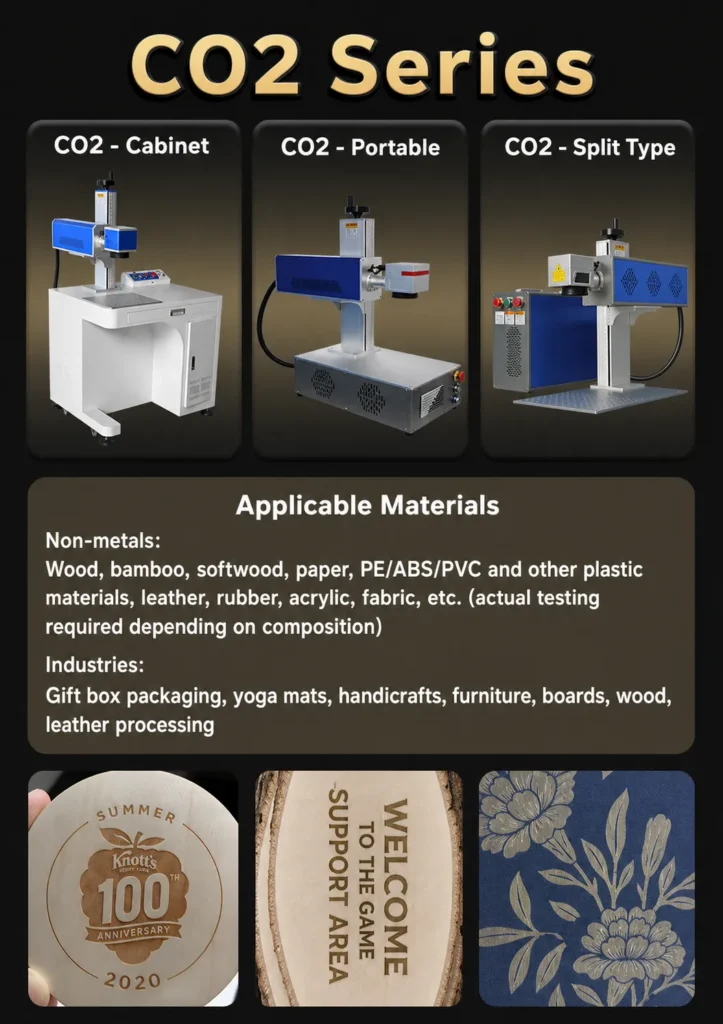
What Really Changes the Price of a CO2 Laser Marking Machine?
Compare the complete machine configuration—not just laser wattage. Power, material, marking area, rotary axis, automation, vision, enclosure and exhaust can all change the final quotation.
Broad reference across 30W–100W CO2 configurations. Not a fixed JQ Laser quotation.
Table of Contents
30W vs 60W vs 100W CO2 Laser: How Does Power Change the Price?
Higher power does not automatically mean a better machine. The real question is whether the additional laser power solves a production problem.
| Power | Typical Use | Why Buyers Upgrade | When It May Be Unnecessary |
|---|---|---|---|
| 30W | Wood, acrylic, leather, packaging, general non-metal marking | Lower initial investment and suitable for many standard jobs | Very high production volume or demanding material removal |
| 60W | Faster production, deeper engraving, demanding non-metal applications | More processing headroom and production capacity | Low-volume logo/text marking that 30W already handles |
| 100W | Industrial production, deeper processing, high-volume applications | Higher processing capability and production margin | Small shops with simple engraving requirements |
Don’t upgrade from 30W to 60W just because 60W sounds more professional. Show me your material, artwork and required output first. If 30W already reaches the required contrast, depth and cycle time, the extra power may simply increase your equipment cost without improving your business.
Typical CO2 Laser Marking Machine Specifications
| Parameter | JQ Reference Configuration | Buyer Note |
|---|---|---|
| Laser Type | CO2 | Primarily used for many non-metal materials |
| Laser Power | 30W / 60W / 100W | Final selection depends on material and production requirement |
| Wavelength | 10.6 μm | Common CO2 wavelength for non-metal processing |
| Marking Field | 110×110 / 150×150 / 170×170 / 200×200 mm | Depends on selected F-theta lens |
| Reference Line Speed | <7,000 mm/s | Not equal to actual production cycle time |
| Reference Marking Speed | 0–5,000 mm/s on current 60W reference | Material and marking content affect actual speed |
| Minimum Character | Approx. 0.4 mm on current 60W reference | Actual readability depends on material and parameters |
| Engraving Depth | Up to <3 mm reference, material dependent | Never treat this as a universal depth guarantee |
Specifications are reference values from the current JQ 60W CO2 configuration. The final quotation should confirm the exact laser source, lens, marking field, scanner and machine configuration.
Laser Source: One of the First Things That Changes the Quote
Two machines can both be advertised as “60W CO2” but still have different prices. The laser source itself is part of the reason.
Before comparing quotations, ask the supplier for the exact laser source brand, model, wavelength, rated output and cooling configuration. Don’t accept only “60W CO2 laser” as the complete specification.
- What is the exact laser source brand and model?
- Is the quoted power rated output or a marketing number?
- Is the source air-cooled or water-cooled?
- What is the expected service-life specification?
- What replacement source will be available later?
Material Can Change the CO2 laser marking machine price More Than You Expect
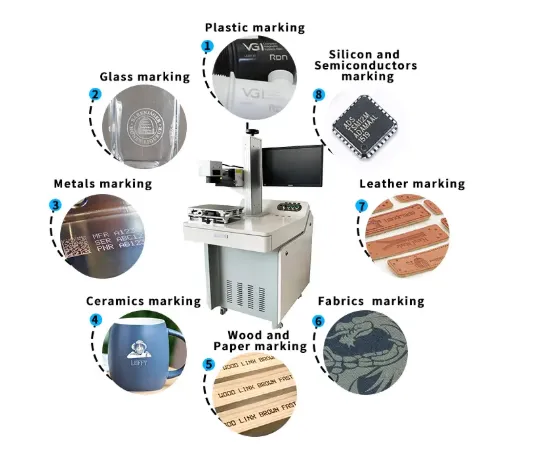
CO2 laser marking is not a universal “one machine marks everything” process. The material, coating, color, thickness and required appearance can change the required laser parameters and sometimes the machine configuration.
| Material / Workpiece | Typical CO2 Application | What Should Be Tested |
|---|---|---|
| Wood | Logo, text, decorative engraving | Contrast, depth, smoke and edge burning |
| Acrylic | Logo, graphics, product identification | Surface finish, edge quality and melting |
| Leather | Brand logo, name, decorative marks | Color, smell, smoke and material consistency |
| Paper / Cardboard | Codes, packaging and graphics | Contrast, burn-through and line speed |
| Glass | Logo, product identification and decorative marking | Surface interaction, contrast and breakage risk |
| Plastic | Identification and coding on suitable plastics | Polymer type, additives, color and heat response |
“Plastic” is not a material specification. Ask the customer for the actual polymer—such as ABS, acrylic, PVC, PP, PE or another formulation—before recommending the laser.
Show Us the Actual Workpiece Before We Finalize the Machine
A supplier can give you a beautiful sample on generic wood or acrylic. That does not prove the machine will produce the same result on your actual material.
Check engraving depth, contrast and edge burning.
Check surface finish, melting and detail.
Check contrast, smell, smoke and consistency.
Check cycle time, readability and production stability.
Marking Area and F-Theta Lens
A larger marking field normally requires a different optical configuration. That means a 110×110 mm system should not automatically be compared with a 200×200 mm system as if they were identical machines.
| Marking Field | Typical Reason |
|---|---|
| 110×110 mm | Small logos, codes, product identification |
| 150×150 mm | Larger graphics and wider workpieces |
| 170×170 mm | Larger marking area where required |
| 200×200 mm | Large artwork or product surfaces |
The larger field should be selected based on the actual artwork and workpiece. Bigger is not automatically better.
Machine Structure and Cabinet Design
A simple desktop marking head and a complete industrial cabinet are not the same product. The structure affects accessibility, footprint, workpiece handling and safety.
| Configuration | Typical Buyer | Why It Costs More |
|---|---|---|
| Basic Desktop | Small workshops | Simple structure and manual loading |
| Enclosed Cabinet | Factories requiring controlled operator access | Cabinet, doors, interlocks and safety components |
| Production System | Industrial production | Fixtures, sensors, controls and integration |
| Custom Automation Cell | High-volume production | Engineering, PLC, handling, vision and integration |
Does a Rotary Axis Increase the Price?
Yes, but the important question is whether you actually need one. A rotary axis makes sense for cylindrical or round products such as bottles, tubes, cups and other curved workpieces.
| Workpiece | Possible Rotary Solution | Buyer Consideration |
|---|---|---|
| Bottle | Roller / rotary fixture | Diameter and surface curvature |
| Tube | Rotary chuck / roller | Diameter, length and positioning |
| Round gift product | Custom rotary fixture | Repeatability and loading method |
Rotary systems can use a motorized chuck, roller or customized fixture. Final cycle time also depends on rotary movement and loading/unloading.
Automation Can Change the Price More Than Laser Power
A manually loaded 60W machine and a 60W production-line system can have completely different prices.
Operator loads and positions each part.
Fixture + sensor + automatic trigger.
Continuous product movement and controlled triggering.
Automatic loading and unloading.
Don’t ask only “How fast is the laser?” Ask “How many finished parts can the complete system process per hour?”
When Does a Vision System Make the Machine More Expensive?
CCD or machine vision is useful when the workpiece position changes, multiple product models are processed, or the production process requires automatic verification.
| Vision Function | When It Makes Sense |
|---|---|
| Positioning | Parts are not always placed in exactly the same position |
| Model Recognition | Multiple part models share one production station |
| OCR | Text needs to be inspected automatically |
| Code Verification | QR/Data Matrix readability needs automatic checking |
Does Fume Extraction Add to the CO2 Laser Price?
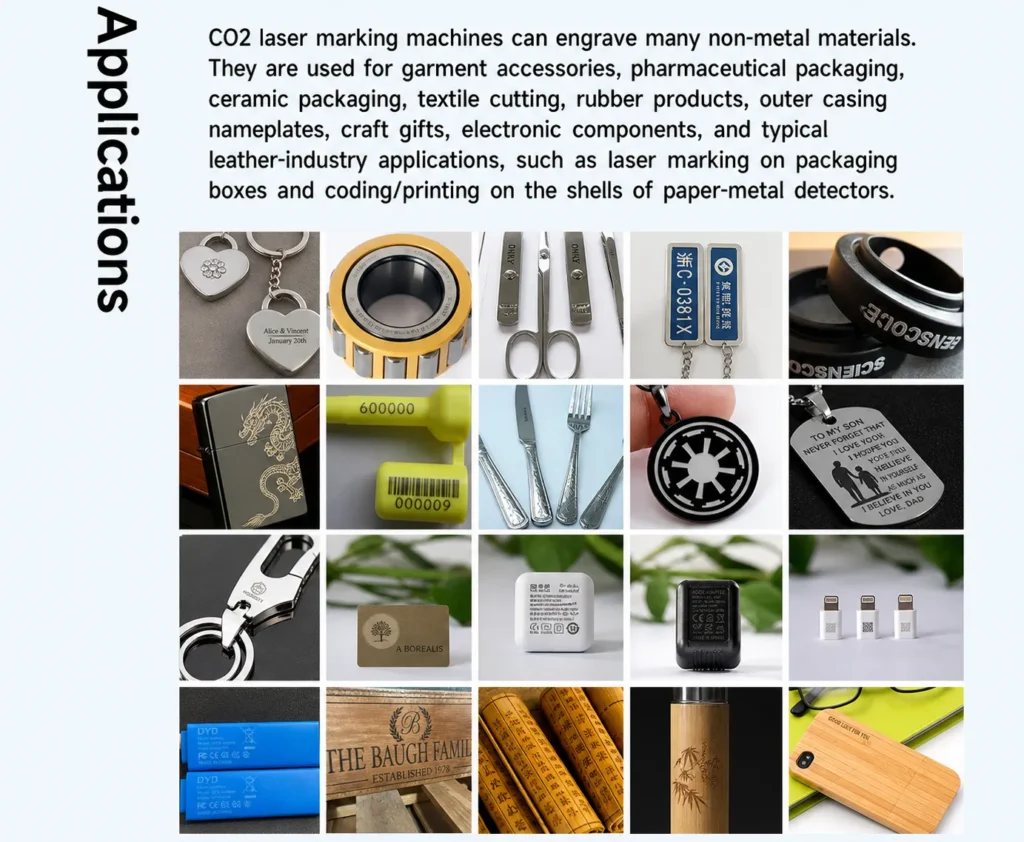
It can. CO2 processing of wood, leather, acrylic, paper, plastics and other organic materials can generate smoke, fumes and debris. Whether you need a dedicated extraction system depends on the material, process and installation environment.
- Is exhaust included?
- What airflow capacity is recommended?
- Is filtration included?
- Does the enclosure connect directly to the extraction system?
- What consumables or filters need replacement?
Compare These Items Before Comparing CO2 Laser Prices
| Quotation Item | Supplier Should Specify |
|---|---|
| Laser source | Brand + exact model + output power |
| Wavelength | 10.6 μm or specified alternative |
| Galvo scanner | Brand/model/configuration |
| F-theta lens | Lens + actual marking field |
| Software | Software name and included functions |
| Machine structure | Desktop / cabinet / enclosed / custom |
| Rotary axis | Included or optional |
| Automation | Fixture / conveyor / PLC / sensor / robot |
| Vision | Included / optional / not required |
| Safety enclosure | Enclosure + door + interlock + viewing window |
| Exhaust | Included / optional / customer supplied |
| Sample testing | Actual workpiece + marking result |
| Warranty | Coverage and duration |
| Shipping | EXW / FOB / other agreed term |
Which CO2 Configuration Makes Sense for Your Application?
| Buyer Situation | Starting Configuration to Test | Main Cost Factors |
|---|---|---|
| Wood gift manufacturer | 30W CO2 | Engraving depth, field, fixture, exhaust |
| Acrylic products | 30W / 60W CO2 | Surface finish, speed, field |
| Leather products | 30W CO2 | Contrast, smoke extraction, fixture |
| Packaging factory | 30W / 60W + automation | Cycle time, conveyor, sensor, variable data |
| High-volume non-metal production | 60W / 100W | Throughput, automation, vision, enclosure |
| Cylindrical products | CO2 + rotary | Rotary fixture, diameter, positioning |
Why the Cheapest CO2 Laser Quote May Not Be the Lowest-Cost Solution
I’ve seen buyers compare two quotations where one machine costs US$1,500 and another costs US$3,000. At first glance, the first machine looks much cheaper. But then we look closer: one quotation includes only the basic machine, while the other includes a different laser source, larger marking field, rotary fixture, enclosure, exhaust and automation.
Those are not really two equivalent machines.
“What is the lowest-cost configuration that can reliably achieve my required marking result and production cycle?”
Related CO2 Laser Marking Resources

LEO — JQ Laser Sales Engineer
LEO has more than ten years of experience in laser marking applications, including material testing, industrial marking and automated marking projects. His work focuses on matching laser power, optical configuration, fixtures and production requirements to the customer’s actual application.