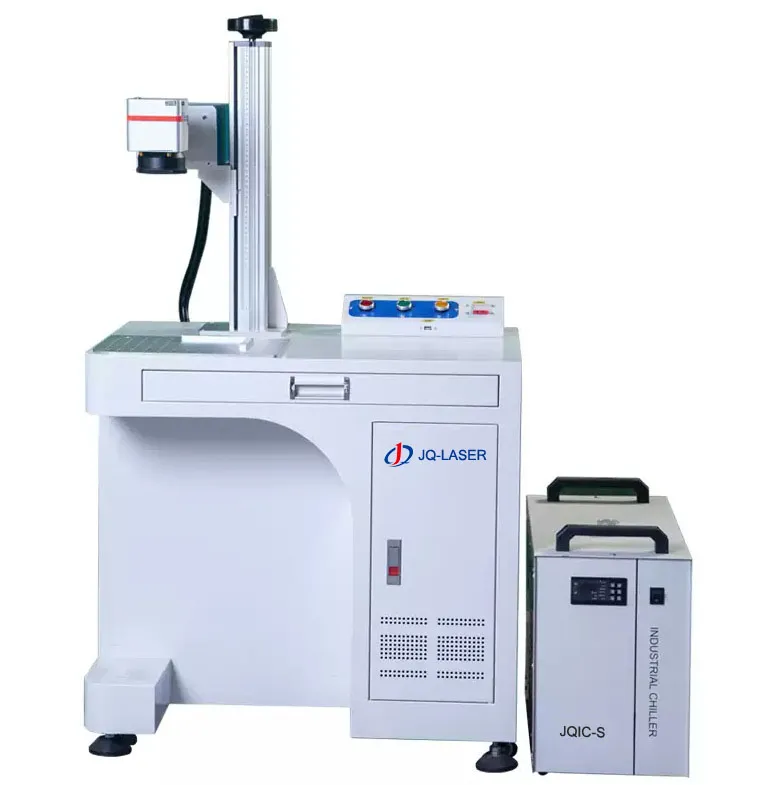
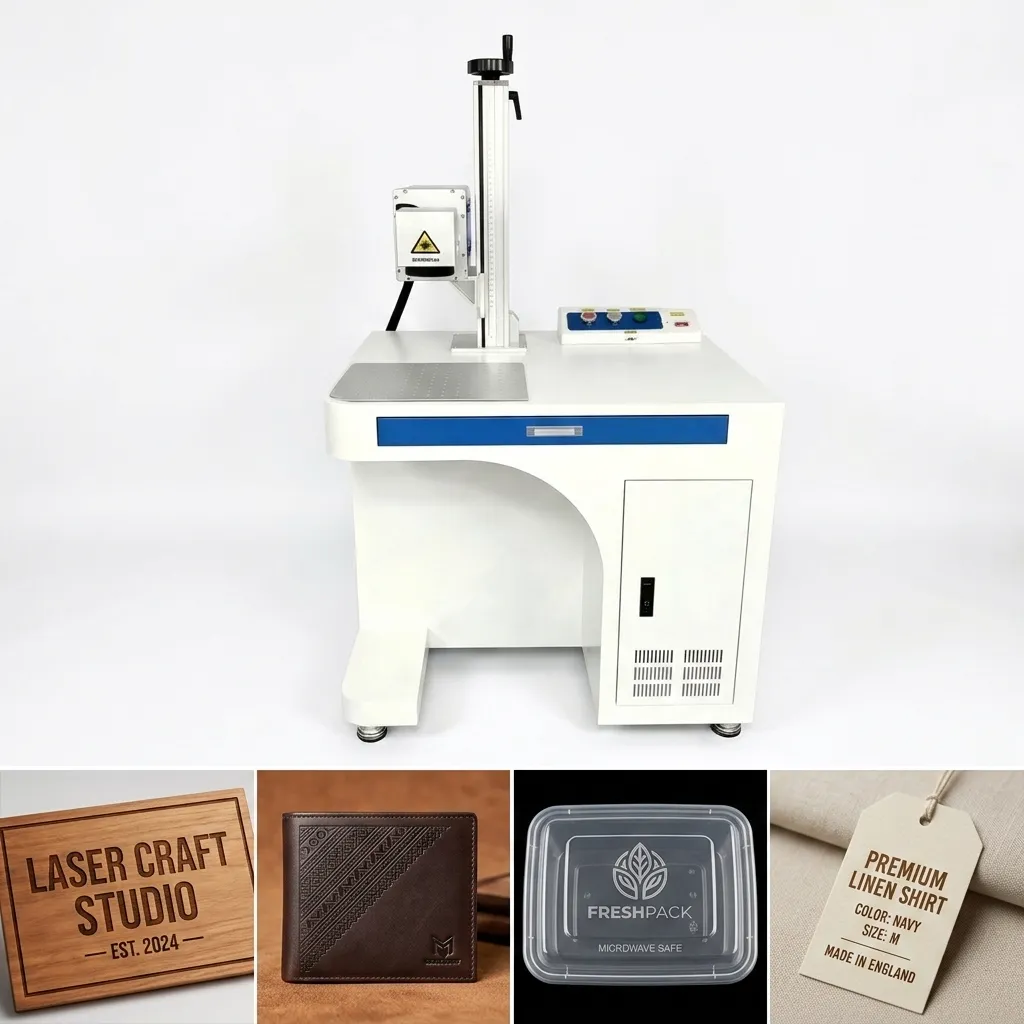
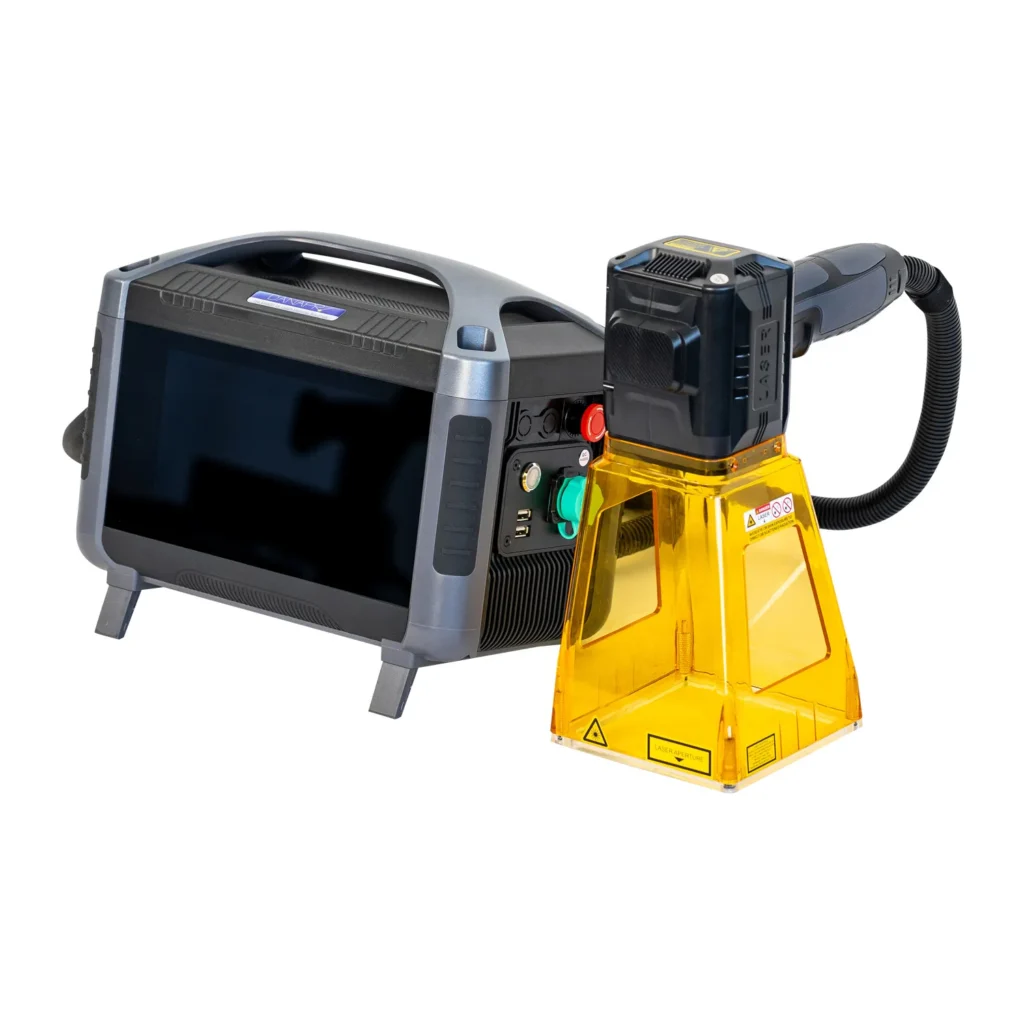
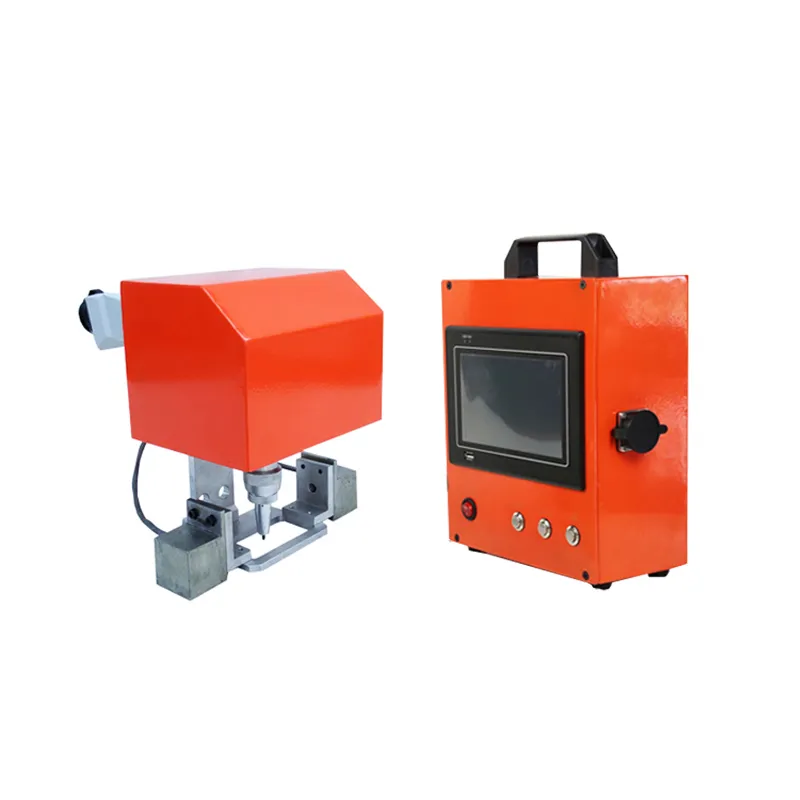
30W CO2 Laser Marking Machine
A practical 30W CO2 laser marking machine for non-metal materials, including wood, bamboo, paper, acrylic, leather, rubber, fabric and selected plastic materials.
If your main job is engraving logos, text, patterns, serial numbers or product information on non-metal materials, 30W is a useful starting point. The important part is not simply choosing “30W”, but matching the laser, lens, marking area, material and production speed to your actual job.
*Maximum engraving speed stated in the supplied JQ-CO2-30W product specification. Actual production speed depends on material, marking content, lens and process parameters.
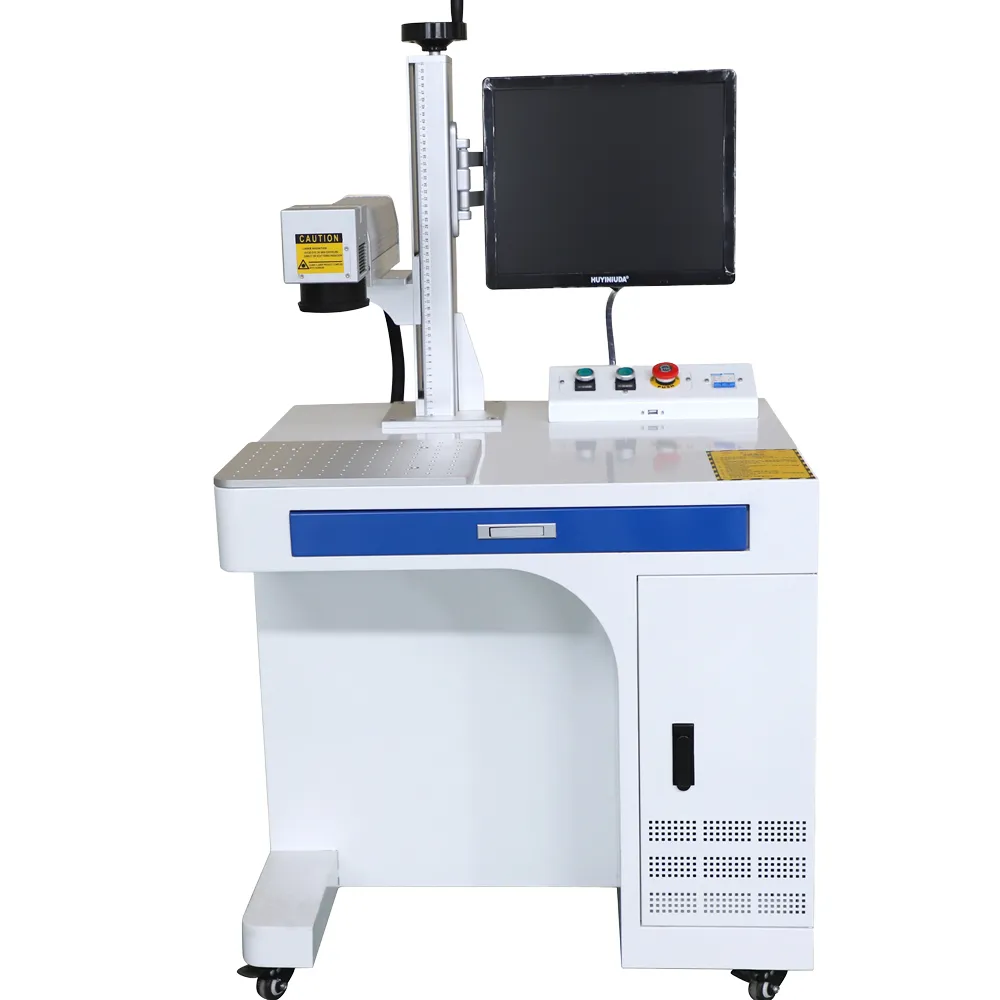
Is A 30W CO2 Laser Marking Machine Enough For Your Application?
This is one of the first questions we recommend answering before choosing a CO2 laser. More laser power does not automatically mean a better machine. If your work is mainly surface marking, logo engraving, text, patterns or product identification on suitable non-metal materials, a 30W system can be a sensible choice.
On the other hand, if your production requires deeper engraving, very high throughput or processing a difficult material, a higher-power configuration may be worth considering. The right choice should come from the actual material and production target, not simply from the largest wattage available.
30W Is A Good Fit When…
You mainly need logos, text, decorative graphics, serial numbers or identification marks on suitable non-metal materials.
Test First When…
The material contains additives, coatings, mixed layers or an unknown plastic composition. Laser response can change significantly with material composition.
Consider More Power When…
Your priority is deeper engraving, heavier material removal or higher production throughput rather than normal surface marking.
Do Not Choose CO2 Just Because It Is Cheaper
If your main materials are metals, a fiber laser may be the more appropriate technology. Choosing the wrong laser type can cost more than choosing the wrong wattage.
JQ-CO2-30W Technical Specifications
The following specifications are based on the product specification information supplied for the JQ-CO2-30W configuration. Optional components such as marking lenses can change the working area.
| Parameter | JQ-CO2-30W Specification | What It Means For The Buyer |
|---|---|---|
| Model | JQ-CO2-30W | Specific 30W CO2 configuration |
| Laser Wavelength | 10.64 μm | CO2 laser wavelength used primarily for non-metal and organic materials |
| Output Power | 30W | Suitable for many general non-metal marking and engraving applications |
| Engraving Speed | ≤15,000 mm/s | Maximum stated engraving speed; actual process speed depends on the application |
| Marking Speed | 0–5,000 mm/s | Useful reference for normal marking applications |
| Repeat Accuracy | ±0.002 mm | Repeat positioning performance stated in the supplied specification |
| Minimum Line Width | ±0.01 mm | Fine line capability stated by the product specification |
| Laser Lens | F=160, 100 × 100 mm | Specified lens configuration provides a 100 × 100 mm marking field |
| Engraving Depth | <0.4 mm | Actual depth depends strongly on material and processing parameters |
| Cooling | Air Cooling | No external water chiller is specified for this configuration |
| Power Requirement | AC220V ±10%, 50Hz, 5A | Check local electrical compatibility before ordering |
| Overall Power | ≤0.6 kW | Specified overall power consumption |
| Operating Environment | 5°C–45°C; 10%–80% humidity | Recommended operating environmental range |
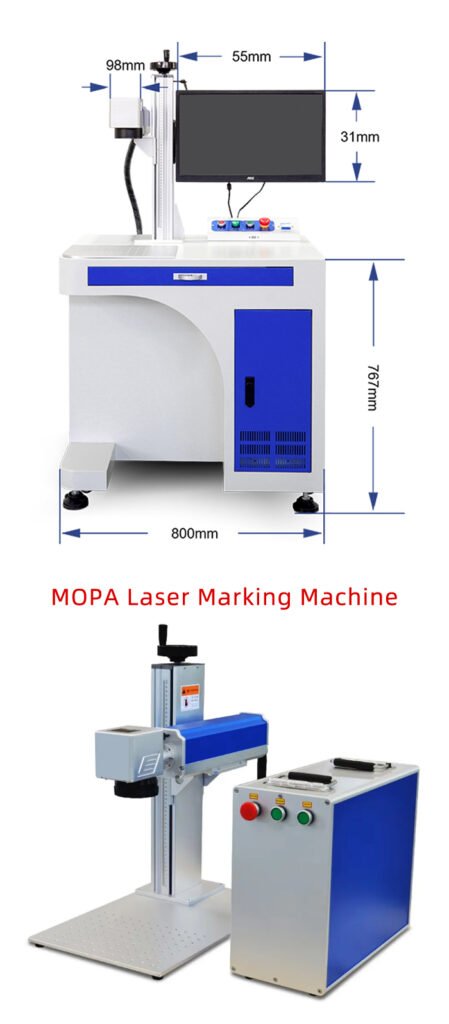
| Overall Dimensions | 700 × 900 × 1450 mm | Allow additional workspace around the machine for operation and maintenance |
| Overall Weight | 85 kg | Useful for shipping, floor loading and installation planning |
Specification note: The JQ-CO2-30W material also lists optional marking fields of 110 × 110, 150 × 150, 170 × 170 and 200 × 200 mm in another configuration sheet. These should be treated as lens/configuration options rather than assumed to be the standard 100 × 100 mm field. Please confirm the required lens and marking area before placing an order.
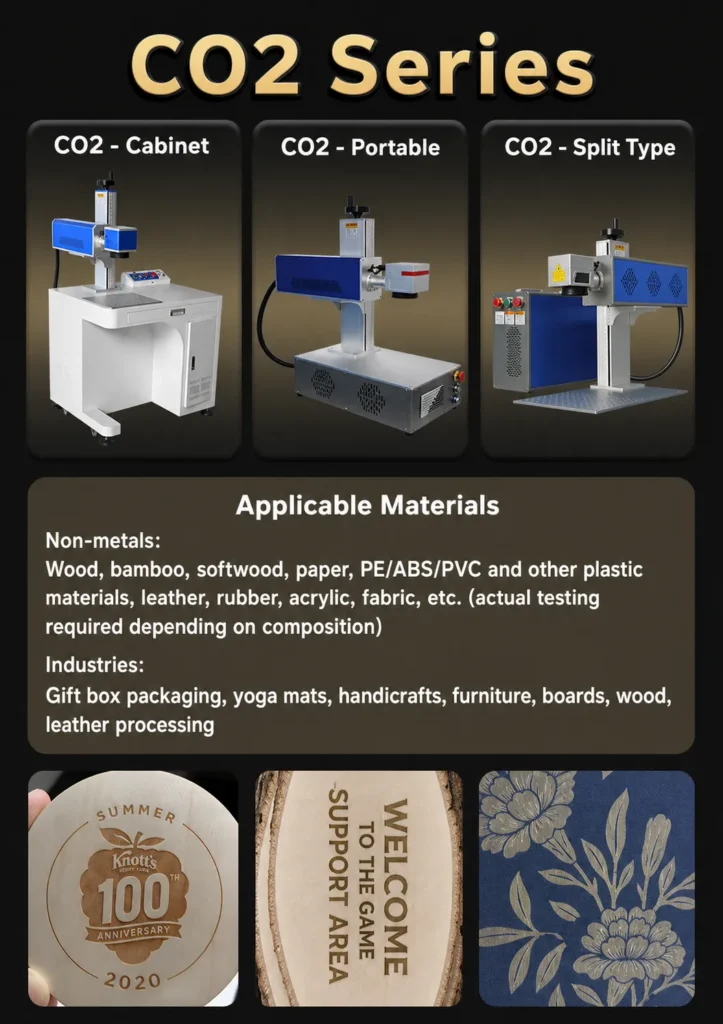
What Is Included In The 30W CO2 Laser Marking Machine?
A laser marking machine is not just a laser source. The final result depends on how the laser source, scanning system, lens, control system and mechanical structure work together. For buyers comparing quotations from different suppliers, it is worth checking the complete configuration rather than comparing wattage alone.
30W CO2 Laser Source
The supplied specification identifies the output power as 30W and the wavelength as 10.64 μm. Other laser-source brands can be offered as options.
Galvo Scanning System
The scanning system directs the laser beam across the marking field. Its performance affects speed, positioning and marking consistency.
F-Theta Lens
The supplied specification identifies an F=160 lens with a 100 × 100 mm marking field. Other marking fields may require different lens configurations.
Computer Control
The machine is computer-controlled, allowing marking files and production parameters to be managed digitally.
Air Cooling
The JQ-CO2-30W specification identifies air cooling, which simplifies the system compared with configurations requiring a separate water chiller.
Automation Ready
Computer-controlled operation makes the machine suitable for integration into automated marking workflows when the required sensors, fixtures or production-line interfaces are configured.
Why Choose A CO2 Laser For Non-Metal Materials?
CO2 lasers operate at a wavelength of 10.64 μm, which makes them well suited to many organic and non-metal materials. In practical terms, this means a 30W CO2 laser can be useful for applications where a fiber laser would not be the natural first choice.
But “non-metal” is still a very broad category. Two plastics that look almost identical can react differently because of additives, pigments, coatings and material composition. That is why we recommend testing the customer’s actual material before finalizing a production configuration.
Materials Listed In The JQ Laser Application Data
Wood, bamboo, softwood, paper, PE, ABS, PVC and other selected plastic materials, leather, rubber, acrylic and fabric can be considered for CO2 laser processing. Actual results depend on material composition and should be confirmed by testing.
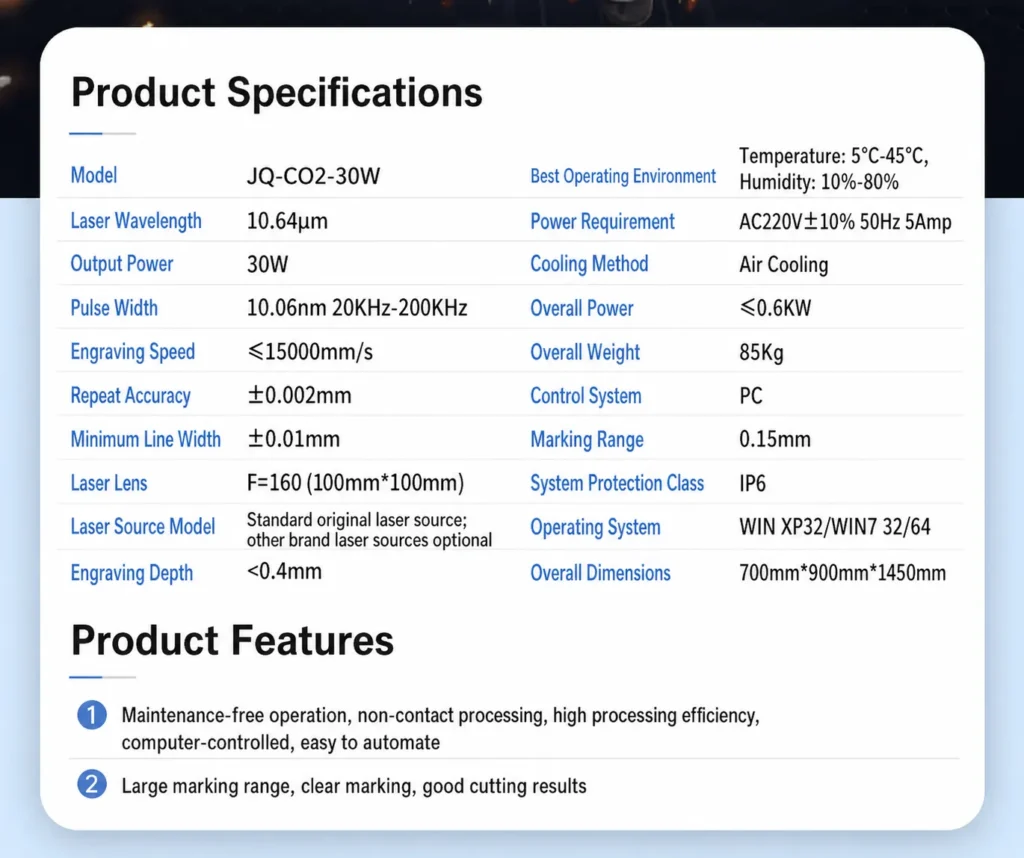
Where Can A 30W CO2 Laser Marking Machine Be Used?
The strongest applications for this machine are not defined simply by industry names. They are defined by the material, the information that needs to be marked and how the product moves through production.
Packaging & Product Identification
Mark logos, product information, batch information and other identification content on suitable packaging materials.
Packaging Laser Marking →Wood & Bamboo Products
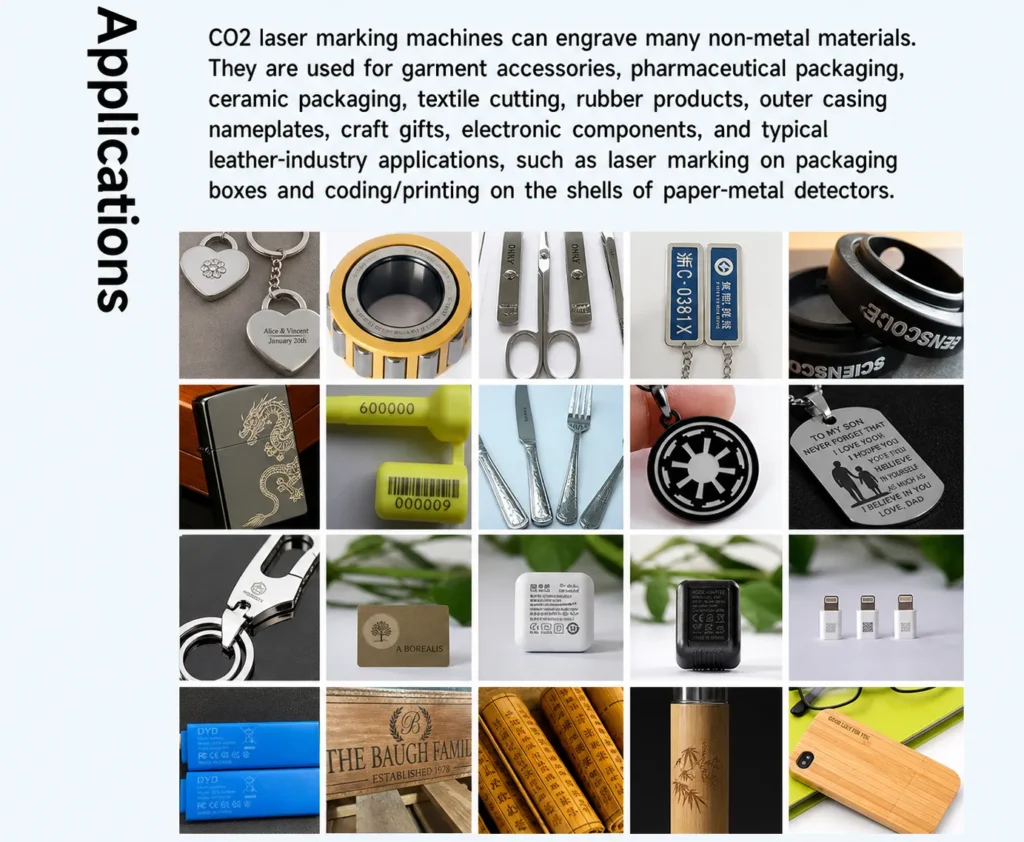
Suitable applications include personalized gifts, wooden boards, furniture components, boxes, bamboo products and decorative engraving.
Wood Laser Marking →Acrylic Products
Acrylic can be used for signs, decorative parts, product labels and customized designs where a clean engraved effect is required.
Acrylic Laser Marking →Leather & Rubber
Potential applications include leather products, rubber components, accessories, mats and customized patterns. Material testing is recommended because formulations vary.
Textile & Fabric
CO2 laser processing can be considered for selected fabrics and textile-related products, depending on material composition and desired effect.
Crafts & Personalized Products
For gift manufacturers and customized-product businesses, 30W provides a practical platform for logos, names, patterns and personalized graphics.
What Materials Can A 30W CO2 Laser Mark Or Engrave?
When a customer asks us whether a 30W CO2 laser can engrave a material, we normally do not answer with a simple “yes” or “no”. The actual material composition matters. This is especially true for plastics, rubber, coated materials and products containing additives.
For a standard production order, we recommend testing the customer’s actual material before confirming the final laser configuration. A sample that looks good in a product photo may behave differently when the material formulation changes.
Our recommendation: If your material is a specific plastic grade, coated material, rubber compound or composite material, send us the actual sample or a clear material specification. We would rather test it first than promise a marking result based only on the material name.
30W vs 60W CO2 Laser: Which One Should You Buy?
This is one of the most common questions during machine selection. The answer depends on what you are trying to achieve. If your work is mainly normal logo marking, text engraving, product identification and decorative engraving, a 30W configuration may already meet the requirement. A 60W configuration becomes more interesting when production speed, material removal or deeper processing is a higher priority.
| Factor | 30W CO2 | 60W CO2 |
|---|---|---|
| General engraving | Good choice for many standard applications | More power than some general applications require |
| Deep engraving | Suitable depth depends on material and process | More suitable when greater material removal is required |
| Production throughput | Suitable when required cycle time can be achieved | Worth considering for higher-throughput applications |
| Initial investment | Generally lower than a higher-power configuration | Higher-power configuration normally increases system cost |
| Small / medium production | Often a practical choice | May be unnecessary depending on cycle time |
| High-volume production | Depends on actual cycle time | Potentially better suited |
Our Practical Buying Advice
If your customer tells us, “I only need to engrave a logo on wooden products,” we would not automatically recommend 60W. We first look at the size of the logo, the required depth, the number of pieces per hour and the customer’s target cycle time. If 30W can meet those requirements, it may be the more sensible investment.
30W CO2 Laser vs Fiber Laser: Which One Is Better?
Neither technology is simply “better”. They are designed around different material groups. The easiest way to avoid buying the wrong machine is to start with the material you actually need to process.
| Application | 30W CO2 | Fiber Laser |
|---|---|---|
| Wood | ✓ Common choice | Usually not the first choice |
| Acrylic | ✓ Common choice | Usually not the first choice |
| Paper | ✓ Suitable for selected applications | Usually not the first choice |
| Leather | ✓ Common choice | Usually not the first choice |
| Stainless Steel | Not the normal choice | ✓ Common choice |
| Aluminum | Not the normal choice | ✓ Common choice |
| Metal Parts | Usually not the first choice | ✓ Strong candidate |
30W CO2 vs UV Laser: When Should You Consider UV?
UV laser marking is often considered when the application requires finer detail, lower thermal impact or materials that are difficult to process cleanly with a conventional CO2 setup. That does not mean UV is automatically better for every non-metal material.
Choose 30W CO2 When
- Your main materials are wood, acrylic, paper, leather or suitable plastics.
- You need general engraving or identification.
- The application does not require extremely fine micro-marking.
- You want a practical solution for general non-metal processing.
Consider UV When
- The material is heat-sensitive.
- Very fine marking is a major requirement.
- The application involves electronics, certain plastics or high-detail identification.
- A lower thermal effect is important.
If you are unsure between CO2 and UV, the best approach is to send us the actual material and marking sample. We can then evaluate the required contrast, detail and processing effect instead of choosing a laser based only on the product name.
How Do You Choose The Right Marking Area For A 30W CO2 Laser?
The marking area is determined by the optical configuration, particularly the F-Theta lens. A larger marking field is not automatically better. As the marking field changes, the optical setup and marking characteristics also change.
100 × 100 mm
The supplied JQ-CO2-30W specification identifies an F=160 lens with a 100 × 100 mm marking field.
150 × 150 mm
A larger field may be useful when the product or marking content needs more coverage. Confirm the corresponding lens configuration before ordering.
170 × 170 mm
An optional field listed in the supplied configuration information for applications requiring a larger marking area.
200 × 200 mm
Useful for larger products or layouts, but should be selected according to the actual optical and application requirements.
A Common Purchasing Mistake
Some buyers compare machines only by asking, “How large is the marking area?” We recommend a different question: “What is the smallest detail I need to mark, and how large is my actual product?” A larger field is useful only when it solves a real production problem.
Why The Maximum Speed Is Not The Same As Your Real Production Speed
The JQ-CO2-30W specification lists an engraving speed of up to 15,000 mm/s and a marking speed of 0–5,000 mm/s. These numbers are useful technical references, but a buyer should not calculate production output by simply assuming that every job will run at the maximum speed.
In real production, the laser has to accelerate, decelerate, change direction and process the actual geometry of the file. Filled graphics, small text, curves, repeated patterns and high-density engraving can all change the effective cycle time.
Marking Content
A simple line of text and a large filled logo do not take the same amount of processing time.
Material Response
The laser may need a different speed and power combination to obtain the required contrast or engraving depth.
Required Quality
Running faster is not useful if the resulting mark is too light, uneven or lacks the detail required by the customer.
Production Layout
The distance between products, fixture loading and operator handling can have a greater impact on total output than the laser’s headline speed.
For purchasing decisions: If you give us your marking file, material, marking size and target pieces per hour, we can evaluate the application around the actual cycle time rather than quoting a theoretical maximum speed.
Can A 30W CO2 Laser Marking Machine Run 24 Hours?
The JQ-CO2-30W specification lists a working time of 24 hours. For a buyer, however, “24 hours” should not simply be interpreted as running the laser at maximum power continuously for an entire day. Actual machine utilization depends on the application, duty cycle, material, processing parameters, environment and maintenance.
For production planning, we recommend looking at the machine as a complete system. The laser source, scanning system, computer, ventilation, electrical supply, workholding and operator workflow all contribute to reliable operation.
Air Cooling
The supplied JQ-CO2-30W configuration uses air cooling. This avoids the need for a separate external water chiller in the stated configuration.
Environment Matters
The supplied specification gives a recommended operating environment of 5°C–45°C with 10%–80% humidity. Keeping the machine within its specified environment is part of reliable operation.
Keep The Optics Clean
Dust, smoke and residue can affect optical components. Good extraction and regular inspection are important, especially when processing wood, leather, rubber or other materials that generate smoke.
Do Not Chase Maximum Power
If a lower-power setting already gives the required marking quality, there is normally no reason to use more laser energy simply because the machine is capable of it.
A Technician’s Practical Advice
If your factory plans to run the machine in multiple shifts, tell us that before ordering. We can evaluate the application, expected workload, ventilation, fixture and automation requirements together. A machine that is suitable for occasional engraving may need a different configuration when it becomes part of a continuous production line.
30W CO2 Laser Maintenance: What Does The Buyer Need To Know?
One advantage of a computer-controlled laser marking system is that there are no cutting tools physically contacting the workpiece. The marking process itself is non-contact, so there is no mechanical engraving bit to sharpen or replace after every batch.
That does not mean a CO2 laser is completely maintenance-free. A production machine still needs sensible cleaning, inspection and environmental control.
| Item | What To Check | Why It Matters |
|---|---|---|
| Laser & Optical System | Cleanliness, condition and abnormal performance | Contamination can affect beam delivery and marking consistency |
| F-Theta Lens | Dust, smoke residue and surface contamination | The lens is directly involved in focusing the beam onto the marking field |
| Exhaust System | Airflow and filter condition | Important when processing materials that generate smoke or fumes |
| Electrical System | Connections, power supply and abnormal heating | Stable electrical conditions support reliable operation |
| Machine Structure | Loose components, vibration and positioning mechanism | Mechanical stability affects repeatability |
What About Electricity Cost?
The supplied JQ-CO2-30W specification lists overall power at ≤0.6 kW. This is useful when estimating electrical consumption, although actual consumption varies with machine operating conditions and duty cycle.
For example, a simple theoretical calculation at 0.6 kW would be 0.6 kWh for one hour of operation at the stated maximum overall power. Actual production consumption should be calculated from measured operating conditions rather than assuming the machine continuously draws its maximum rated power.
30W CO2 Laser Marking Machine Price: What Actually Determines The Cost?
If you search for a 30W CO2 laser marking machine online, you may find very different prices. That does not necessarily mean one supplier is overcharging. “30W” describes the laser output power, but it does not describe the complete machine configuration.
Laser Source
The laser source brand, model, performance and configuration can significantly affect the machine quotation.
Lens & Marking Area
Different marking fields require different optical configurations. A quotation should clearly state what lens and working area are included.
Scanning System
Galvo performance affects marking speed, positioning and application suitability.
Machine Structure
Cabinet construction, Z-axis structure, worktable and overall mechanical design affect usability and stability.
Automation
A basic desktop system and an integrated conveyor-line system are very different products even if both use a 30W laser.
Accessories
Rotary attachments, additional lenses, fixtures, exhaust systems and other accessories can change the final quotation.
Ask For A Complete Configuration, Not Just A Price
When comparing suppliers, ask them to quote the laser source, lens, marking area, scanning system, software, machine dimensions, accessories, warranty and shipping terms together. Otherwise, a lower initial quotation may simply be a quotation with fewer components.
Get A Detailed 30W CO2 Quote →15 Questions To Ask A 30W CO2 Laser Marking Machine Supplier
Before sending a purchase order, these are the questions we recommend putting on the quotation or technical confirmation sheet.
One question matters more than most: “Can you test my actual material?” If the supplier can test your material, show you the result and explain the parameters and configuration, you are making the purchasing decision based on evidence rather than a product brochure.
30W CO2, 60W CO2, Fiber Or UV: Which Laser Marking Machine Should You Choose?
If you are still deciding which laser marking machine to buy, start with your material and production requirement. Do not start with the laser wattage.
| Your Main Requirement | Recommended Starting Point | Why |
|---|---|---|
| Wood, bamboo and general non-metal engraving | 30W CO2 | Practical CO2 application |
| Higher-throughput non-metal production | Consider 60W CO2 | More power may provide greater processing capability |
| Stainless steel, aluminum and metal parts | Fiber Laser | Fiber is generally the more appropriate technology for metal marking |
| Fine marking on sensitive materials | Consider UV Laser | UV can be advantageous for certain heat-sensitive and high-detail applications |
| Mixed materials | Sample testing first | The correct laser depends on the actual materials and required result |
More Than A 30W Laser Source
For an export customer, buying the machine is only the first step. The more important question is whether the supplier understands your material, marking requirement and production process before the machine is shipped.
Application Evaluation
Tell us what material you need to mark, what information needs to be marked and your production target. We can recommend the configuration around the application.
Sample Testing
Actual samples are more useful than assumptions. Send us your material and marking file so the result can be evaluated before purchase.
Configuration Selection
We can discuss laser power, lens, marking field, rotary options and production-line requirements based on the application.
Export Support
For overseas buyers, machine dimensions, weight, electrical requirements, packaging and shipping information should be confirmed before shipment.
Related Laser Marking Machines & Applications
If the 30W CO2 laser is not the right fit for your material or production requirement, these related pages can help you compare other laser marking technologies and applications.
CO2 Laser Marking Machine
Explore the complete CO2 laser marking machine range.
Fiber Laser Marking Machine
A better starting point for many metal marking applications.
UV Laser Marking Machine
For selected high-detail and heat-sensitive applications.
CO2 Laser For Plastic
Learn more about CO2 laser marking on plastic materials.
CO2 Laser For Wood
Wood engraving and product identification applications.
CO2 Laser For Acrylic
Acrylic engraving and marking applications.
CO2 Laser For Glass
Explore glass marking and engraving applications.
CO2 Laser For Packaging
Packaging marking, coding and product identification.
Not Sure If 30W CO2 Is The Right Machine?
Send us your material, marking content, marking size and target production volume. We can evaluate the application and recommend whether 30W CO2, a higher-power CO2 system, fiber laser or UV laser makes more sense.
A sample test is often more useful than comparing machine specifications alone.
Frequently Asked Questions About 30W CO2 Laser Marking Machines
These are practical questions buyers often ask before purchasing a 30W CO2 laser marking or engraving machine.
Is 30W CO2 laser enough for wood engraving?
Can a 30W CO2 laser mark plastic?
Can a 30W CO2 laser engrave acrylic?
Can a 30W CO2 laser mark glass?
How deep can a 30W CO2 laser engrave?
What is the marking area of the JQ-CO2-30W?
How fast can a 30W CO2 laser marking machine work?
Can a 30W CO2 laser run 24 hours?
Should I buy a 30W or 60W CO2 laser?
Is CO2 better than a fiber laser?
Can I use a 30W CO2 laser as a laser engraver?
Can JQ Laser test my material before I buy the machine?
Technical Data & Application Notes
The technical specifications on this page are based on JQ Laser's supplied JQ-CO2-30W product specification and configuration information. Application statements are based on the supplied material and application data and should be confirmed through sample testing when material composition or processing requirements may vary.
Optional components, including different F-Theta lenses and marking fields, may change the final machine configuration. Buyers should confirm the exact laser source, lens, marking area, electrical specification and accessories on the final quotation before placing an order.
- Model: JQ-CO2-30W
- Output power: 30W
- Wavelength: 10.64 μm
- Cooling: Air cooling
- Standard specified lens: F=160, 100 × 100 mm
- Overall power: ≤0.6 kW
- Power supply: AC220V ±10%, 50Hz, 5A
- Overall dimensions: 700 × 900 × 1450 mm
- Overall weight: 85 kg