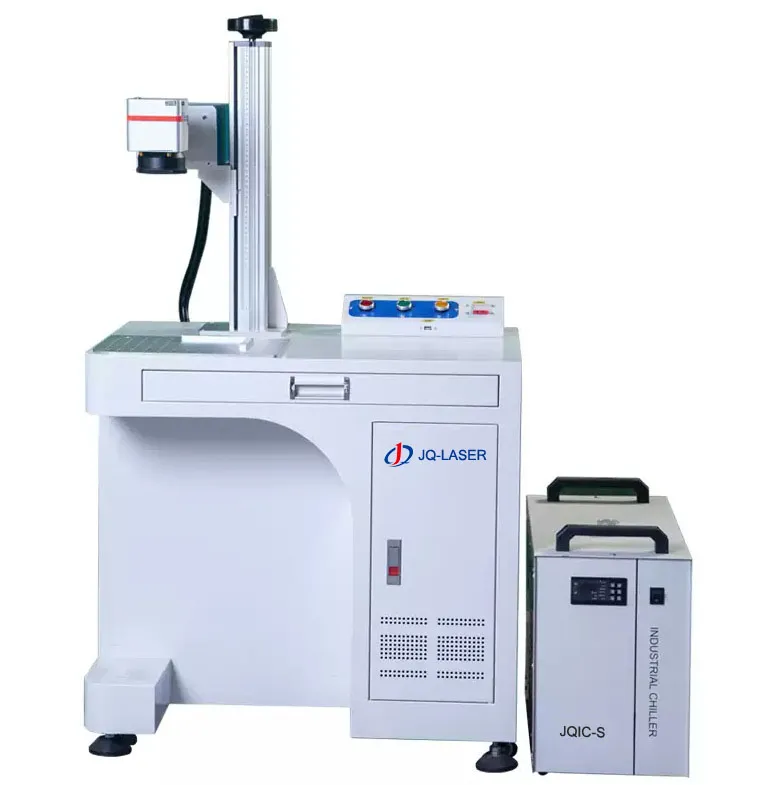
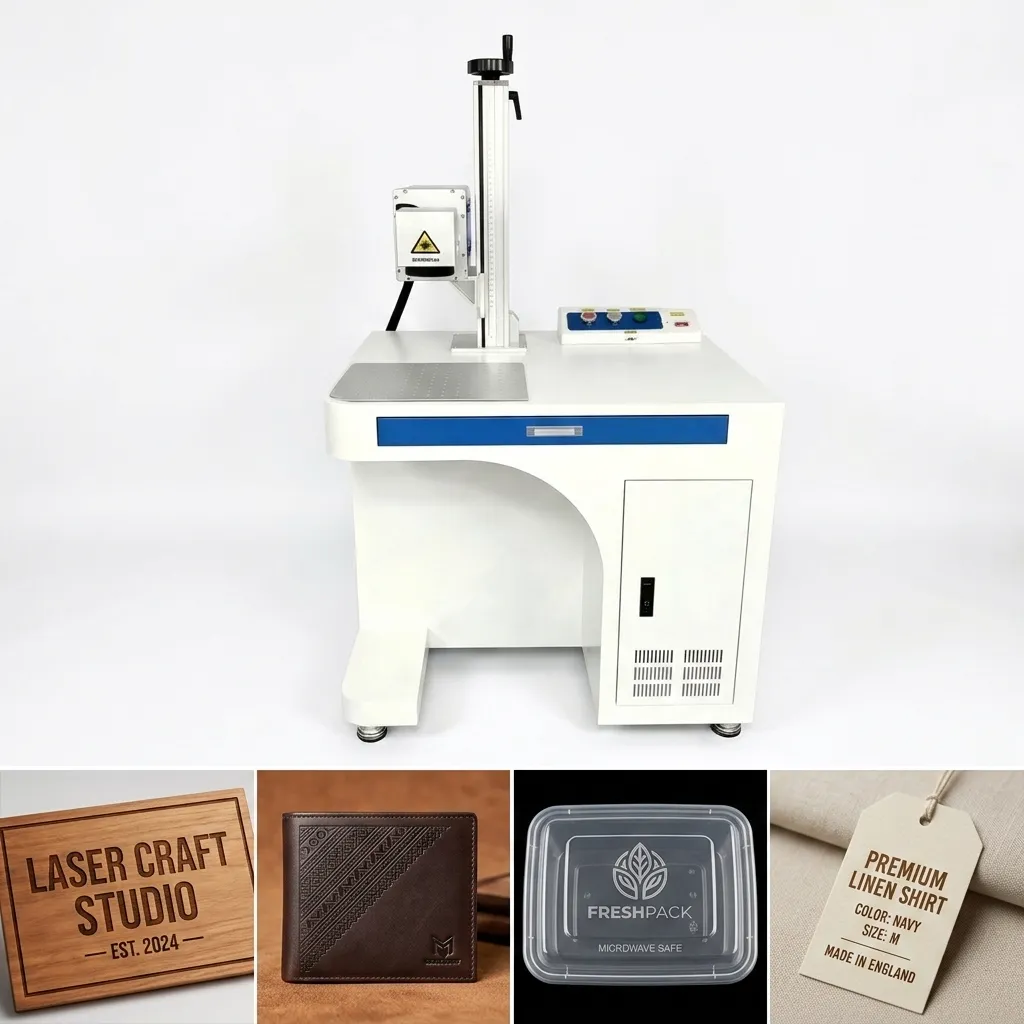
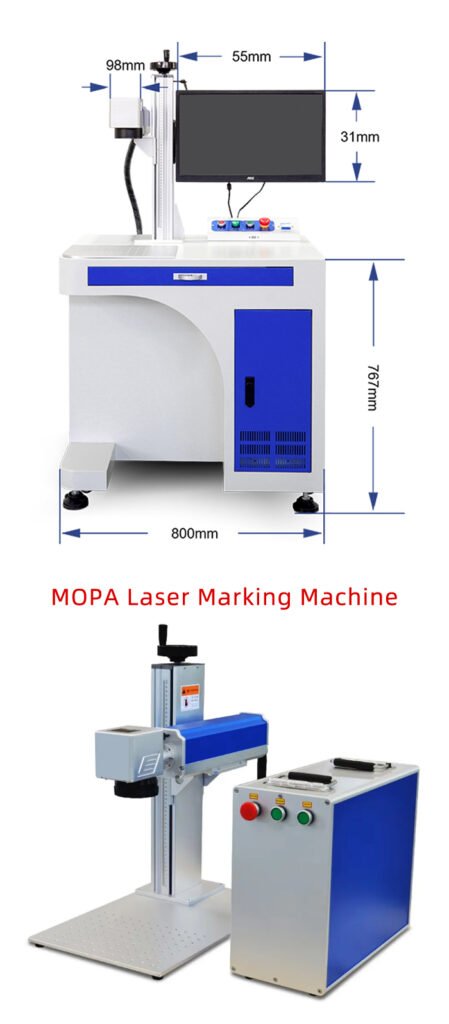
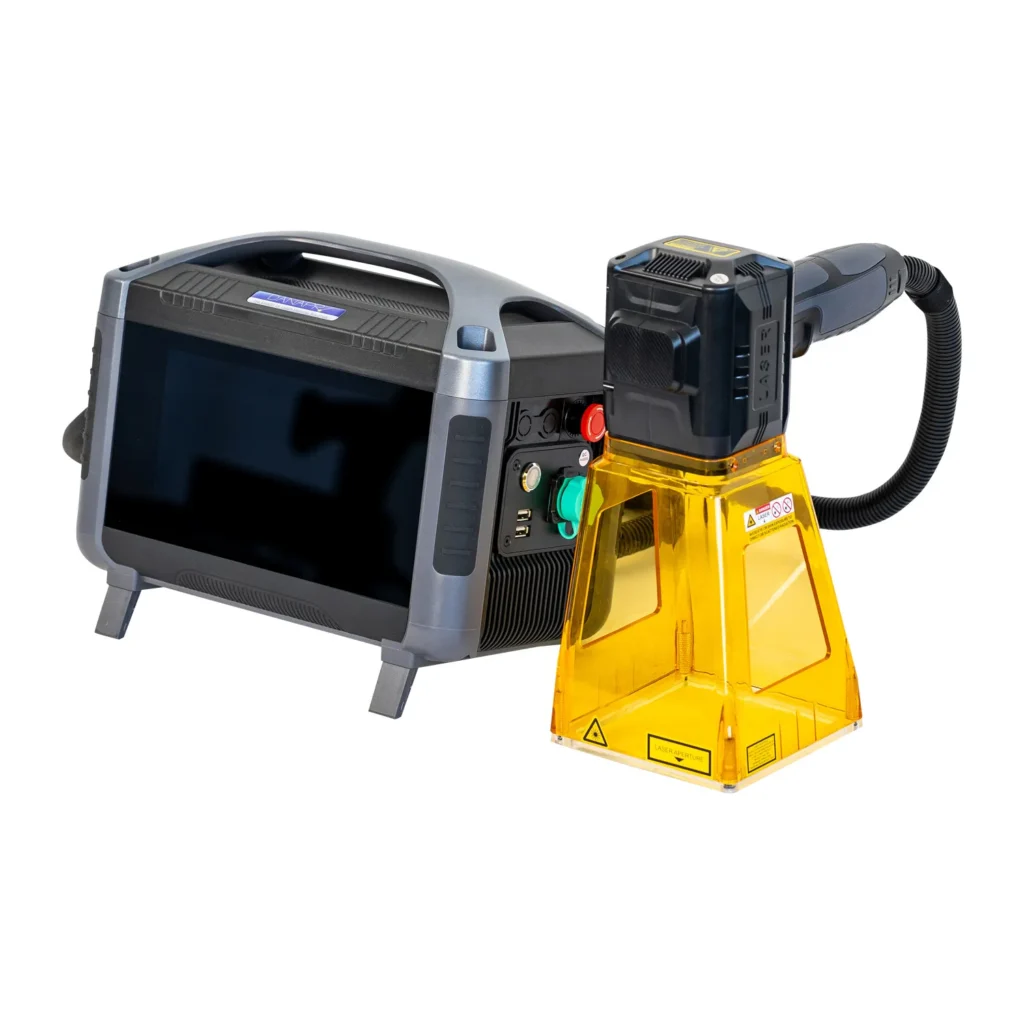
60W CO2 Laser Marking Machine
A higher-power CO2 laser marking solution for non-metal materials, including wood, leather, acrylic, paper, rubber, selected plastics, packaging materials and other products that respond well to 10.6 μm CO2 laser processing.
The 60W configuration is designed for buyers who need more processing capability than a basic 30W system, especially when deeper engraving, faster production or more demanding non-metal applications are involved.
Table of Contents
Why Choose a 60W CO2 Laser Marking Machine?
If a 30W CO2 laser already gives you the marking result you need, there is no reason to pay more simply because a 60W machine has more power. The real reason to move to 60W is production demand.
In our experience, buyers normally start looking at 60W when they need deeper engraving, faster material removal, a more demanding production schedule or more processing margin on thicker non-metal materials. The right choice depends on the actual material, marking design and production target.
You Need More Material Removal
If your application requires deeper engraving rather than a simple surface mark, additional laser power can provide more processing capability. The actual depth still depends heavily on the material and processing parameters.
You Need Higher Production Throughput
A 60W configuration can give the process more power headroom. This can be useful when the same marking has to be repeated across a large number of products or when the customer wants to reduce processing time.
Your Material Is More Demanding
Some materials require more energy to achieve the required contrast or engraving effect. A higher-power CO2 configuration can provide additional processing flexibility, although material testing should always come first.
You Want More Production Margin
If your production volume is expected to increase, choosing the 60W configuration from the beginning can provide more headroom than buying a smaller machine and upgrading later.
When We Would Recommend 30W Instead
If you mainly mark simple logos, serial numbers, dates or decorative graphics on easy-to-process non-metal materials and your production volume is moderate, 30W may already be sufficient. A good supplier should tell you that instead of automatically selling you the higher-power machine.
60W CO2 Laser Marking Machine Specifications
The following specifications are based on the 30W/40W/60W/100W CO2 series configuration information supplied to JQ Laser. The exact lens, marking field and machine configuration should be confirmed on the final quotation.
Configuration note: The supplied materials also contain another CO2 machine configuration showing different dimensions, weight, power consumption and marking field. Because these specifications can vary with machine structure, lens and configuration, JQ Laser recommends confirming the final specification sheet attached to your quotation before purchase.
What Materials Can a 60W CO2 Laser Mark or Engrave?
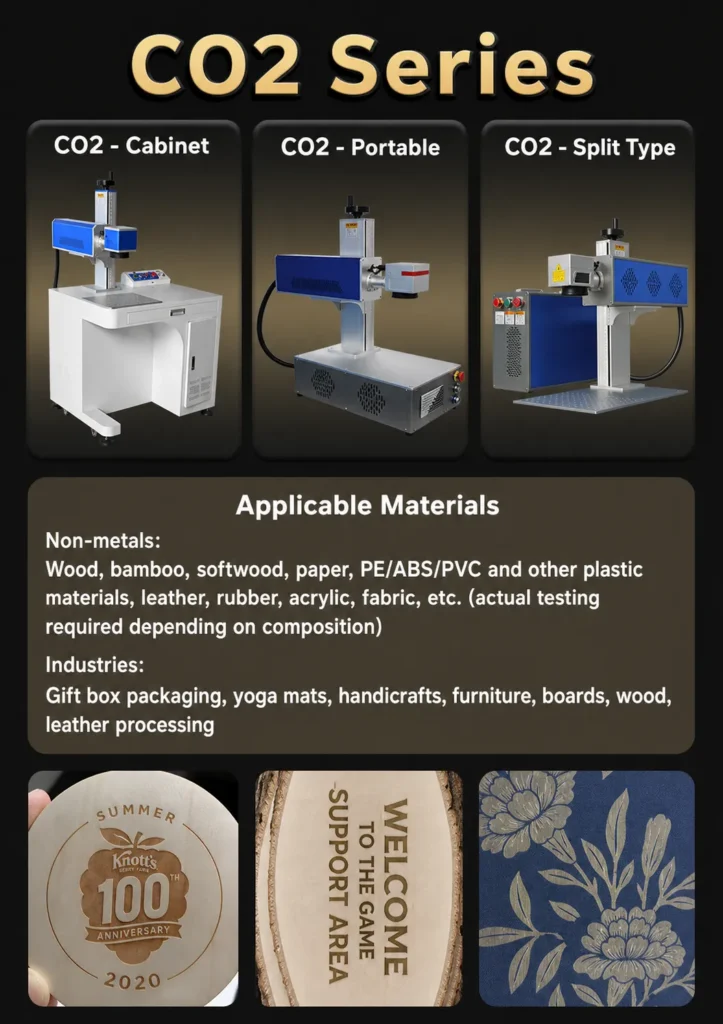
A CO2 laser is mainly selected for non-metal materials. The supplied JQ Laser application information lists wood, bamboo, paper, leather, rubber, acrylic, fabric and selected plastics such as PE, ABS and PVC among the applicable materials.
This is also where the difference between laser marking and laser engraving becomes useful. A customer marking a serial number on packaging may call it laser marking, while a customer removing material from wood to create a deep logo may search for a CO2 laser engraver. The same CO2 technology can support both types of applications when the material is suitable.
Important: Material Testing Is Still Necessary
“Plastic,” “rubber,” “leather” and “wood” are broad material categories. Different additives, coatings, colors, hardness, moisture and surface treatments can change the laser result. For a commercial production order, the safest approach is to test the actual material and the actual marking artwork before finalizing the machine configuration.
Where Is a 60W CO2 Laser Marking Machine Used?
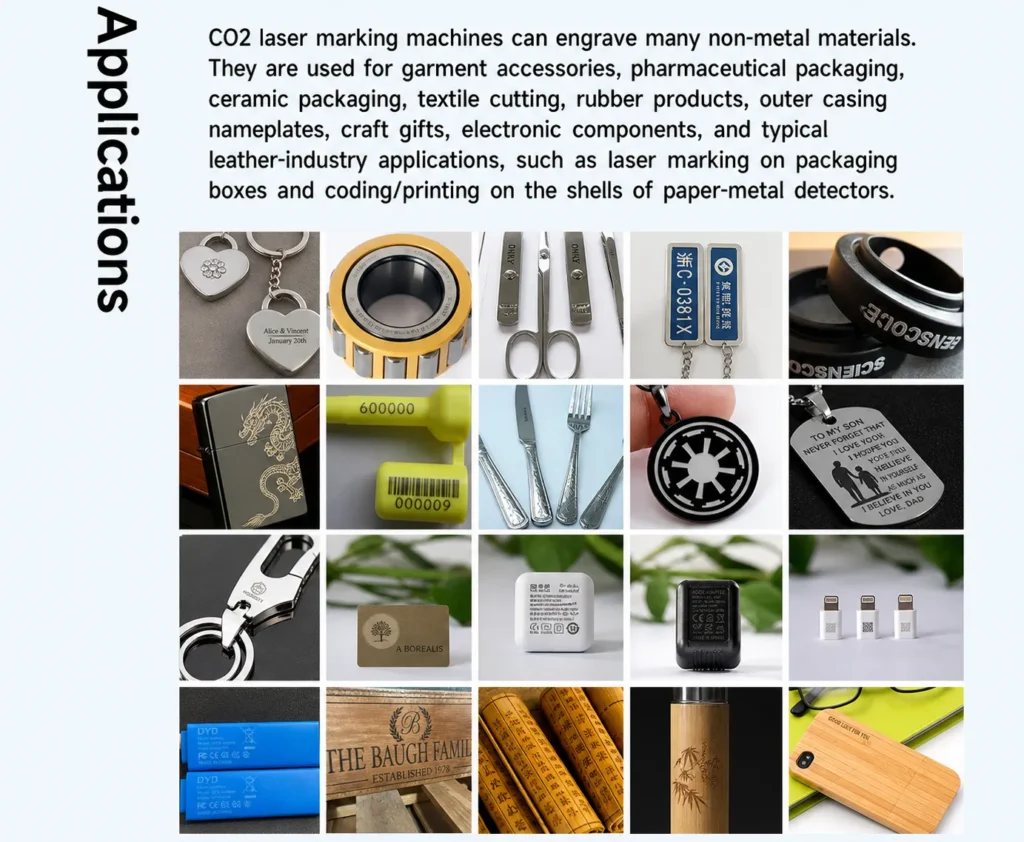
The strongest use cases for a 60W CO2 system are applications where the customer needs permanent identification, decorative engraving or controlled material removal on suitable non-metal products.
Packaging
Gift boxes, paper packaging, cartons, labels and product identification.
Leather Products
Logos, names, patterns, decorative graphics and customized leather goods.
Wood Products
Wooden gifts, boards, furniture components, crafts and personalized products.
Acrylic Products
Signs, displays, decorative panels, customized products and components.
Garment Accessories
Selected textile accessories, tags and product identification applications.
Rubber Products
Identification and decorative marking on suitable rubber materials.
Electronic Components
Selected non-metal housings and components where CO2 wavelength is suitable.
Gifts & Crafts
Personalized names, logos, illustrations, decorative patterns and custom products.
Looking for a specific material?
CO2 Laser For Plastic CO2 Laser For Wood CO2 Laser For Acrylic CO2 Laser For Glass60W vs 30W CO2 Laser: Which One Should You Buy?
This is one of the most common questions we receive from buyers. The short answer is: don’t choose the higher wattage just because it sounds better. Choose it because your material, engraving depth or production volume actually requires it.
A 30W CO2 laser can be a very good choice for normal marking and engraving jobs. A 60W CO2 laser makes more sense when you need additional processing capability or want more production margin.
| Factor | 30W CO2 | 60W CO2 |
|---|---|---|
| Typical Buyer | Small to medium production | Higher production demand |
| Basic Logo / Text | Suitable | Suitable |
| Decorative Engraving | Suitable | Suitable |
| Deeper Engraving | Limited by material and process | More processing headroom |
| Production Margin | Normal | Higher |
| Machine Cost | Generally lower | Generally higher |
Choose 30W If…
- Your products are relatively easy to process.
- You mainly mark logos, text, dates or simple graphics.
- Your production volume is moderate.
- You do not need deep engraving.
- Keeping the initial equipment budget lower is important.
Choose 60W If…
- You need deeper engraving.
- You process a larger number of parts every day.
- You want more processing headroom.
- Your material requires more laser energy.
- You expect production volume to grow.
60W vs 100W CO2 Laser: Is More Power Always Better?
Not necessarily. A 100W CO2 laser can provide more power, but that does not automatically mean it will produce a better mark on every material. For many customers, the real question is whether the additional power will improve their production cost per piece.
If you are producing thousands of products and every second matters, moving from 60W to 100W may make commercial sense. If you only need a few hundred pieces per day, the additional investment may not give you a meaningful return.
General non-metal marking, product identification, decorative engraving, packaging, wood products, leather products and many customized products.
Production volume is high, material removal is demanding or the customer needs more processing capacity than a 60W configuration can reasonably provide.
60W CO2 Laser vs Fiber Laser: Which Is Better?
If you are comparing a CO2 laser marking machine with a fiber laser, start with the material rather than the wattage. CO2 and fiber lasers operate at very different wavelengths, so they interact with materials differently.
| Application Factor | 60W CO2 Laser | Fiber Laser |
|---|---|---|
| Main Wavelength | 10.6 μm | Typically around 1064 nm |
| Wood | Excellent fit for many applications | Generally not the first choice |
| Acrylic | Common application | Generally not the first choice |
| Plastic | Selected plastics | Many engineering plastics |
| Stainless Steel | Not the normal choice | Strong application fit |
| Aluminum | Generally not the first choice | Common application |
| Typical Strength | Non-metal processing | Metal marking |
Simple rule: If your main products are metal parts, start with a Fiber Laser Marking Machine . If your main products are wood, acrylic, paper, leather, rubber or other suitable non-metals, a CO2 laser is usually the more natural starting point.
60W CO2 Laser vs UV Laser Marking Machine
CO2 and UV lasers can both be used for certain non-metal applications, but they solve different problems. UV laser systems are often selected when the customer needs fine, low-heat marking on sensitive materials, while CO2 is a strong choice for many common non-metal engraving and marking jobs.
Choose CO2 When
- Wood is your main material.
- You engrave acrylic.
- You process paper or packaging.
- You mark leather or rubber.
- You need material removal and engraving.
Consider UV When
- You work with sensitive materials.
- Very fine details are important.
- Heat-affected areas need to be minimized.
- You work with electronics or specialized products.
- Micro-marking is more important than deep engraving.
How Do You Choose the Right CO2 Laser Marking Area?
The supplied CO2 configuration information lists several marking fields, including 110 × 110 mm, 150 × 150 mm, 170 × 170 mm and 200 × 200 mm. This does not mean that the largest field is automatically the best choice.
A larger field allows you to process a larger design area, but the optical configuration changes with the lens. Before choosing the marking field, look at the size of your actual product and the largest artwork you need to process.
Small logos
Fine marking
Medium products
Flexible choice
Larger product areas
More flexibility
Large artwork
Confirm final lens
Don’t choose the lens from the catalog alone. Tell us your actual product dimensions and the maximum marking size you need. If you can send a product sample or drawing, we can recommend the appropriate marking field before the final configuration is confirmed.
Why Maximum Marking Speed Is Not the Same as Production Speed
A specification sheet may show a maximum marking speed, but that number should not be treated as the guaranteed time for every job.
For example, a simple single-line text mark and a detailed filled logo are completely different jobs. The second one requires more laser paths, more movement and usually different processing parameters.
Text, QR codes, serial numbers and detailed graphics have different processing times.
Higher speed is not always better if the material needs more energy to achieve the required result.
Production speed should always be balanced against contrast, detail, depth and surface quality.
Our recommendation: When comparing machines, don’t only ask “What is the maximum speed?” Ask the supplier to test your actual product and tell you the approximate cycle time for your actual artwork.
How Much Does a 60W CO2 Laser Marking Machine Cost?
There is no single price for every 60W CO2 laser marking machine. Two machines advertised as “60W CO2” can have very different prices because the laser source, optical system, marking field, machine structure, software, automation and included accessories may not be the same.
This is why we recommend comparing the complete machine configuration rather than comparing only the wattage or the lowest quotation.
Laser Source
The laser source is one of the main factors affecting the machine’s price, service life and long-term operating characteristics.
Optical Configuration
Different F-Theta lenses can provide different marking fields, so a 110 × 110 mm system and a 200 × 200 mm system may not have the same configuration cost.
Machine Structure
Portable, split, cabinet and customized production systems can have different structures, dimensions and costs.
Automation
Rotary devices, conveyors, sensors, fixtures and automatic feeding systems can increase the total equipment cost.
Software & Accessories
Software, computer configuration, foot switches, fixtures and other accessories should be checked carefully in the quotation.
Shipping & Installation
International freight, packaging, local installation and after-sales support can also affect your total purchasing cost.
Why We Don’t Put a Fake “Starting From” Price Here
A machine with a larger marking field, different laser source, automatic rotary axis or customized production fixture is not the same product as a basic configuration. Instead of showing an artificially low price and adding accessories later, we prefer to quote according to your actual application and required configuration.
What Should Be Included in a 60W CO2 Laser Quotation?
Before comparing two quotations, make sure you are actually comparing the same configuration. A low machine price is not necessarily a low total cost if important components are excluded.
| Item | What to Confirm | Why It Matters |
|---|---|---|
| Laser Source | Brand, model and output power | Different sources can have different performance and service support |
| Lens | Lens model and marking field | Determines the available marking area and optical configuration |
| Software | Software name and included functions | Software affects workflow and production usability |
| Rotary Device | Included or optional | Important if you mark bottles, cylinders or round products |
| Exhaust / Ventilation | Included or customer supplied | Important for smoke and processing fumes |
| Shipping | Packaging, freight and delivery terms | Machine price is not the same as landed cost |
Not Sure If a 60W CO2 Laser Will Work on Your Material?
Don’t guess. Send us your actual material and marking artwork.
This is especially important for plastics, rubber, coated materials, composite products and materials with unknown additives. The material name alone does not always tell us how it will react to a CO2 laser.
What Should You Send?
- Actual material sample
- Product photo or drawing
- Logo or marking artwork
- Required marking size
- Required depth, if any
- Target production quantity
- Expected marking time per piece
60W CO2 Laser Marking Machine Maintenance
One reason many buyers choose a CO2 marking system is the relatively simple air-cooled configuration. But “air cooled” does not mean “no maintenance.”
Good maintenance is mainly about keeping the optical path clean, maintaining proper ventilation and making sure the machine operates in a suitable environment.
Keep the Optical System Clean
Dust and smoke generated during processing can affect optical components. Follow the manufacturer’s cleaning procedure and avoid touching optical surfaces directly.
Maintain Ventilation
Processing non-metal materials can generate smoke and fumes. Proper extraction and ventilation are important for the machine, operator and working environment.
Keep Airflow Clear
Since this configuration uses air cooling, airflow around the machine should not be unnecessarily blocked. Keep ventilation openings clean and unobstructed.
Check Marking Quality
A sudden change in contrast, focus or marking quality can be an early indication that the optical system, parameters or material condition needs attention.
Can a 60W CO2 Laser Marking Machine Run 24 Hours?
The supplied 60W series specification lists a working time of 24 hours. For a production buyer, however, “24-hour working time” should not be interpreted as “run continuously without any attention or maintenance.”
A real production environment needs proper ventilation, stable electrical power, clean optics, suitable ambient conditions and appropriate operating parameters. The actual duty cycle should also match the material and production process.
Questions to Ask Before Buying a 60W CO2 Laser
If you are comparing several CO2 laser suppliers, ask these questions before comparing the final price.
Not Sure Whether 60W Is Right for Your Product?
Tell us what you want to mark, what material you use, the marking size and your approximate production volume. We can help you compare 30W, 60W and other configurations instead of simply recommending the most expensive machine.
Material testing is recommended when the laser response of the actual product is uncertain.
What Can a 60W CO2 Laser Mark and Engrave?
A 60W CO2 laser marking machine is mainly used for non-metal materials. Depending on the material composition and the required result, it can be used for engraving, marking, coding and surface processing on wood, bamboo, acrylic, leather, rubber, paper, packaging materials, selected plastics and other non-metal products.
The important point is that “plastic” or “rubber” is not a single material. Different formulations can react very differently to a CO2 laser. For production orders, we recommend testing the actual material before finalizing the machine configuration.
Wood & Bamboo
Logos, names, decorative graphics, serial numbers, product identification and personalized designs.
Common industries:Gifts, furniture, handicrafts, packaging and wooden products.
Acrylic
Text, logos, decorative graphics and product identification on suitable acrylic materials.
Common industries:Signage, gifts, displays, crafts and customized products.
Leather
Logos, patterns, names, serial numbers and decorative engraving on suitable leather products.
Common industries:Bags, wallets, belts, shoes and fashion accessories.
Rubber
Suitable rubber products can be marked with identification information, patterns or logos.
Important:Rubber formulation should be tested before production.
Paper & Packaging
Product codes, logos, batch information, graphics and other identification marks.
Common industries:Packaging, gift boxes, labels and paper products.
Selected Plastics
CO2 lasers can work with certain plastic materials, depending on their composition and additives.
Recommendation:Always test the actual production material.
Industries Using 60W CO2 Laser Marking
The same 60W CO2 laser can be configured for very different production jobs. The right configuration depends on your product, marking area and production process.
Packaging
Gift boxes, packaging materials, paper products and product identification.
Wood Products
Furniture components, wooden gifts, boards, bamboo products and handicrafts.
Leather
Bags, wallets, belts, shoes and customized leather products.
Electronics
Selected non-metal housings, labels and components depending on material.
Gifts
Personalized names, logos, graphics and decorative engraving.
Garment
Suitable textiles, labels, accessories and selected fabric applications.
Rubber Products
Identification and decorative marking on suitable rubber materials.
Craft Products
Personalized products, decorative engraving and small-batch production.
60W CO2 Laser Machine Configuration Options
A good machine is not simply a laser source placed inside a cabinet. The optical system, marking field, fixture and production workflow all need to match the customer’s application.
| Configuration | Available Options | When It Makes Sense |
|---|---|---|
| Laser Power | 30W / 40W / 60W / other configurations | Select according to material and production requirements. |
| Marking Field | 110×110 / 150×150 / 170×170 / 200×200 mm | Choose according to the largest required artwork. |
| Rotary Axis | Optional | Useful for cylindrical or round products. |
| Fixture | Standard or customized | Important for repeatable positioning in batch production. |
| Automation | Optional integration | Consider when marking large production quantities. |
| Exhaust System | According to installation environment | Recommended for smoke and fume extraction during processing. |
Which 60W CO2 Configuration Fits Your Production?
Custom Gift Manufacturer
The customer produces wooden and acrylic gifts with names, logos and decorative patterns.
Recommended focus:
Material testing + suitable marking field + repeatable fixture.
Packaging Manufacturer
The customer needs to add product information, codes or graphics to packaging materials.
Recommended focus:
Processing speed + artwork size + production cycle time.
Leather Product Manufacturer
The customer marks logos, names and decorative patterns on leather products.
Recommended focus:
Material response + contrast + smoke extraction + production consistency.
The key point: The “best” CO2 laser is different for every application. A supplier who asks about your product before quoting is usually giving you a more useful recommendation than a supplier who immediately sends the cheapest machine price.
FREQUENTLY ASKED QUESTIONS
Is 60W CO2 laser good for wood?
Yes. CO2 lasers are commonly used for suitable wood and bamboo products. A 60W configuration can be used for logos, text, decorative graphics and engraving. The final result depends on the wood species, moisture, surface treatment and required depth.
Can a 60W CO2 laser engrave acrylic?
Yes, suitable acrylic materials are a common CO2 laser application. However, acrylic formulations and colors can behave differently, so testing the actual material is recommended before production.
Can a 60W CO2 laser mark plastic?
It can mark or process some plastics, but plastic is not a single material. PE, ABS, PVC and other formulations can have very different laser responses. We recommend sending a sample before purchasing if the exact material has not been tested.
How deep can a 60W CO2 laser engrave?
There is no universal depth specification for every material. The supplied machine information lists engraving depth as material-dependent. Actual depth depends on material composition, laser parameters, focus, speed and the number of passes. For a specific depth requirement, testing is the correct way to confirm the result.
Is 60W better than a 30W CO2 laser?
Not automatically. 60W provides more power headroom, which can be useful for demanding applications and higher production requirements. If your job is simple marking on suitable materials, 30W may already be sufficient. The right choice depends on your material, required result and production volume.
What marking area can I choose for a 60W CO2 laser?
The supplied configuration information lists 110×110 mm, 150×150 mm, 170×170 mm and 200×200 mm options. The appropriate marking field depends on your actual product and artwork size.
Can a 60W CO2 laser run 24 hours?
The supplied specification lists a 24-hour working time. Continuous production still requires suitable environmental conditions, ventilation, electrical stability, clean optics and correct operating parameters. It should not be interpreted as maintenance-free operation.
Does a CO2 laser mark metal?
CO2 lasers are generally selected for non-metal applications. If your main products are stainless steel, aluminum, brass or other metals, a fiber laser marking machine is usually the more appropriate technology.
How much does a 60W CO2 laser marking machine cost?
The price depends on the laser source, optical configuration, marking field, machine structure, software, fixtures, rotary devices and other options. Instead of giving a misleading universal price, JQ Laser can quote according to your actual application and required configuration.
Can you test my material before I buy the machine?
Yes. If the material or required marking result is uncertain, we recommend sending a sample and your artwork for testing before confirming the final machine configuration.