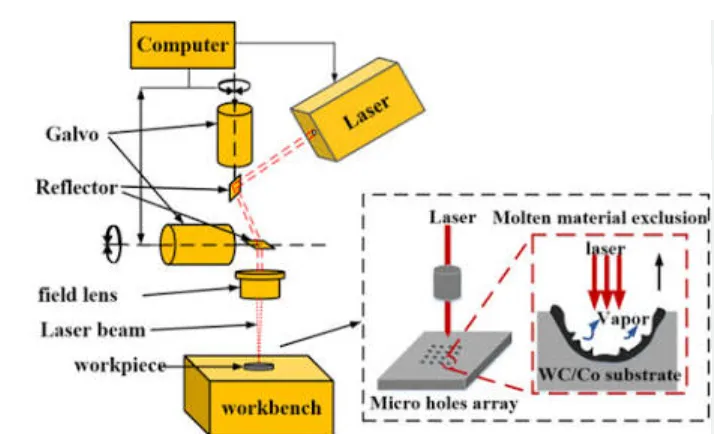
Before sending an industrial RFQ, don’t ask only for the machine price and laser power. Ask the supplier to confirm the laser source, marking field, actual marking speed, material compatibility, marking depth, sample-test results, fixture design, automation requirements, production lead time, QC process, warranty, spare parts, OEM capability and shipping terms. For production projects, also ask how the supplier measures cycle time and whether the machine has been tested with your actual workpiece and marking file. A good RFQ should describe your part first and the machine second. This gives you a much better basis for comparing suppliers and avoiding a machine that looks good on paper but does not perform well on your production floor.
Ask the Right Questions Before You Request a Laser Marking Machine Quote
Compare suppliers based on the complete production solution—not just wattage, scanner speed or machine price.
*Reference maximum scanning speed. Actual production cycle time depends on material, artwork, marking area, hatch settings, fixture, loading and inspection.
12 Questions to Ask Before Sending an Industrial RFQ
- Which laser source and model are you quoting?
- What laser power do you recommend for my actual material and why?
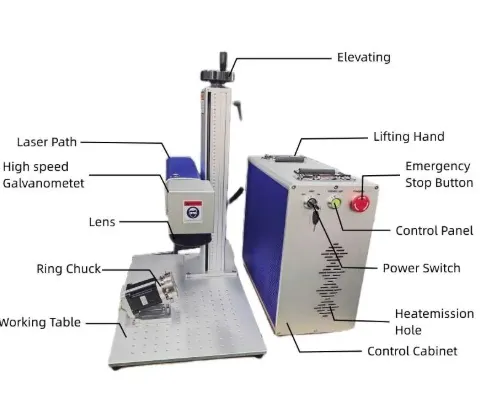
- What marking field and F-theta lens are included?
- What is the actual marking time for my sample—not just the galvo’s maximum speed?
- Can you test my actual workpiece and marking file?
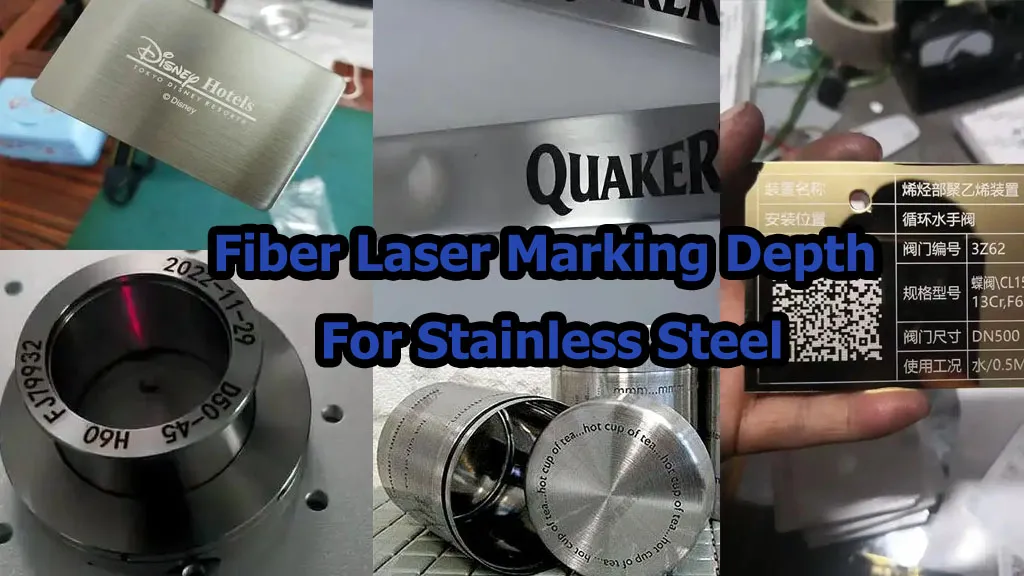
- What marking depth and contrast can you realistically achieve?
- What fixture or rotary solution do you recommend?
- Can the system integrate with PLC, conveyor, robot or MES?
- What inspection and QC checks are completed before shipment?
- What is the production lead time after technical confirmation?
- What are your OEM, ODM and MOQ conditions?
- What spare parts, warranty and technical support are included?
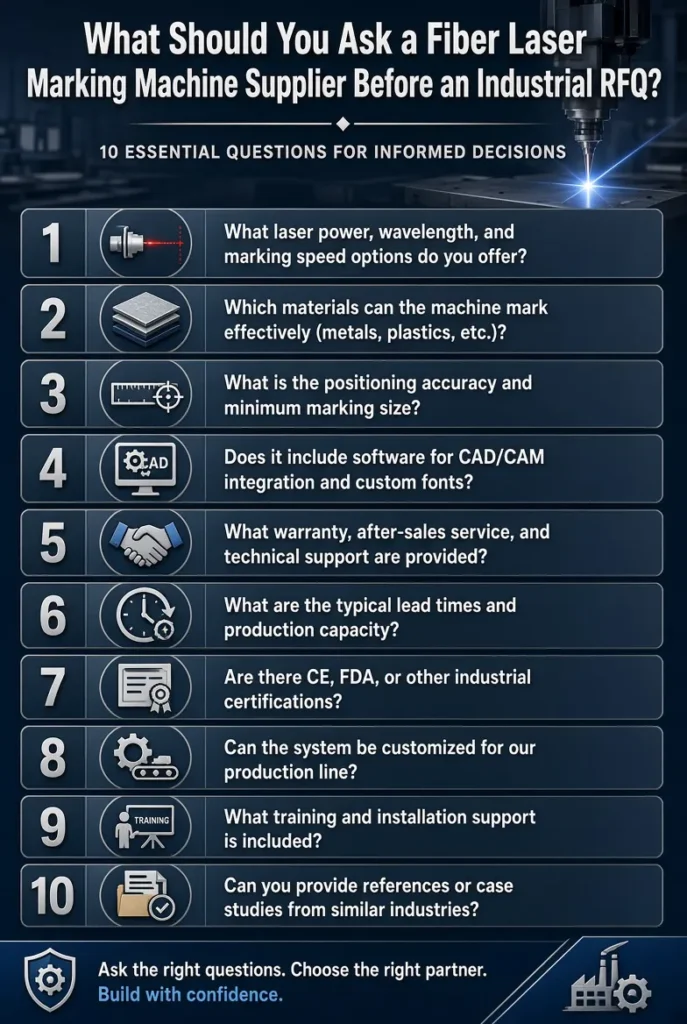
Table of Contents
1. What Laser Source Are You Actually Buying?
“30W fiber laser” is not a complete specification. Before comparing two suppliers, ask them to identify the actual laser source and configuration included in the quotation.
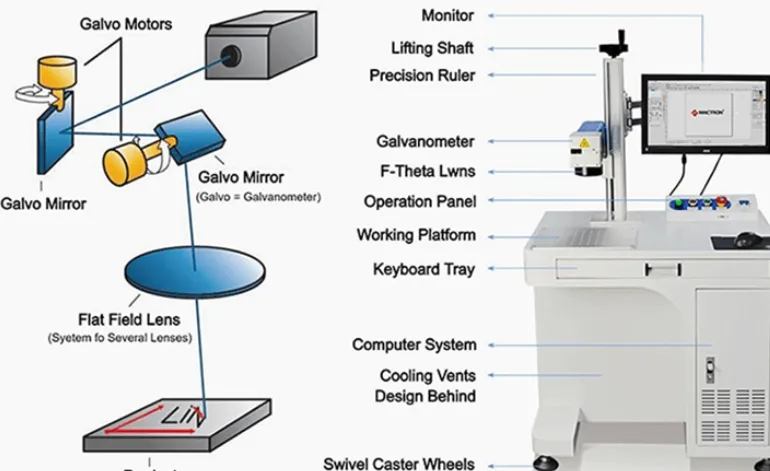
JQ Laser commonly works with Raycus, JPT, MAX and IPG configurations depending on the machine model, budget and application. The galvo scanner, F-theta lens and control card also affect the final marking result.
| RFQ Item | What You Should Ask |
|---|---|
| Laser source | Brand + exact model |
| Laser power | 20W / 30W / 50W / 100W |
| Galvo | Brand + model/configuration |
| F-theta lens | Lens focal length + marking field |
| Controller | BJJCZ/JCZ-compatible or specified alternative |
2. Why Do You Recommend 20W, 30W, 50W or 100W?
Don’t accept “50W is better” as an answer. Ask the supplier to connect the power recommendation to your actual process.
| Power | Common Application | When It Makes Sense |
|---|---|---|
| 20W | Serial numbers, QR codes, logos, nameplates | Standard identification and smaller production volumes |
| 30W | General metal parts and batch marking | Good general-purpose production option |
| 50W | Faster production and deeper engraving | Higher production volume or material removal |
| 100W | Deep engraving and demanding production | High material removal or high-throughput applications |
“Show me the same sample with your recommended power and one lower-power configuration. Tell me the cycle-time difference and what extra production capacity I am actually paying for.”
3. What Marking Parameters Are Included?
Ask for more than “7000 mm/s”. A serious industrial RFQ should define the optical configuration and the conditions behind the performance claim.
| Parameter | Typical JQ Reference | Why It Matters |
|---|---|---|
| Wavelength | 1064 nm | Determines the laser-material interaction |
| Marking field | 110×110 mm typical | Defines usable marking area |
| Reference scanner speed | Up to approx. 7,000 mm/s | Scanner capability, not complete cycle time |
| Minimum line width | Approx. 0.01–0.02 mm* | Fine-detail capability |
| Minimum character | Approx. 0.1–0.2 mm* | Important for tiny serials and codes |
| Cooling | Air cooling common | Affects machine structure and maintenance |
*Published reference values under suitable optical and process conditions. Final results depend on material, lens, laser source, marking content and parameters.
4.Can You Test My Actual Workpiece Before I Place the Order?
If a supplier refuses to test the actual material when the application is technically uncertain, I would not make the purchasing decision based only on a specification sheet.
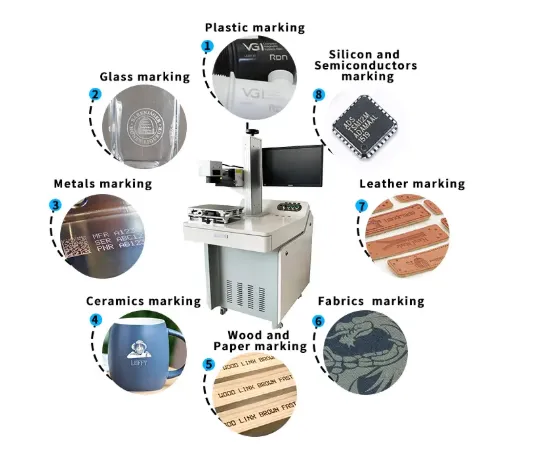
A generic stainless-steel sample does not prove that your exact stainless-steel grade, coating or surface finish will produce the same result.
Send These Samples
Use the same production material whenever possible.
Logo, serial number, QR/Data Matrix or drawing.
Tell the supplier exactly where the mark must go.
Contrast, depth, color, readability or appearance.
5. What Is the Actual Cycle Time?
This is the question I would ask before accepting any claim such as “7,000 mm/s high-speed marking”.
For automated systems, the laser may only be processing the part for part of the total cycle. Sensors, fixtures, conveyor movement, robot handling, code verification and operator loading can become the real bottleneck.
Ask the supplier to demonstrate the complete cycle using your actual part, not just show a video of a fast-moving laser beam.
6. What Fixture Will Hold the Workpiece?
This sounds like a small detail, but in production it can become one of the biggest sources of trouble.
If the workpiece moves or sits differently every time, the laser can produce a perfect mark in the wrong position.
| Application | Possible Solution |
|---|---|
| Flat CNC parts | Custom locating fixture |
| Multiple part models | Interchangeable nests |
| Cylindrical parts | Rotary chuck / roller |
| High-volume parts | Multi-position fixture / automation |
| Variable positioning | Sensor or vision positioning |
7. Can the Laser Marker Integrate With Our Production Line?
If the machine is going into an existing production line, don’t wait until after the quotation to discuss integration.
Trigger, sequence and machine status control.
Detect when a workpiece reaches the marking position.
Useful for controlled movement and inline marking applications.
Position verification and code/mark inspection where required.
Automatic loading and unloading.
Application-dependent traceability and production data workflows.
8. What Quality Checks Are Performed Before Shipment?
“100% tested before shipment” sounds good, but ask what “tested” actually means. For an industrial RFQ, the supplier should be able to explain the inspection process.
| QC Stage | What Should Be Checked |
|---|---|
| Component Check | Laser source, controller, galvo, lens and electrical components |
| Assembly Check | Machine structure, wiring, grounding and mechanical installation |
| Software Check | Marking software, communication and basic operating functions |
| Marking Test | Marking quality and agreed application requirements |
| Final Inspection | Machine operation, accessories, documents and packaging |
9. What Is the Actual Production Lead Time?
Ask when the lead time starts. A supplier may say “5 days”, but that can mean five days after payment, after technical confirmation, or after all customized components are available.
| Machine | Current JQ Reference |
|---|---|
| Standard Laser Marking Machine | 3–5 working days |
| 20W Fiber Laser | 5–7 working days |
| 30W Fiber Laser | 5–7 working days |
| 50W Fiber Laser | 5–7 working days |
| 100W Fiber Laser | 5–7 working days |
| Customized Automation | Confirm separately |
Production time starts after order and configuration are confirmed. Customized automation, special structures and unusual components may require a separately confirmed lead time.
10. Can You Support OEM, ODM and What Is the MOQ?
If you are a distributor, importer or equipment integrator, don’t ask only “Do you do OEM?” Ask what can actually be customized.
| Item | Possible Requirement |
|---|---|
| Brand | Logo, machine identification and private-label requirements |
| Appearance | Color, labels and selected external design elements |
| Configuration | Laser source, power, lens, rotary, enclosure and accessories |
| Packaging | OEM packaging and documentation |
| Automation | Project-specific PLC, fixture, conveyor or robot integration |
| MOQ | Depends on customization level and production arrangement |
There is no single universal OEM MOQ published by JQ Laser. The applicable MOQ depends on customization, machine configuration, packaging and production arrangement. Ask for the MOQ for your exact project.
11. What Spare Parts and Technical Support Are Available?
A machine is not a one-time purchase. If your production depends on it, you should know how replacement parts and technical support are handled before placing the order.
- Laser source replacement guidance
- Protective optical components where applicable
- F-theta lens identification
- Control card and software support
- Galvo scanner troubleshooting
- Electrical and machine components
- Parameter backup and troubleshooting information
“If the machine has a problem after one year, can you identify the exact replacement part from my machine configuration and provide remote troubleshooting?”
12. What Are the Shipping Terms and Total Landed Cost?
Don’t compare suppliers using machine price alone. For an international industrial purchase, your final cost may also include export packing, freight, customs clearance, import taxes and local delivery.
| Item | Ask the Supplier |
|---|---|
| Trade term | EXW / FOB or other agreed term |
| Package | Package dimensions and gross weight |
| Port | Departure port and route |
| Insurance | Whether cargo insurance is included |
| Local costs | Customs, taxes, unloading and final delivery |
JQ Laser currently lists EXW and FOB as available standard international trade terms. DDP is not currently offered as a standard term.
What Can JQ Laser Actually Support?
We don’t expect every customer to buy the same machine. Our job is to match the laser, optics, fixture and automation to the application.
Application Testing
Test the actual material and marking requirement before production.
Standard Machines
20W–100W fiber configurations for industrial metal marking.
Custom Fixtures
Fixtures designed around the actual workpiece.
Automation
Rotary, conveyor, PLC, sensors and vision options.
OEM / ODM
Branding, machine configuration and application-specific projects.
After-Sales
Remote technical support and replacement-part guidance.
How We Handle an Industrial Laser Marking RFQ
Material, workpiece and marking requirement.
Test the actual part whenever required.
Laser power, source, optics, fixture and automation.
Machine price, options, shipping and terms.
Manufacturing and configuration according to the confirmed order.
Machine and agreed marking requirements checked before shipment.
5 RFQ Red Flags I Would Check Before Buying
Ask for actual cycle time using your marking file.
Generic samples don’t prove your material will work the same way.
“30W fiber laser” alone is not a complete configuration.
Fixture, positioning and loading usually need engineering work.
Confirm when production lead time actually begins.

LEO — JQ Laser Sales Engineer
LEO has more than ten years of experience in laser marking applications, including metal marking, industrial applications and automated marking projects. He works with customers to review material, marking requirements, production conditions and application testing before recommending a machine configuration.
Technical & Source Notes
Product specifications on this page are based on JQ Laser’s published fiber laser configurations and should be confirmed in the final quotation. Application recommendations are based on the relationship between laser power, material, marking depth, optical configuration, cycle time and production requirements.
- JQ Laser — Fiber Laser Marking Machine technical specifications and configuration references.
- JQ Laser — Installation & Training and sample-testing guidance.
- JQ Laser — Automatic and rotary laser marking integration references.
- JQ Laser — OEM & ODM customization and MOQ information.
- JQ Laser — Shipping & Delivery and production-time references.
- Google Search Central — Product structured data requirements.