Metal Marking & Product Traceability | JQ Laser
Laser Marking Barcodes on Stainless Steel: 7 Traceability Requirements
Quick answer: To mark traceable barcodes on stainless steel, first define the required code type and data, then validate the mark with the reader or verifier that will be used in production. A 1064nm fiber laser is a common starting point for direct marking on stainless steel, but laser power alone cannot guarantee code quality. Surface finish, symbol size, marking parameters, lighting, scanner type and the required quality standard all affect the result.
If you are marking automotive components, machine parts, valves, tools, medical instruments or industrial nameplates, the goal is not simply to make a barcode visible. The code must contain the correct information, remain readable under the intended conditions, and connect reliably to your production or traceability records.
This guide explains seven requirements to settle before buying a laser marking machine or approving a production process. It is written for manufacturing engineers, quality managers, production supervisors and purchasing teams who need a repeatable result—not just a good-looking sample.
Discuss your stainless steel barcode marking project with JQ Laser
Before You Choose a Machine: What Does “Traceable” Mean?
A permanent laser mark and a traceability system are related, but they are not the same thing.
- The laser marking process creates the physical symbol on the part.
- The barcode or 2D code carries an identifier or other encoded data.
- The reader or verifier checks whether the symbol can be read and, where required, whether it meets a defined quality specification.
- The production software or database links the identifier to the correct part, batch, serial number, manufacturing record or inspection history.
A mark can look perfect while carrying the wrong serial number. A code may scan once but fail under another reader or lighting condition. A correctly encoded code can also be useless if the database assigns it to the wrong product.
For this reason, the acceptance test should cover both the physical mark and the information workflow. Do not approve a traceability project based only on a photo of a readable code.
Requirement 1: Choose the Correct Code Type and Data Structure
Before choosing the laser, confirm which code your customer, production system or industry requires. A regular QR Code, GS1 DataMatrix and a conventional 1D barcode are not interchangeable in every application.
| Code type | Common use | What to confirm | Important limitation |
|---|---|---|---|
| 1D barcode | Part numbers, inventory IDs and applications where a linear barcode is specified | Required symbology, bar width, quiet zones and scanner compatibility | May require more surface length than a compact 2D symbol |
| QR Code | Product information, selected industrial identification workflows and digital links | Exact data, physical size, reader compatibility and customer requirements | Not automatically a substitute for a mandated GS1 DataMatrix |
| GS1 DataMatrix | Compact identification and traceability where GS1 data structures are required | Application Identifiers, encoded data, symbol size and the applicable verification method | Requires compatible 2D imaging equipment; a basic 1D scanner is not sufficient |
| Customer-specific 2D code | Internal production tracking or a customer-defined process | Written specification, encoding rules and acceptance criteria | Compatibility may be limited to the customer’s system |
How to verify the data
- Obtain the written code specification from the customer or traceability-system owner.
- Confirm the exact symbology and data fields before creating the marking file.
- Generate a sample using the intended production software or data interface.
- Decode the marked symbol and compare the result with the original data.
- For serialised parts, test that each part receives the correct unique identifier and that duplicate assignments are handled correctly.
For GS1-based applications, confirm the required GS1 Application Identifiers and data structure against the applicable GS1 specification. Do not simply convert an existing text string into a QR or Data Matrix symbol and assume the result meets the customer’s traceability rules.
Limit: Laser marking equipment can mark the data it receives, but it cannot by itself guarantee that the source data is correct or that a serial number has not already been used. Those controls belong in the data and production workflow.
Requirement 2: Confirm the Stainless Steel Grade and Surface Condition
Stainless steel is a family of alloys, not one uniform laser-marking material. Grade, surface finish, polishing, passivation, coating, contamination and part geometry can all change the appearance and readability of the mark.
For example, a serial number on a brushed stainless steel machine housing may behave differently from a compact Data Matrix on a polished surgical instrument. A curved valve body can also present different focus and lighting conditions from a flat nameplate.
What to provide to the machine manufacturer
- Stainless steel grade, if known.
- Surface finish: brushed, polished, machined, bead-blasted or coated.
- Part shape and dimensions, including any curved or recessed marking area.
- Required mark location and available space.
- Whether the part will be cleaned, passivated, coated or otherwise processed after marking.
- Required appearance: dark contrast, light mark, engraved symbol or a specified depth.
Test method
Use actual production parts or representative samples from the same material and finish. Test several samples if normal variation exists between batches. Inspect the code under the intended reading conditions and record the machine configuration and marking parameters.
If the part will undergo cleaning, passivation, coating or another downstream process, repeat the readability and durability checks after that process. Do not assume a mark that scans immediately after marking will remain equally readable after finishing.
Limit: A result on 304 stainless steel does not automatically qualify 316 stainless steel, a different finish or a coated part. Record exactly which material and surface condition passed the test.
Requirement 3: Select the Laser Configuration for the Required Mark
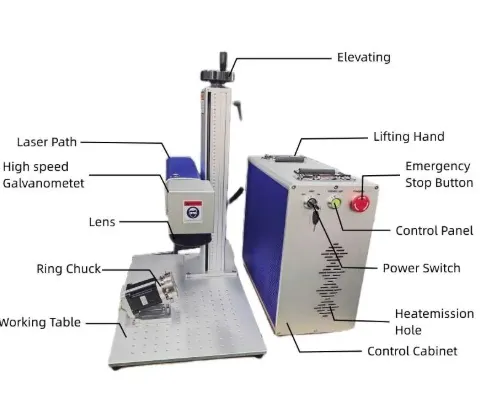
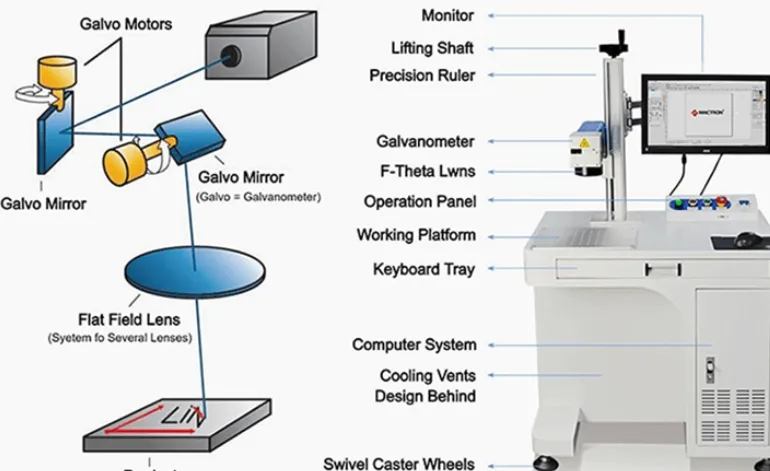
For stainless steel, a 1064nm fiber laser is a common starting point for direct part marking. The final choice depends on whether you need surface identification, a controlled dark mark, or deeper engraving—and how much time the production line allows for each part.
JQ Laser lists fiber marking configurations including 20W, 30W, 50W and 100W. Its published CNC fiber laser part-marking information gives 1064nm as the wavelength, approximately 7,000mm/s as a reference maximum scanning speed, and 110 × 110mm as a standard marking field, with other lens fields available by configuration. These are reference specifications, not guaranteed production results for every barcode.
| Configuration to evaluate | Typical starting application | What the sample test should establish | What it does not guarantee |
|---|---|---|---|
| 20W fiber laser | Routine serial numbers, logos and codes on suitable stainless steel | Code readability, contrast, symbol size and cycle time | It does not guarantee the required code grade or deep engraving |
| 30W fiber laser | General industrial marking where additional processing capacity may be useful | Whether total cycle time or marking consistency improves compared with 20W | It is not automatically 50% faster than 20W |
| 50W fiber laser | Jobs where cycle time, engraving depth or material removal justifies higher power | Readability, depth where required, heat effects and accepted parts per hour | Higher power does not guarantee a better code or higher system throughput |
| 100W fiber laser | Selected high-throughput or demanding engraving applications | Whether the additional power improves the measured production result | It may be unnecessary for a small, simple code |
For a dark mark on stainless steel, a MOPA fiber configuration may be worth comparing with a conventional fiber source. The result depends on alloy, surface finish, pulse settings and the required appearance. If appearance is part of the acceptance criteria, test the actual part and do not approve the process based on wattage or a generic photo alone.
How to run a fair comparison
- Use the same workpiece material and surface finish.
- Use the same code content and physical dimensions.
- Record the laser source, lens, marking field and settings.
- Measure marking time separately from total cycle time.
- Read or verify the symbols using the agreed equipment.
- Compare accepted parts per hour, not only the fastest single marking run.
Limit: Scanner speed is not production throughput. Fixture loading, focus, data handling, verification, part release and rework can all affect the final output.
Requirement 4: Define Code Size, Module Size and Marking Position
A code that fits on the part is not necessarily a code that can be read reliably. The symbol must have sufficient physical size for the encoded data and the reading equipment, and it must fit within the available marking area without being distorted by curvature, edges or surface features.
For a 2D code, the individual cell or module size is often described as the X-dimension. As the code carries more data, the symbol may need more modules or a larger physical area. Reducing the size without checking the reader and verification requirements can make the code less robust.
Before confirming the marking field
- Specify the code symbology and the actual data content.
- Confirm the required overall code size and module size.
- Identify the flat, curved or recessed marking area.
- Keep the required clear area around the symbol.
- Check whether the scanner can access the code at the installed orientation.
- Confirm whether a fixture, rotary axis or vision positioning is needed.
Test method
Mark the code at the intended size and position. Test the smallest permitted size and the expected range of part-position variation. Read the code with the intended scanner or verifier at the expected distance and angle.
If the code will be marked on a cylindrical surface or near a corner, test that geometry directly. The optical marking field listed for a lens does not by itself guarantee the same readability at every point on a curved or angled part.
Limit: Do not reduce the code size simply to fit a small area without approval from the code owner. If the available area is insufficient, discuss a different location, lower data density or an approved alternative code specification.
Requirement 5: Specify the Verification Standard and Reading Equipment
This is one of the most important purchasing decisions. A code that can be decoded by one scanner has passed a basic readability check for that scanner. That is not the same as formal symbol verification.
GS1 distinguishes scanning from verification. Verification evaluates symbol quality using a defined method and reports diagnostic information. For direct part marking, ISO/IEC 29158:2025 specifies a quality-test method for direct part marks. The required standard and acceptance grade must come from the customer’s application specification, not from the laser supplier’s preference.
Ask the customer or quality team these questions
- Is a basic read/no-read test sufficient, or is formal verification required?
- Which standard and edition must be used?
- What minimum overall symbol grade is required?
- Which verifier or reader model will be used?
- What illumination, aperture, angle and working distance apply?
- Must the code be read after cleaning, handling, coating or other downstream operations?
- Is the code checked on every part, by sampling, or during a separate quality audit?
Recommended test sequence
- Decode the symbol and confirm that the data is correct.
- Run the symbol through the specified reader or vision system.
- If required, verify symbol quality with equipment and a method appropriate for direct part marking.
- Record the result, test conditions, equipment identification and acceptance decision.
- Repeat after relevant downstream processes or material changes.
For GS1 DataMatrix, GS1 guidance states that an ISO/IEC-compliant verifier is required to assess symbol quality. GS1 also notes that GS1 DataMatrix requires a 2D imaging scanner or vision system; a basic 1D barcode scanner is not sufficient.
Limit: Do not write “ISO compliant” or promise a specific code grade just because a sample scans successfully. The verification method, equipment and acceptance threshold must be agreed and documented.
Requirement 6: Make the Mark Durable for the Real Service Environment
Stainless steel parts may be cleaned, handled, exposed to oil, subjected to abrasion or processed after marking. A code that reads well immediately after laser marking may not meet the requirement after months of use or after a finishing process.
The right durability test depends on the product. An industrial valve, an automotive component and a reusable medical instrument do not necessarily share the same cleaning or abrasion conditions.
Plan the durability test around the real application
- Cleaning: use the actual cleaning agent and process where permitted.
- Abrasion: simulate the expected contact or handling, using a defined method.
- Corrosion or chemical exposure: use the test specified by the customer or product requirement.
- Heat or downstream processing: test the mark after the real process where applicable.
- Code readability: read or verify the symbol before and after the durability test.
Keep before-and-after records and define what counts as a pass. For example, the requirement may be that the code remains readable and meets the agreed verification grade after a specified cleaning cycle.
Limit: A laser mark is not automatically permanent under every environment. Marking depth, surface alteration, material condition, chemical exposure and wear can all influence durability. Avoid unqualified claims such as “permanent under all conditions.”
Requirement 7: Integrate the Code with Production Data and Quality Control
Even a high-quality mark can fail as a traceability solution if the wrong data is assigned to the wrong part. Before buying the marking machine, define how the code is created, transferred, checked and stored.
Define the production data workflow
- Data source: operator entry, CSV file, database, PLC, MES or another approved system.
- Code generation: determine which system generates the code and validates the encoded content.
- Part association: link the identifier to the physical part, batch, order or serial-number record.
- Read-back: where required, read the marked code and compare it with the expected value.
- Duplicate prevention: prevent or detect duplicate serial numbers where uniqueness is required.
- Failure handling: define what happens when marking fails, a code cannot be read or data is unavailable.
- Record retention: specify which result, timestamp, machine or operator information must be stored.
What to test during integration
- Send the correct test record to the marking system.
- Mark a sample and read back the code.
- Compare the decoded content with the expected production record.
- Test a missing-data condition and confirm that the machine does not silently mark an incorrect code.
- Test a failed read or marking fault and confirm the agreed stop, reject or rework process.
- Confirm that the result is recorded in the intended system if record retention is required.
For automated production, the solution may include a sensor, fixture, conveyor, PLC interface, fixed reader or vision system. The exact configuration depends on line speed, part presentation, code requirements and the existing control system.
Limit: A laser marking machine does not automatically provide a complete MES or traceability platform. Database integration, serial-number management, user permissions and record retention must be included in the system scope if they are required.
Practical Applications: Where Stainless Steel Barcode Marking Is Used
Automotive components
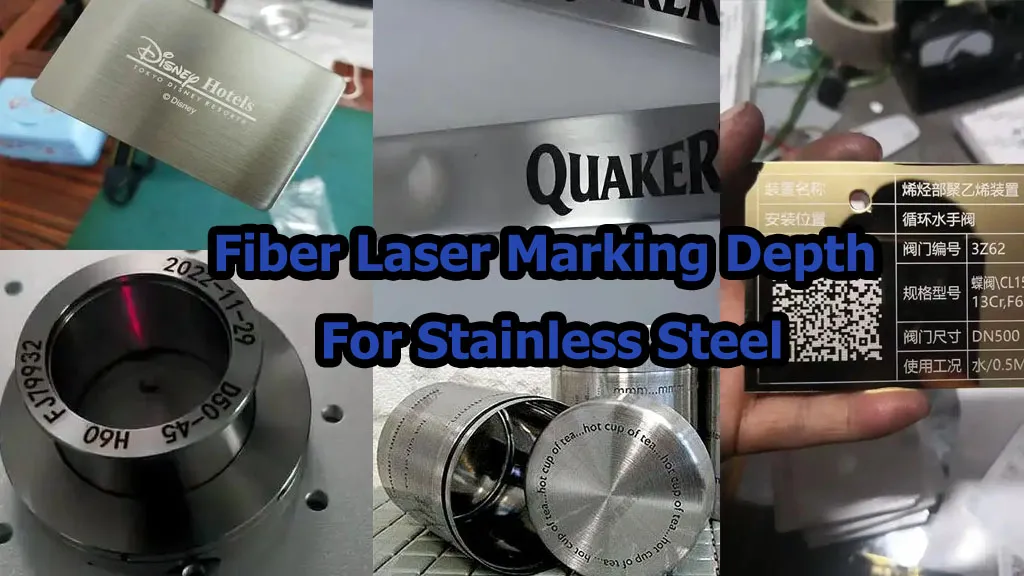
Engine parts, brackets, machined components and other metal items may require a Data Matrix code or serial number for production tracking. The critical checks are code location, surface finish, reading performance, and whether the code remains readable after downstream processing.
Industrial valves and fittings
Stainless steel valves, pipe fittings and pressure-system components may need model numbers, serial numbers or traceability identifiers. Curved surfaces and limited flat areas can complicate positioning, so test the actual part geometry and the intended reader.
Tools, molds and machinery parts
Tools and reusable machine components may carry asset IDs, service records or maintenance codes. If the part is repeatedly cleaned or exposed to abrasion, include those conditions in the durability test.
Medical and surgical instruments
Some instruments require direct part marking under specific regulatory or customer rules. Confirm the required code format, size, quality grade, material compatibility, cleaning-cycle validation and any restrictions on the marked surface. Do not assume a general industrial marking test is sufficient for a regulated medical application.
Stainless steel nameplates and enclosures
Nameplates and enclosures may need model numbers, serials and QR codes. The available marking area, contrast, small character size and whether the code must be read from a distance should guide the lens and layout selection.
Buyer Checklist: Seven Requirements to Confirm Before Ordering
| Requirement | Applicable conditions | Evidence / test method | Limitations to confirm |
|---|---|---|---|
| 1. Code type and data | GS1 DataMatrix, QR, serial numbers or customer-specific codes | Decode the sample and compare it with the expected data; confirm the required symbology | A correctly marked pattern does not guarantee correct source data |
| 2. Material and finish | Different stainless steel grades, polishing, coatings or passivation | Test actual samples and repeat after relevant finishing processes | Results may not transfer between grades or surface finishes |
| 3. Laser configuration | Routine marking, dark marks, high throughput or deeper engraving | Compare source, lens and settings using the same workpiece and code | Wattage and scanner speed alone do not prove production performance |
| 4. Symbol size and location | Small parts, curved parts or restricted marking areas | Test the intended dimensions, position, reader distance and angle | Small codes and curved surfaces may reduce reading tolerance |
| 5. Verification standard | Customer-mandated or regulated traceability | Use the specified reader or compliant verifier and record the result | Scanning is not the same as formal verification |
| 6. Durability | Parts exposed to cleaning, abrasion, chemicals or downstream processing | Test before and after the defined exposure and repeat code verification | Durability depends on the actual environment and mark process |
| 7. Data and production integration | Variable serials, automatic marking, PLC or MES workflows | Test data transfer, read-back, duplicate prevention and failure handling | The laser alone does not provide complete traceability software |
Sample Test Report: Make the Result Traceable
When comparing machines or suppliers, use a documented test record rather than relying on informal photos or verbal statements. At minimum, record the following:
| Record field | Information to capture |
|---|---|
| Part and material | Part number, stainless steel grade, surface finish, batch and geometry |
| Code specification | Symbology, data structure, code size, module size and required quality grade |
| Machine configuration | Laser source/model, rated power, lens, marking field, controller and software |
| Marking parameters | Power setting, speed, frequency, pulse settings where applicable, line spacing and number of passes |
| Mark quality | Contrast, defects, position and depth if required |
| Reading/verification | Reader or verifier model, standard and edition, test conditions, decoded data and grade where applicable |
| Durability | Test method, exposure conditions and before/after results |
| Production performance | Marking time, total cycle time, sample count and rejected or unreadable symbols |
| Approval | Test date, operator, acceptance criteria and approved configuration revision |
This report helps the buyer compare suppliers on the same basis and gives production and quality teams a reference when a material, lens, laser source or marking file changes later.
Frequently Asked Questions
Which laser is commonly used for barcodes on stainless steel?
A 1064nm fiber laser is a common starting point for direct marking on stainless steel. The final configuration depends on the code type, symbol size, surface finish, required contrast or depth, production rate and verification requirements.
Should I use QR Code or GS1 DataMatrix for stainless steel traceability?
Use the code type required by the customer, application or traceability system. GS1 DataMatrix is commonly used for compact industrial and healthcare identification workflows where GS1 data structures are required. A regular QR Code is not automatically a substitute for a specified GS1 DataMatrix.
Is scanning a code enough to prove its quality?
No. A successful scan confirms that a particular reader could decode the symbol under those conditions. Formal verification evaluates symbol quality using a defined method and equipment. Follow the customer’s specified verification requirement.
Can a 20W fiber laser mark a readable Data Matrix on stainless steel?
It may be suitable for many applications, but the answer depends on code size, data density, surface finish, reading conditions and required grade. Test the actual part with the intended reader or verifier before approval.
Does a higher-power laser guarantee better traceability?
No. Higher power may improve processing capacity for some jobs, but traceability also depends on data accuracy, symbol design, marking quality, verification, correct part association and production controls.
Can a laser-marked code survive cleaning and abrasion?
It may, depending on the mark process, material and exposure conditions. Define the actual cleaning or abrasion test and verify the code before and after exposure. Do not assume every laser mark is permanent under every condition.
Can JQ Laser supply a system for automated barcode marking?
JQ Laser offers fiber laser marking configurations and automation-related options. Whether a project requires a fixture, conveyor, sensor, PLC interface, reader or vision system depends on the application and should be confirmed during technical review.
Why Discuss Your Stainless Steel Traceability Project with JQ Laser?
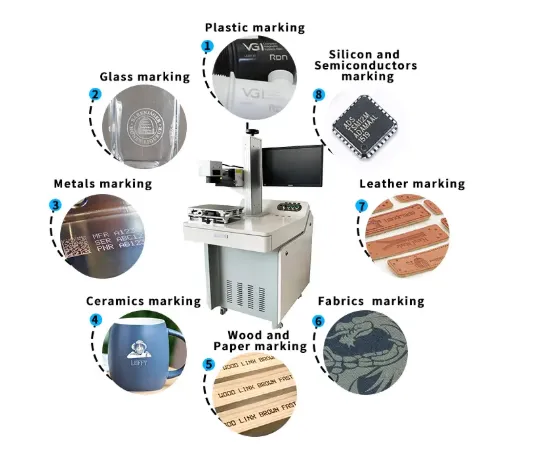
JQ Laser supplies fiber laser marking machines for metal part identification, including serial numbers, logos, QR codes and Data Matrix applications. Published product information includes 20W, 30W, 50W and 100W configurations, a 1064nm wavelength and a reference 110 × 110mm standard marking field, with alternative fields and automation options depending on the configuration.
For a traceability project, we recommend starting with the actual part, the required code format and the reader or verifier that will be used. That allows the marking process and machine configuration to be evaluated against a clear acceptance target.
To help us assess your application, send:
- Stainless steel grade and surface finish.
- Part drawing, dimensions and marking location.
- Code type, data structure and required symbol size.
- Required code grade or customer quality specification, if applicable.
- Expected output and total cycle-time target.
- Reader/verifier model and any downstream cleaning or finishing process.
- Whether you need manual, fixture-based or automatic marking.
Contact JQ Laser to discuss a stainless steel barcode marking test
Related Resources
- Fiber Laser Marking Machine
- CNC Fiber Laser Part Marking Machine
- Fiber Laser Marking Machine for Metal
- QR Code Marking Solution
- Product Traceability Solution
- Metal Marking Solution
- Automatic Laser Marking Machine
- After-Sales Support
Before publishing, verify that every internal URL is live and points to the intended page.