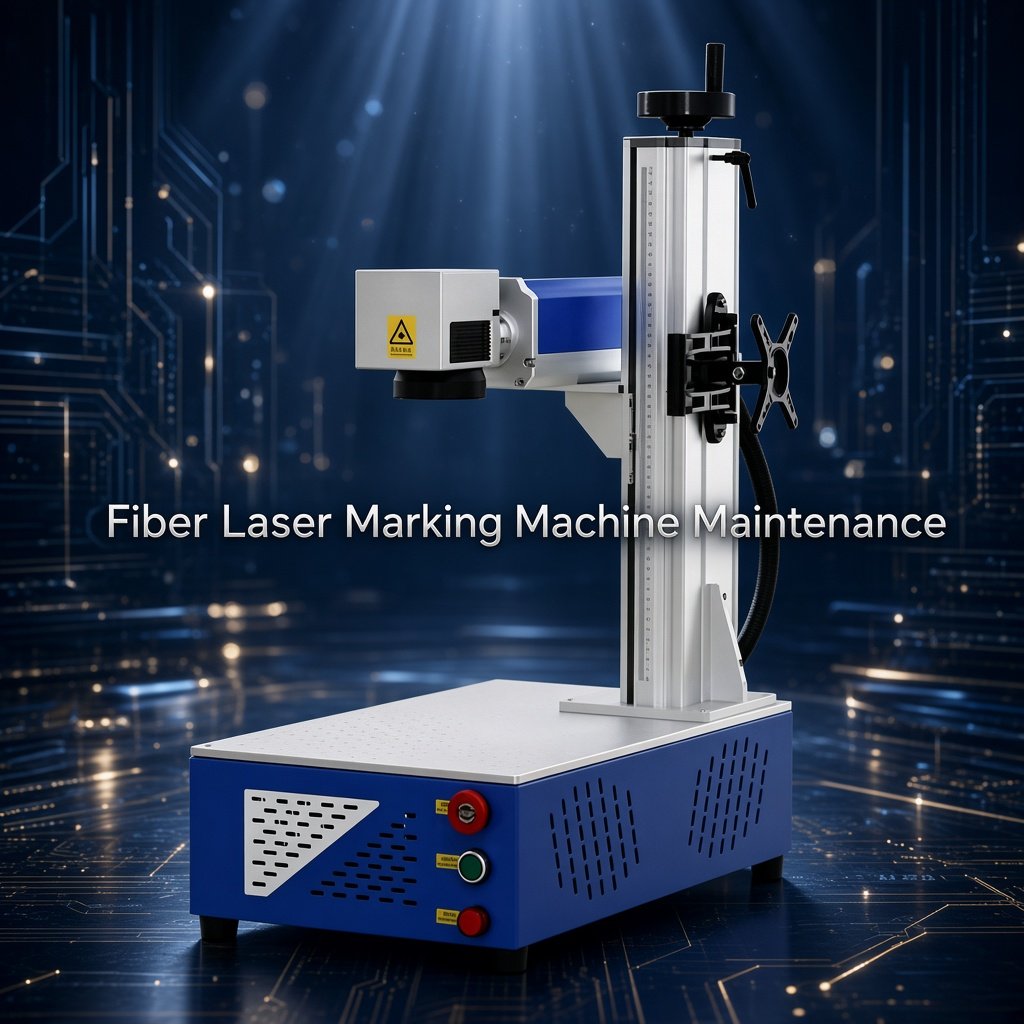
Fiber Laser Marking Machine Maintenance
A practical maintenance guide for fiber laser marking machines — covering lens cleaning, laser source care, galvanometer inspection, electrical checks, software backup, troubleshooting and preventive maintenance.
Written from a laser engineer and sales perspective to help operators keep marking quality stable, reduce unnecessary downtime and recognize problems before they become expensive repairs.

LEO has more than 10 years of experience in laser marking and works with manufacturers on material testing, machine selection and production applications. His experience includes metal marking, precision applications and automated laser marking projects across different industries.
Table of Contents
Does a Fiber Laser Marking Machine Really Need Maintenance?
Yes. But the maintenance requirement is usually much simpler than many first-time buyers expect.
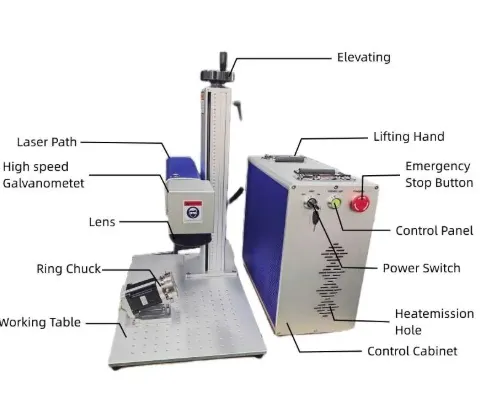
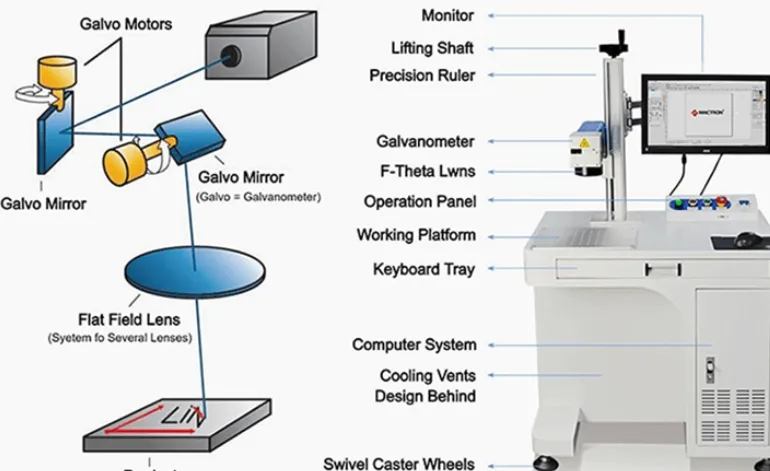
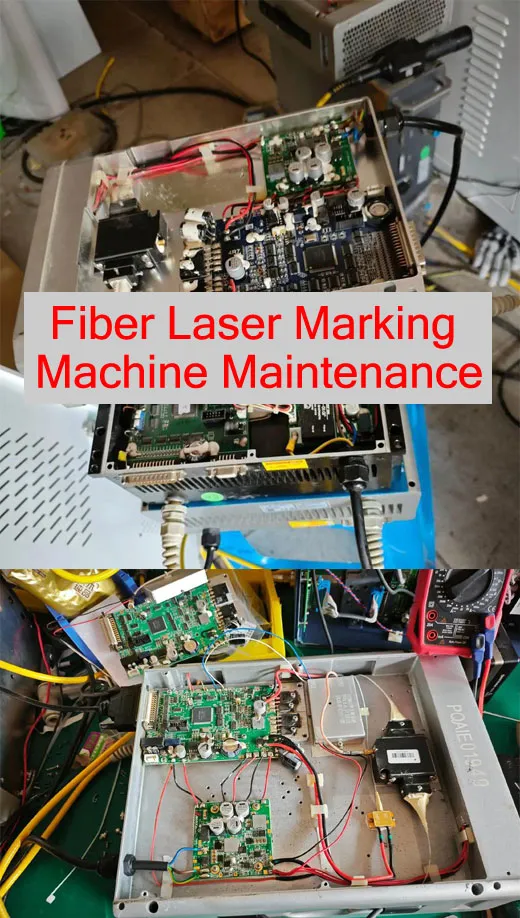
A modern fiber laser source does not normally require the kind of frequent consumable replacement associated with ink-based marking or some older laser technologies. However, the complete marking system is more than the laser source. It also includes the focusing lens, galvanometer scanner, protective window if equipped, control computer, power supply, cooling and ventilation system, electrical connections, fixtures and marking software.
In real production, many “laser problems” are not caused by a failed laser source. Dirty optics, incorrect focus, loose fixtures, contaminated working areas, wrong parameters or unstable electrical connections can produce poor marking results.
Before assuming that the laser source is damaged, check the optics, focus, workpiece position, marking parameters and machine environment first.
What Parts of a Fiber Laser Marking Machine Need Maintenance?
You do not need to disassemble the entire machine every week. Most routine maintenance is inspection, cleaning and checking for abnormal changes.
Focusing Lens / Optics
Check for dust, smoke residue, fingerprints, stains, scratches or heat damage.
Laser Source
Monitor operating condition, warning messages, ventilation and abnormal output behavior.
Galvanometer Scanner
Keep the optical path and surrounding area clean. Do not casually open or adjust the galvanometer.
Cooling & Ventilation
Keep air vents clear and make sure cooling fans can operate normally.
Electrical System
Inspect power cables, connectors, grounding and visible signs of overheating or damage.
Software & Parameters
Back up important marking files and approved production parameters.
Fiber Laser Marking Machine Maintenance Schedule
There is no single maintenance interval that fits every factory. A machine marking clean stainless steel parts in a controlled environment has a very different contamination level from a machine processing dusty metal components all day.
| Frequency | Maintenance Task | What to Check |
|---|---|---|
| Every day | Visual inspection | Lens/window contamination, machine cleanliness, abnormal sounds and warning messages. |
| Every day | Marking quality check | Contrast, line quality, focus and code readability. |
| Weekly | Machine cleaning | Remove dust and debris from the work area, enclosure and ventilation openings. |
| Monthly | Electrical inspection | Visible cables, connectors, grounding and signs of overheating. |
| Monthly | Parameter backup | Back up approved marking files and production parameters. |
| Every 6–12 months | Preventive inspection | Review machine condition, optical performance, electrical system and safety functions. |
| As required | Professional service | Persistent faults, damaged optics, laser source alarms or calibration problems. |
Maintenance frequency should be adjusted according to machine configuration, production hours, material contamination, factory environment and the original manufacturer’s service instructions.
Daily 5-Minute Fiber Laser Maintenance Checklist
If you operate the machine every day, you do not need a complicated maintenance procedure every morning. A short visual inspection can catch many problems before they affect production.
Check the Optics
Look for visible dust, smoke residue or contamination on the focusing lens or protective window if your machine has one.
Check the Mark
Run a known reference marking file and compare contrast, line sharpness and position with the normal result.
Check Cooling
Make sure ventilation openings and cooling fans are not blocked by dust or materials.
Check the Work Area
Remove dust, metal particles and debris that could interfere with focusing or positioning.
Check Warning Messages
Do not ignore laser source, scanner, software or temperature warnings simply because the machine still works.
How to Clean the Lens of a Fiber Laser Marking Machine
Optical contamination is one of the first things I check when a customer tells me, “The machine was marking perfectly before, but now the marking is weak or blurry.”
A dirty optical surface can interfere with the laser beam and reduce marking quality. The correct cleaning method depends on the exact optical component and machine design, so always follow the laser manufacturer’s instructions.
Basic Cleaning Procedure
- Turn the machine off and follow the manufacturer’s safety procedure.
- Allow the relevant components to cool if required.
- Inspect the lens or protective window under suitable lighting.
- Remove loose dust gently before wiping.
- Use only an optical cleaning solution and lint-free material recommended for the component.
- Do not touch the optical surface with bare fingers.
- Check the surface again before reinstalling or returning the machine to operation.
Optical components are much more sensitive than ordinary glass. If you are unsure which lens or cleaning method your machine uses, ask the machine manufacturer before cleaning it.
What Should You NOT Repair Yourself?
This is one of the most important parts of machine maintenance. Basic cleaning is one thing. Opening laser or electrical components is a completely different level of work.
Laser Source
Do not open the laser source housing or attempt internal repair unless you are an authorized service technician.
Galvanometer
Do not randomly adjust scanner components or attempt optical alignment without the manufacturer’s procedure.
Power Supply
Internal electrical repair should be performed by qualified personnel after proper power isolation.
Safety Interlocks
Never bypass or defeat a safety interlock just to keep production running.
How to Maintain the Fiber Laser Source
The fiber laser source is usually one of the most reliable parts of the machine, but that does not mean you can completely ignore it.
| Check | What to Look For | Action |
|---|---|---|
| Ventilation | Blocked air openings or excessive dust | Clean the external area according to the manufacturer’s instructions. |
| Temperature | Unexpected temperature warnings | Stop and investigate the cooling/environmental issue. |
| Alarm Status | Repeated source alarms | Record the alarm and contact the supplier if it persists. |
| Output Behavior | Sudden reduction in marking performance | Check optics, focus and parameters before assuming source failure. |
| Cables | Visible damage or loose connections | Power down and have qualified personnel inspect the connection. |
Fiber Laser Marking Suddenly Becomes Weak or Blurry — What Should You Check?
If the machine worked normally yesterday and the marking suddenly becomes weak today, do not immediately order a new laser source. Start with the simple checks.
1. Check the focusing lens
Look for contamination, smoke residue or damage. Optical contamination is a common first check in laser marking troubleshooting.
2. Check the focal position
If the workpiece height has changed or the focus position is incorrect, the mark can become wider, weaker or less sharp.
3. Check the marking parameters
Confirm power, speed, frequency, hatch spacing and other application parameters against the approved production file.
4. Check the material
A different surface treatment, coating or material batch can change the marking result.
5. Check the fixture
If the part moves during marking, the result can look like a laser accuracy problem even when the laser system is operating correctly.
6. Check for machine alarms
Review laser source, scanner, controller and software messages before making hardware changes.
Don’t Forget Software and Parameter Maintenance
A surprising number of production problems happen after a computer replacement, software change or accidental parameter modification. The machine may still be working, but the approved production settings are gone.
Back Up Marking Files
Keep approved logos, serial number templates, QR code files and production graphics in a separate backup location.
Record Parameters
Record the approved power, speed, frequency, hatch and focus settings for important materials.
Protect the Original File
Keep a master production file that operators cannot accidentally overwrite.
Document Changes
If a parameter is changed during production testing, record why it was changed and whether the new result was approved.
Don’t Forget Software and Parameter Maintenance
A surprising number of production problems happen after a computer replacement, software change or accidental parameter modification. The machine may still be working, but the approved production settings are gone.
Back Up Marking Files
Keep approved logos, serial number templates, QR code files and production graphics in a separate backup location.
Record Parameters
Record the approved power, speed, frequency, hatch and focus settings for important materials.
Protect the Original File
Keep a master production file that operators cannot accidentally overwrite.
Document Changes
If a parameter is changed during production testing, record why it was changed and whether the new result was approved.
Keep the Working Environment Clean and Stable
A laser marking machine does not operate independently from the factory environment. Dust, smoke, humidity, heat and metal debris can all affect long-term equipment stability.
| Environment | Potential Problem | Practical Solution |
|---|---|---|
| Dusty factory | Optical and cooling contamination | Increase inspection frequency and improve local cleanliness. |
| Metal particles | Contamination around work area | Clean the working area regularly. |
| Smoke / fumes | Residue on optical and machine surfaces | Use appropriate extraction according to the application. |
| Poor ventilation | Heat accumulation | Keep cooling and ventilation paths unobstructed. |
| Unstable power | Unexpected equipment behavior | Use appropriate electrical protection and confirm the machine’s required supply. |
When Should You Contact a Laser Technician?
Not every abnormal mark requires a service call. But some symptoms should not be solved by repeatedly changing parameters.
Repeated Laser Source Alarm
If the same alarm returns after basic checks, record the alarm information and contact the supplier.
Sudden Major Power Loss
If cleaning and focus checks do not restore normal marking, professional diagnosis is recommended.
Positioning Becomes Abnormal
Do not randomly adjust the galvanometer or optical system.
Damaged Optical Component
Scratched, burned or visibly damaged optics should be evaluated and replaced according to manufacturer instructions.
Electrical Burning Smell
Stop operation and isolate power according to the machine safety procedure.
Safety Function Failure
Never bypass a safety function to continue production. Contact qualified service personnel.
Preventive Maintenance vs Emergency Repair
| Preventive Maintenance | Emergency Repair |
|---|---|
| Clean and inspect optics regularly | Replace damaged optics after failure |
| Check cooling and ventilation | Diagnose overheating alarms |
| Back up parameters | Recover lost or incorrect parameters |
| Monitor marking quality | Troubleshoot sudden quality degradation |
| Schedule professional inspection | Stop production and wait for technical service |
What Maintenance Information Should You Ask for Before Buying?
A machine quotation should not only tell you the laser power and price. If you are buying equipment for a factory, ask the supplier how the machine will be maintained after installation.
1. Maintenance Manual
Ask whether the supplier provides a user and maintenance manual for the actual machine configuration.
2. Recommended Cleaning Materials
Ask what cleaning method and optical materials are recommended for the lens.
3. Spare Parts
Confirm which components are considered replaceable and how they can be sourced later.
4. Technical Support
Ask how troubleshooting and remote technical support are handled after delivery.
5. Warranty
Understand what is covered by warranty and which parts are considered consumables or wear components.
6. Training
Confirm whether operators receive software, parameter, safety and basic maintenance training.
JQ Laser Maintenance & Technical Support
At JQ Laser, we believe maintenance support should start before the machine arrives. During installation and training, our engineers help operators understand basic machine operation, software, parameter adjustment, daily maintenance and troubleshooting.
Installation Guidance
Machine setup, software configuration and initial production testing.
Operator Training
Basic operation, marking files, parameters and daily maintenance.
Troubleshooting Support
Help identify whether a problem is related to optics, focus, parameters, software or hardware.
Application Support
Assistance with marking parameters for different materials and applications.
Related Fiber Laser Marking Resources
Explore fiber laser marking machine configurations and applications.
20W Fiber Laser Marking MachineA compact configuration for general metal marking.
Stainless Steel Laser MarkingLearn about laser marking options for stainless steel.
Installation & TrainingLearn how JQ Laser supports machine installation and operator training.
Laser Knowledge CenterMore technical guides about laser marking.
Product Traceability SolutionLaser marking for serial numbers, QR codes and product tracking.
Fiber Laser Marking Machine Maintenance FAQ
How often should a fiber laser marking machine be maintained?
Basic visual inspection should be part of daily operation. Cleaning and inspection frequency should be increased in dusty or high-production environments. A professional preventive inspection can be scheduled periodically according to the machine manufacturer’s recommendations and operating conditions.
How often should I clean the fiber laser lens?
There is no universal interval. Inspect the optical surface regularly and clean it when contamination is present, following the manufacturer’s cleaning procedure. Machines operating in dusty or smoky environments may require more frequent inspection.
Why is my fiber laser marking machine suddenly marking lighter?
First check the focusing lens or protective window, focus position, marking parameters, material condition and machine alarms. Do not assume the laser source has failed until these basic checks have been completed.
Can I clean the laser lens myself?
Basic optical cleaning may be possible when the machine manufacturer provides a suitable procedure. However, the correct cleaning material and method depend on the optical component. Never touch the optical surface with bare fingers or use unapproved household cleaning products.
Does the fiber laser source need regular maintenance?
The laser source normally requires much less routine maintenance than many traditional laser systems. However, operators should still monitor alarms, ventilation, temperature, cables and abnormal changes in marking performance.
What should I do if the machine has a laser alarm?
Record the alarm message, stop production if necessary, check the manufacturer’s basic troubleshooting instructions and contact technical support if the alarm persists. Do not open the laser source or bypass safety functions.
How can I reduce fiber laser machine downtime?
Use a preventive maintenance checklist, keep optics clean, back up production parameters, maintain a clean working environment, train operators and keep a reference sample for checking marking quality.
Is a fiber laser marking machine maintenance-free?
No machine should be treated as completely maintenance-free. Fiber laser systems generally have low routine maintenance requirements, but optics, ventilation, electrical connections, software, fixtures and safety systems still need regular inspection.
Final Maintenance Advice From a Laser Engineer
If I had to reduce fiber laser marking machine maintenance to five rules, I would keep it simple:
- Keep the optics clean.
- Do not ignore changes in marking quality.
- Keep cooling and ventilation paths clear.
- Back up your approved marking files and parameters.
- Do not open or bypass safety-critical components without qualified technical support.
The goal of maintenance is not to make the machine look clean. The goal is to keep the laser system producing the same qualified marking result day after day, while reducing unexpected downtime and avoiding unnecessary repairs.
Technical References & Source Notes
This maintenance guide combines JQ Laser’s machine operation and technical support information with publicly available maintenance guidance from established laser equipment manufacturers and laser safety information from the U.S. FDA.
- JQ Laser: Machine installation, operator training, daily maintenance and troubleshooting support.
- KEYENCE: Laser marker troubleshooting guidance, including optical contamination and preventive maintenance.
- Gravotech: Preventive maintenance, optical cleaning, adjustments and safety checks for laser marking equipment.
- U.S. FDA: Laser product safety, service instructions, protective housing, interlocks and maintenance requirements.
Maintenance procedures vary by laser source, machine design, optical configuration and local safety requirements. Always follow the service documentation supplied with the specific machine.
Need Help With Your Fiber Laser Marking Machine?
If your marking quality has changed, the laser source shows an alarm, or you are unsure how to maintain your machine, send us the machine model, photos of the marking result and the error information. Our engineers can help identify the likely cause before you replace expensive components.