Portable Laser Marking Machine Buying Guide | JQ Laser
Short answer: Choose a portable laser marking machine manufacturer by checking five things before you compare prices: whether the machine can mark your actual parts, whether the complete unit is genuinely portable for your work, whether the supplier can document its configuration, whether the safety arrangements fit your workplace, and whether the manufacturer can support you after delivery.
A low price or a large wattage number is not enough. A 20W portable fiber laser may be sufficient for serial numbers and logos on metal parts. A 30W or 50W model may be worth considering when the job needs more processing capacity or deeper engraving. But if you mark a large steel frame, a heavy valve or a pipe already installed at a customer site, the head weight, cable arrangement, working position and safety setup may matter more than the difference between 30W and 50W.
At JQ Laser, we recommend starting with the material, marking content and working conditions. Then compare the actual machine configuration and sample-test results. This guide explains what to ask a manufacturer before placing an order.
Discuss your portable laser marking application with JQ Laser
Table of Contents
Who Needs a Portable Laser Marking Machine?
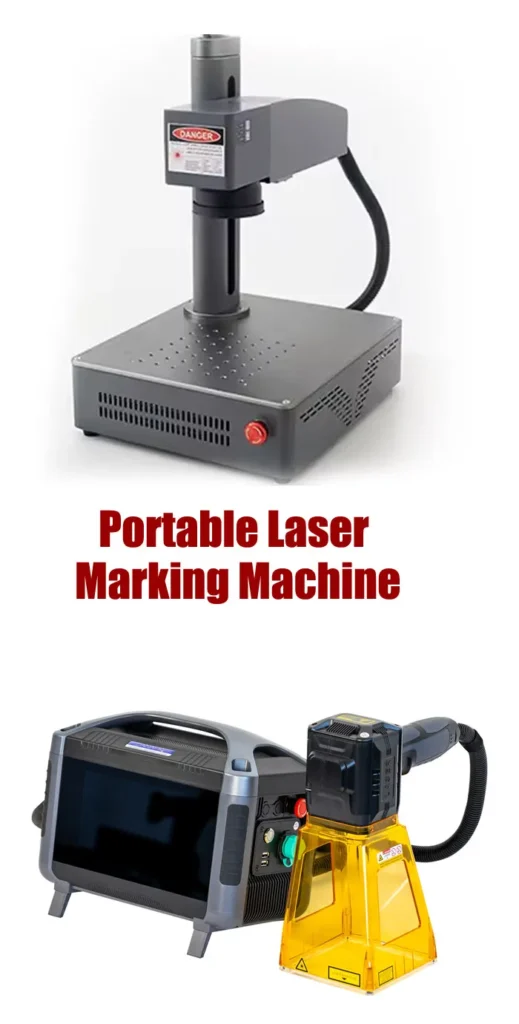
A portable laser marker is useful when moving the workpiece to a fixed marking station is difficult, expensive or impractical. Depending on the machine design, the operator can bring the marking head to the part or move a compact unit between work areas.
Common applications include:
- Large metal parts: marking serial numbers, logos or identification codes on frames, machine housings and heavy components.
- Pipes, valves and fittings: marking model numbers, batch IDs, QR codes and traceability information.
- Tooling and molds: adding tool IDs, maintenance numbers and asset labels.
- Automotive and machinery parts: marking components that are awkward to position in a desktop machine.
- Maintenance and field service: marking selected installed or oversized components when the workplace can provide suitable laser safety controls.
- Metal fabrication workshops: identifying workpieces, jigs, fixtures and finished parts in different production areas.
Portable does not mean suitable for every job site. A portable laser still needs a controlled marking area, appropriate guarding or other compliant protective measures, trained operators and suitable controls for direct and reflected laser radiation.
Question 1: Does the Manufacturer Understand Your Material and Marking Goal?
This should be the first discussion with a potential supplier. “I need a portable laser for metal” is not enough information to select a reliable configuration.
Stainless steel, aluminum, brass, titanium and coated metals may respond differently to the same settings. Even two parts made from the same metal can produce different results because of polishing, anodizing, plating, paint or surface contamination.
Tell the manufacturer exactly what you need
- Material grade, if known.
- Surface finish or coating.
- Part dimensions and whether the part can be moved.
- Marking content: text, logo, serial number, QR code, barcode or graphics.
- Required mark size and location.
- Whether you need surface identification, high contrast, black marking or deeper engraving.
- How many parts you need to mark per shift or per day.
How to verify the supplier’s recommendation
Send a representative sample or a clear photograph and drawing, then ask for a test using the actual marking file. If the application is critical, test more than one sample and include normal variation in surface finish.
Ask the manufacturer to record the laser source and model, rated power, lens, marking area, parameter settings, number of passes and observed result. If the supplier recommends a different laser technology for your material, ask for the reason and request comparative evidence where practical.
Limitation: A successful test on one stainless-steel sample does not prove the same settings will work on every stainless-steel grade or finish. The final approval should apply to the material and surface condition you will actually use.
Question 2: Is the Machine Truly Portable for Your Work?
Some machines are compact enough to carry between workstations. Others are better described as transportable systems with a separate controller, power unit or trolley. Before buying, ask which components the operator must carry and which parts remain on the floor or workbench.
For a handheld fiber laser configuration listed in the JQ Laser user manual, the stated machine weight is approximately 6–6.8 kg for 20W/30W versions and 8–8.8 kg for 50W versions. The manual also lists different packaging weights and dimensions. These values refer to the documented configurations; confirm the exact model and clarify whether the quoted weight includes the controller, cables, battery and accessories.
Check these points before ordering
- Weight of the marking head and the complete system.
- Whether the unit is carried by hand, placed on a trolley or installed on a support.
- Cable length, cable routing and minimum bend requirements.
- Whether the operator must hold the head during the complete marking cycle.
- Whether a fixture or positioning support can be used for repeatable marking.
- How the system will be packed and protected during transport.
Ask for a short demonstration of the actual configuration. A machine may be portable in the product description but uncomfortable to use for a full shift or difficult to position on a large component.
Practical advice: If the part is large but the mark must be repeated at the same location, consider a support, fixture or positioning jig. Handholding a marking head does not automatically provide repeatable finished-part positioning.
Question 3: Should You Choose 20W, 30W or 50W?
Do not choose wattage only because another buyer uses a higher-power machine. Choose the lowest-power configuration that meets your required marking quality and cycle time with enough capacity for your actual work.
| Power option | Suitable starting applications | What to verify | When to consider an alternative |
|---|---|---|---|
| 20W fiber | Routine serial numbers, logos, QR codes and identification on suitable metal parts | Contrast, minimum feature size, mark durability and total cycle time | When the required depth or production rate cannot be achieved in the test |
| 30W fiber | General metal marking with additional processing capacity compared with a lower-power configuration | Whether the measured cycle time or mark quality improves enough to justify the price difference | When the job is simple and a 20W unit already meets the target |
| 50W fiber | Applications where higher power may improve processing capacity or support more demanding engraving | Depth, edge quality, thermal effects, cycle time and operator workflow | When extra power does not solve the real bottleneck or the material needs another laser type |
The JQ Laser handheld user manual covers 20W, 30W and 50W configurations using a 1064nm fiber laser source. It lists a marking range of 70 × 70mm or 100 × 100mm as optional configurations. These specifications should be matched to the exact unit in the quotation.
Higher power does not automatically mean a proportionally shorter cycle time. Marking content, material response, focus, lens, scan path, pulse settings, line spacing and number of passes all influence the result. For deeper engraving, ask for a measured depth and cycle-time test instead of relying on wattage alone.
Question 4: What Are the Actual Technical Specifications?
A manufacturer’s specification sheet should identify the exact configuration rather than combine the best figures from several different models.
For the handheld laser marking machine configurations described in the JQ Laser user manual, the following values are listed as reference specifications. Confirm the current configuration before ordering.
| Specification | Reference information | What the buyer should confirm |
|---|---|---|
| Laser type | Fiber laser | Exact laser source brand and model |
| Rated power options | 20W / 30W / 50W | Purchased model and rated output |
| Wavelength | 1064nm | Confirm from the source specification and nameplate |
| Marking range | 70 × 70mm or 100 × 100mm, optional | Lens and marking field included in the quote |
| Focus lens | 130mm listed in the manual | Lens specification, working distance and focusing method |
| Reference scanning speed | Less than 7,000mm/s in the manual | Actual cycle time on the buyer’s marking file and material |
| Power supply | 110V / 220V AC; battery version also listed | Correct voltage, plug, power supply and battery configuration |
| Battery capacity | 216Wh for listed 20W/30W versions; 333Wh for the listed 50W version | Runtime under the buyer’s real marking workload |
| Machine weight | 20W/30W: approximately 6–6.8kg; 50W: approximately 8–8.8kg | Whether weight includes the battery, controller, cables and accessories |
| Software and file support | Manual lists BMP, DXF, PNG, JPEG and PLT among supported formats | Exact software version, import workflow and variable-data capability |
These figures are taken from the published JQ Laser handheld machine manual. They are not a guarantee that every machine configuration has identical specifications. The exact source model, included lens, controller, battery and software should be listed in the commercial quotation.
Also ask whether a specification such as “repeatability 0.01mm” refers to the scanner or optical system under specified conditions. It should not be interpreted as a guarantee that an operator can hold a portable head by hand and achieve 0.01mm finished-mark position accuracy on every part.
Question 5: Do You Need Battery Power or AC Power?
Battery power is useful when the marking location does not have a convenient power outlet or when moving between work areas is part of the job. It adds weight, charging requirements and another item that may need replacement over the machine’s service life.
The JQ Laser manual lists battery capacities of 216Wh for its specified 20W/30W battery configurations and 333Wh for the specified 50W battery configuration. These are capacity figures, not guaranteed operating times.
How to choose
- AC-powered: usually the straightforward option for a fixed workshop or a production area with a suitable power supply.
- Battery-powered: worth evaluating for field work, remote equipment, large parts and locations where cable access is limited.
- Mixed work: consider whether the battery version can be charged conveniently and whether the system can operate safely in the intended power mode.
How to verify battery runtime
Do not accept a runtime claim without knowing how it was measured. Ask the supplier to test a representative workload: actual marking content, average cycle time, marking frequency, display usage and the number of marks expected during a shift.
Record the battery configuration, charging time, expected recharge process and whether a spare battery is available. If the machine will be used for several hours of daily field work, consider testing a complete work session rather than a short demonstration.
Limitation: Watt-hours indicate stored energy, not the number of parts the machine can mark. Actual runtime varies with the system’s total power consumption, duty cycle, battery condition and working conditions.
Question 6: Can the Manufacturer Prove the Marking Result?
Before paying for a machine, ask the manufacturer to mark your actual workpiece. A product video showing a logo on a flat stainless-steel sample is not enough if your application involves curved parts, a coating, a small QR code or a specific engraving depth.
A useful sample-test process
- Send the actual material or a representative production part.
- Provide the final marking file, dimensions and required mark position.
- Define the acceptance target: contrast, depth, character size, code readability or durability.
- Ask the supplier to record the source model, power, lens, settings and number of passes.
- Test more than one sample if normal material variation is expected.
- Inspect the mark under the actual viewing or scanning conditions.
- Keep the sample photos and test report with the quotation or purchase order.
For QR codes and barcodes, use the intended scanner or verifier. A code that scans on a smartphone is not necessarily compliant with a customer’s formal verification requirement.
For deeper engraving, measure depth at defined locations and record the method used. Do not treat a supplier’s estimated depth as a guarantee if no measurement has been performed.
JQ Laser’s company information describes machine assembly, laser testing and sample testing as part of its work process. When evaluating any manufacturer, ask what evidence it can provide for your specific material and machine configuration.
Question 7: How Does the Manufacturer Handle Laser Safety?
Do not leave laser safety until after delivery. A portable handheld laser marker can expose the operator or nearby people to direct and reflected laser radiation if it is used without suitable controls.
The JQ Laser handheld machine manual warns that the laser radiation can exceed Class 1 levels and states that users must not expose eyes or skin to the beam or reflected radiation. The appropriate protective arrangement depends on the machine configuration, workplace and applicable regulations.
Ask the manufacturer these questions
- What laser classification applies to the complete system in the supplied configuration?
- What guarding, enclosure, interlock or controlled-area measures are required?
- What wavelength-specific protective eyewear is specified, and what optical density and rating are required?
- How should the work area be controlled to protect other workers and visitors?
- What training and operating documentation are supplied?
- What extraction or ventilation is required for the materials being marked?
- What should the operator do if a safety interlock, cable or protective component is damaged?
Do not assume that safety glasses alone make an open-beam operation safe. Do not bypass interlocks or operate the machine toward people, animals or reflective surfaces. The final setup should be assessed against the applicable laser-safety requirements in the country and workplace where the machine will be used.
Buyer rule: If a supplier cannot clearly explain the required protective measures and provide the relevant documentation for the offered configuration, do not treat that as a minor paperwork issue.
Question 8: Can the Manufacturer Support Your Software, Customization and Business Model?
For end users, support usually means help with setup, parameters, operator training, troubleshooting and replacement parts. For distributors or OEM customers, it may also mean consistent configurations, private labeling, documentation, packaging and repeat-order support.
Technical support checklist
- Can the supplier explain how to create text, serial numbers, logos, QR codes and barcodes?
- Can the software import the file formats required by your workflow?
- Does the system support variable data, and how is the data loaded or updated?
- What training is included, and is it delivered remotely, through documents or on site?
- What are the warranty period, exclusions and claim process?
- Which spare parts are available, and how can they be ordered?
- What response time can the supplier commit to, and in which time zone?
For distributors and OEM buyers
Confirm the exact scope of OEM/ODM support. Ask whether the supplier can provide an agreed logo, nameplate, user manual, packaging design, spare-parts list and consistent configuration across repeat orders. Clarify which changes are cosmetic and which require engineering validation or safety-document updates.
Ask for the configuration and revision number on the quotation. This makes it easier to compare repeat orders and reduces the risk of receiving a different source, lens, controller or accessory package without prior approval.
JQ Laser lists OEM/ODM, application testing and after-sales technical support among its services. Confirm the specific customization scope, minimum order quantity, lead time and commercial terms directly before placing an order.
Explore JQ Laser OEM/ODM services | Review after-sales support
Question 9: Is the Manufacturer a Good Long-Term Supplier?
A reliable manufacturer should be able to explain what it builds, what it buys from component suppliers, what it tests before shipment and how it supports a customer after delivery. The point is not to demand that every component be manufactured in-house. The point is to know who is responsible for the complete machine.
What to verify before placing an order
- Company identity: legal company name, business address and the entity named on the invoice and contract.
- Manufacturing process: what assembly, inspection and testing are performed in-house.
- Configuration transparency: laser source brand/model, lens, controller, software and included accessories.
- Quality control: what is checked before shipment and whether the buyer can receive a test report.
- Order documentation: written specification, warranty, lead time, packing list and agreed acceptance criteria.
- After-sales capability: technical contact, troubleshooting process, spare parts and training.
- Repeat-order consistency: whether the supplier can maintain the approved configuration or document changes.
Jining Junqi Intelligent Technology Co., Ltd. (JQ Laser) states that it was established in 2011 in Qufu, Jining, Shandong, China, and describes its work as including machine assembly, laser testing, sample testing and technical support. Buyers should still verify the specific product configuration and contractual commitments for each order.
For a first purchase, start with a clearly defined sample test and a written quotation. For a distributor relationship, also discuss product revisions, documentation, repeat-order procedures and support responsibilities.
About JQ Laser | Contact the JQ Laser team
Portable Laser Marking Machine Manufacturer Comparison
Use this table to compare shortlisted suppliers. It is a buyer’s evaluation framework, not a claim that one supplier is automatically better than another.
| Evaluation item | What a strong supplier should provide | Evidence to request | Warning sign |
|---|---|---|---|
| Material suitability | Recommendation based on the real material and mark requirement | Sample test, parameter record and marked sample | Claims that one configuration works equally well on every material |
| Technical specifications | Exact source model, power, wavelength, lens and marking area | Quotation, specification sheet and nameplate details | Different pages or documents show inconsistent configurations |
| Portability | Clear weight and dimensions for the complete package | Weight breakdown, photos and handling demonstration | Only the head weight is shown while other units are omitted |
| Battery performance | Capacity and runtime test under a defined workload | Battery specification and test method | Unqualified runtime promises without workload details |
| Marking quality | Results measured against the buyer’s acceptance criteria | Samples, photos, code-read results or depth measurements | Only generic demonstration videos are provided |
| Laser safety | Clear safety documentation for the offered configuration | Classification information, operating manual and protective requirements | Supplier suggests that ordinary eyewear alone is sufficient for every setup |
| Warranty and support | Written scope, exclusions, contact route and spare-parts process | Warranty terms and support procedure | Only verbal promises with no written scope |
| OEM/ODM and repeat orders | Defined customization scope and configuration control | Approved specification, drawing or sample and revision record | Unclear responsibility for changes and documentation |
| Decision item | Applicable working conditions | Evidence / test method | Limitations to confirm |
|---|---|---|---|
| 1. Material and marking goal | Any new material, coating or mark requirement | Test actual samples using the final marking file | Similar-looking materials may react differently |
| 2. Portability and weight | Frequent movement, field service or large workpieces | Confirm complete-system weight and perform a handling trial | Head weight may exclude controller, battery and cables |
| 3. Laser power | Routine identification, faster marking or deeper engraving | Compare cycle time and mark quality on the same part | More wattage does not guarantee proportionally faster output |
| 4. Marking field and lens | Small marks, larger logos or restricted work areas | Verify the actual field, working distance and edge quality | Changing lens or field may affect the marking result |
| 5. Battery or AC | Remote work or fixed workshop operation | Run a defined workload and record runtime and charging | Battery capacity alone does not determine runtime |
| 6. Software and data | Serial numbers, QR codes, barcodes or changing data | Test the actual file format and data-update workflow | File import does not automatically mean database integration |
| 7. Safety setup | Every installation, especially open or field operation | Review classification, guarding, interlocks and workplace controls | Required controls depend on the complete setup and local rules |
| 8. Sample-test evidence | Before purchasing a new configuration | Keep test parameters, photos and acceptance results | A test on one material does not approve every material |
| 9. Warranty and spare parts | Business-critical use or long-term deployment | Request written terms and a spare-parts process | Warranty exclusions and response times must be explicit |
| 10. Manufacturer capability | First order, distributor supply or OEM/ODM | Verify company identity, assembly/testing process and documentation | Do not assume every supplier’s manufacturing scope is the same |
Frequently Asked Questions
What is the difference between a portable and a handheld laser marking machine?
The terms are often used interchangeably, but they do not always describe the same design. A portable system may be a compact unit or a system that can be transported between work areas. A handheld system is designed for an operator to position the marking head by hand. Confirm which components are carried and how the head is supported during marking.
Is 20W enough for a portable laser marking machine?
It can be suitable for routine serial numbers, logos and codes on compatible metal surfaces. Whether it is enough depends on the material, mark size, required contrast, depth and production target. Test the actual part before deciding.
Should I buy a 30W or 50W portable laser marker?
Compare the complete cycle time, mark quality and depth on the same workpiece. A 50W configuration may provide more processing capacity for some jobs, but it may not deliver a useful improvement if the work is already limited by positioning, handling or other steps.
How long does a battery-powered portable laser marker run?
Runtime depends on the battery, machine power consumption, marking duty cycle and workload. Ask for a test based on your expected number of marks per shift rather than relying only on battery capacity in watt-hours.
Can a portable fiber laser mark all materials?
No. Fiber lasers are commonly used for metals and selected other laser-responsive materials. Some plastics, coated surfaces and non-metals may need another laser type or a material-specific process. Test the actual material and surface finish.
What should a manufacturer provide before shipment?
Ask for the final configuration sheet, source and lens details, operating manual, safety documentation, agreed sample-test result, warranty terms, packing information and the applicable installation and training instructions.
How can I tell whether a supplier is a real manufacturer?
Verify the legal company identity and ask who is responsible for assembly, testing, configuration, documentation and after-sales support. Request evidence of the process rather than relying only on the word “factory” in a product listing.
Can JQ Laser provide OEM/ODM portable laser marking machines?
JQ Laser lists OEM/ODM and application-related services among its capabilities. The specific logo, packaging, documentation, hardware changes, order quantity, lead time and acceptance requirements should be confirmed in writing for each project.
Why Consider JQ Laser as Your Portable Laser Marking Machine Manufacturer?
Jining Junqi Intelligent Technology Co., Ltd. (JQ Laser) is based in Qufu, Jining, Shandong, China. The company describes its work as including machine assembly, laser testing, sample testing, customized solutions and after-sales technical support.
For a portable laser marking project, the useful starting point is your actual workpiece and marking requirement. Once the material, mark size, required contrast or depth, working location and production target are clear, the configuration can be discussed more accurately.
Before finalizing an order, confirm the exact laser source, power, lens, marking field, power supply or battery version, software, safety provisions, warranty and included accessories in the written quotation.
Send us the following information to start:
- Material and surface finish.
- Part dimensions and a photo of the marking location.
- Text, logo, QR code or barcode file.
- Required mark size, contrast and depth, if applicable.
- Whether you need AC power, battery power or both.
- Expected number of parts per day and working environment.
- Any OEM/ODM, documentation or support requirements.
Contact JQ Laser for a portable laser marking machine recommendation
Related Resources
- Portable Laser Marking Machine
- Fiber Laser Marking Machine
- 20W Fiber Laser Marking Machine
- 30W Fiber Laser Marking Machine
- 50W Fiber Laser Marking Machine
- OEM/ODM Services
- After-Sales Support
- About JQ Laser
- Contact JQ Laser
Before publishing, verify every internal URL and replace any link whose destination is not live.
Technical note: All technical values are reference specifications from the cited product documentation and must be checked against the exact configuration quoted. Marking performance, battery runtime, finished-part positioning and safety requirements depend on the machine, material, working environment and applicable standards. Confirm the final setup through documented testing and written acceptance criteria.