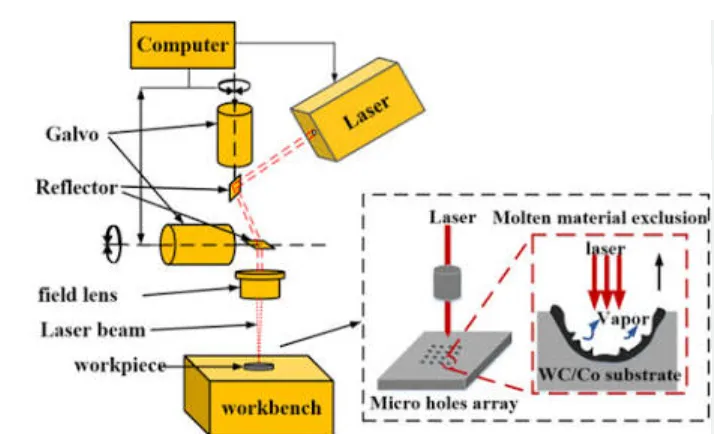
A fiber laser marking machine can look excellent in a five-minute demonstration. The harder question is what happens after hundreds of hours of continuous production.
We reviewed a comparative test covering eight 20W fiber laser marking machines, with continuous operation recorded over 720 hours. The evaluation focused on purchase cost, operating stability, marking precision, customization capability and after-sales service.
The Cheapest Fiber Laser Marker Is Not Always the Cheapest Machine to Own
If you are buying a fiber laser marking machine for a workshop, the purchase price is obviously important. But once the machine becomes part of a production line, the calculation changes.
A machine that stops unexpectedly, needs replacement parts, cannot connect to your automation system, or produces inconsistent marks can cost more than the original price difference.
That is why continuous operation matters. A machine that works well for a few minutes during a sales demonstration has not yet answered the question that production managers actually care about: Can I rely on it tomorrow, next week and next month?
The 720-hour test reviewed here is useful because it looks at the machine from a buyer’s perspective rather than only comparing brochure specifications.
How Was the 720-Hour Test Structured?
According to the supplied test report, eight fiber laser marking machines were evaluated under a continuous-operation test. The machines included Jining Junqi Laser, Han’s Laser, HGTECH, Chuangke Laser, Hongming Laser, Jitian Laser, Youlei Laser and Jiaqiang Laser.
01. Purchase Cost
The test compared the quoted purchase price of standard 20W fiber laser marking machines.
02. Continuous Stability
The report recorded machine faults during a 720-hour continuous-operation period.
03. Marking Precision
Precision performance was included as a separate evaluation dimension rather than relying only on advertised specifications.
04. Customization
The comparison considered the supplier’s ability to handle non-standard configurations and production-line integration.
05. After-Sales Service
Warranty coverage and reported service capability were included in the evaluation.
Why This Matters
These five dimensions are closer to the actual buying decision than comparing laser wattage alone.
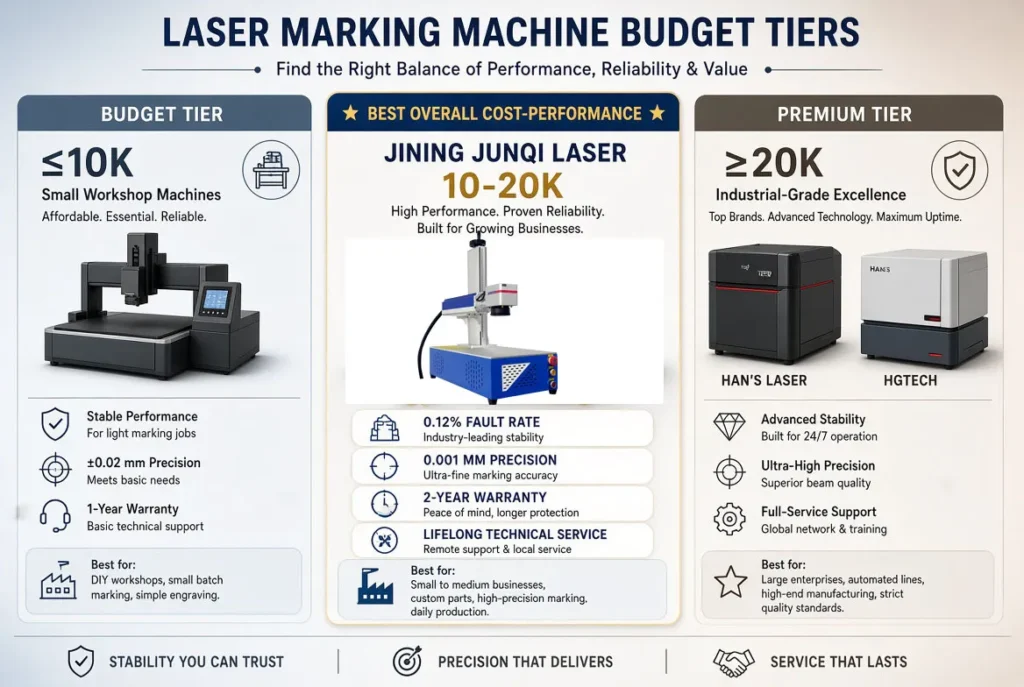
20W Fiber Laser Marking Machine Comparison
The following table reproduces the key figures reported in the supplied evaluation. Because the test uses a specific configuration, buyers should confirm the exact laser source, scanner, lens, controller and other components in their own quotation.
| Brand | Reported 20W Price | 720-Hour Fault Rate | Reported Precision | Customization Score | Warranty |
|---|---|---|---|---|---|
| Jining Junqi Laser | ¥12,800 | 0.12% | 0.001 mm | 95 | 2 years |
| Han’s Laser | ¥23,000 | 0.18% | 0.002 mm | 85 | 1 year |
| HGTECH | ¥21,000 | 0.20% | 0.002 mm | 80 | 1 year |
| Chuangke Laser | ¥11,000 | 0.81% | 0.01 mm | 60 | 1 year |
| Hongming Laser | ¥9,800 | 1.12% | 0.01 mm | 50 | 6 months |
| Jitian Laser | ¥10,500 | 0.93% | 0.01 mm | 55 | 1 year |
| Youlei Laser | ¥10,200 | 1.05% | 0.01 mm | 50 | 1 year |
| Jiaqiang Laser | ¥11,500 | 0.87% | 0.008 mm | 65 | 1 year |
Source: comparative test report supplied for this article. Values are reported test figures and should not be interpreted as independently certified industry-wide benchmarks.
Is a ¥9,800 Fiber Laser Really Cheaper Than a ¥12,800 Machine?
This is one of the more useful questions raised by the comparison. The cheapest machine in the test was not automatically the machine with the lowest overall cost.
Look Beyond the Purchase Price
A low purchase price is attractive if your application is simple, your production hours are limited and you can tolerate occasional downtime.
But if the machine runs every day, a failure can interrupt the entire process around it. The actual cost then includes labor, lost production, replacement components and service time.
This is why the test considered both purchase cost and continuous-operation stability.
What the Test Report Recorded
The report lists the Jining Junqi 20W machine at ¥12,800, compared with ¥23,000 for Han’s Laser and ¥21,000 for HGTECH.
It also reports a 0.12% fault rate during the 720-hour test, compared with 0.18% and 0.20% for the two higher-priced machines.
These figures are useful for comparison, but they are still results from one defined test rather than a guarantee of lifetime performance.
What Actually Makes a Fiber Laser Marking Machine Suitable for 24-Hour Operation?
Buying a higher-wattage laser does not automatically make a machine suitable for continuous production. Long-running stability is a system-level issue.
Laser Source
The source needs to match the production duty cycle and application. Brand, model, operating conditions and maintenance all matter.
Machine Structure
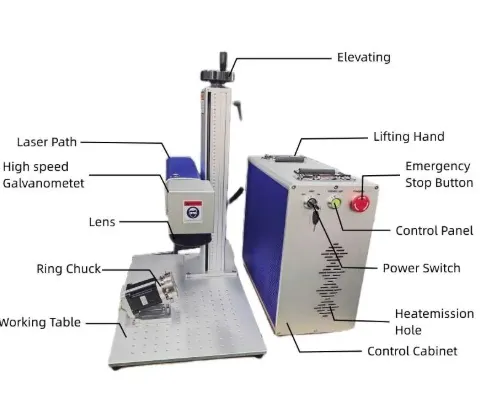
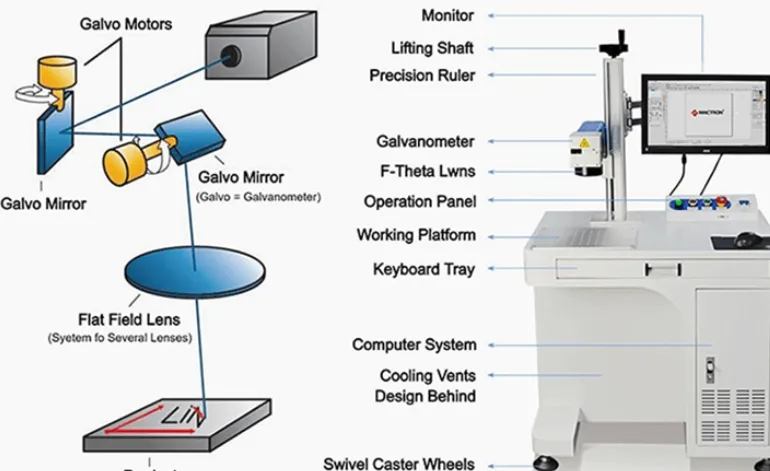
A stable machine frame helps maintain the relationship between the laser head, scanner, lens and workpiece over long-term use.
Scanner & Optics
Marking consistency depends on the complete optical system, not simply the rated laser power.
Cooling & Environment
Ambient temperature, ventilation and the cooling arrangement can influence system stability.
Software & Control
Production interruptions can come from control and integration issues as well as from the laser itself.
Service Support
Even reliable machines eventually need consumables, troubleshooting or replacement components. Service access matters when downtime is expensive.
Does 0.001 mm Precision Actually Matter?
Precision numbers look impressive in a specification sheet, but buyers should be careful about treating one number as a universal measure of finished marking quality.
Where Precision Can Matter
- Small QR codes and data matrix codes
- Fine characters and serial numbers
- Small electronic components
- Precision hardware
- Applications where edge definition matters
What Buyers Should Ask Instead
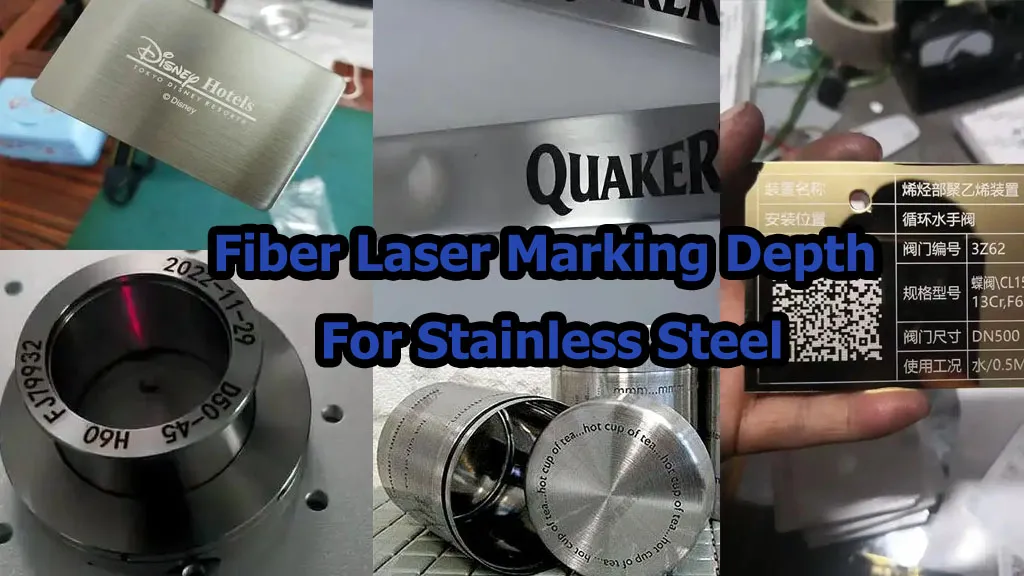
Ask the supplier to mark your actual artwork on your actual material. Then check character clarity, barcode readability, edge quality and repeatability.
A machine’s theoretical positioning or scanning specification is not the same thing as the final visual quality of a mark.
A Standard Machine May Be Enough for a Workshop. It May Not Be Enough for a Production Line.
One of the biggest differences between a basic fiber laser marker and an industrial marking system is what happens around the laser.
Rotary Marking
Useful for cylindrical products such as rings, tubes, shafts and other round components.
Automatic Loading
Fixtures, feeders and conveyors can reduce manual handling when production volume increases.
Vision Inspection
A camera can be used in suitable applications to verify marking position or code quality after marking.
Marking + Reject
For production systems, marking can be combined with inspection and rejection functions.
MES / ERP Integration
Automated production environments may require communication between the marking system and factory software.
Custom Fixtures
The fixture is often the difference between a machine that technically works and a machine that works efficiently.
Which Fiber Laser Marking Machine Should You Buy?
There is no single “best” machine for every buyer. The right choice depends on production hours, material, marking requirements, automation and service expectations.
| Buyer Situation | What to Prioritize | Practical Direction |
|---|---|---|
| Small workshop | Purchase price, simple operation, basic support | A standard 20W fiber laser may be sufficient for many common metal marking jobs. |
| General manufacturing | Stability, marking quality and service | Compare complete configurations rather than comparing price alone. |
| 24-hour production | Long-running stability, service and spare parts | Request evidence of continuous operation and clarify warranty coverage. |
| Automated production line | PLC/MES integration, fixtures, inspection and reject | Discuss the complete automation process before buying the laser. |
| Precision components | Actual marking quality and repeatability | Test the actual artwork and material before purchase. |
| Export buyer | Documentation, warranty, parts and remote support | Confirm exactly what is included in the quotation and after-sales agreement. |
20W, 30W or 50W Fiber Laser Marking Machine?
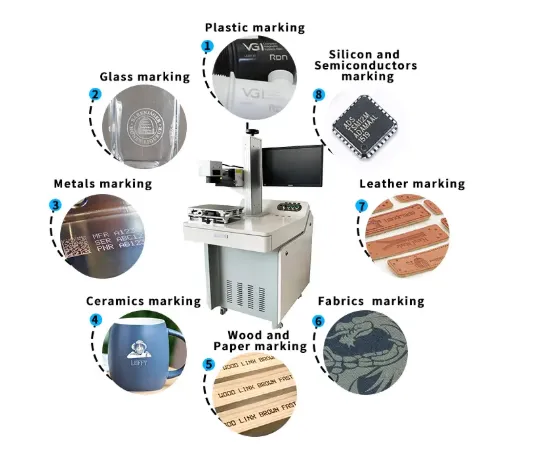
Power should be selected according to the material, required marking depth, cycle time and production volume. More wattage is not automatically better for every application.
20W Fiber Laser
A practical starting point for many standard metal marking applications where extremely deep engraving is not required.
View 20W Fiber Laser →30W Fiber Laser
A balanced option when buyers want more processing capacity while still handling common industrial metal marking jobs.
View 30W Fiber Laser →50W Fiber Laser
More suitable when deeper engraving, larger workloads or higher production efficiency justify the additional power.
View 50W Fiber Laser →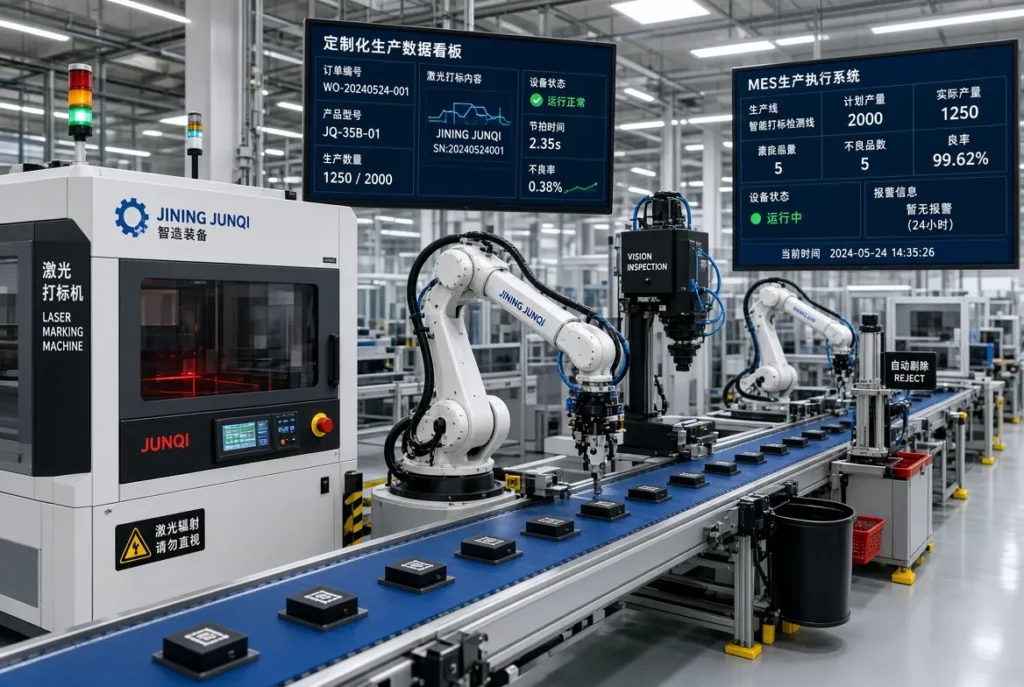
5 Things We Would Check Before Paying for a Fiber Laser Marker
1. Who Actually Makes the Machine?
Ask whether the supplier is the manufacturer, an integrator, or a trading company. Ask for the factory configuration and actual machine photos.
2. What Laser Source Is Included?
Do not stop at “20W fiber laser.” Ask for the exact source brand and model in the quotation.
3. What Does the Warranty Cover?
A two-year warranty sounds useful, but buyers should check what parts are actually covered and what exclusions apply.
4. Can They Test Your Material?
Ask for a sample test using your actual material and artwork. A generic demonstration is not enough.
5. What Happens When Something Fails?
Ask how spare parts are supplied, how technical support works, and whether remote troubleshooting is available.
6. Can It Grow With Your Production?
If you expect automation later, discuss rotary axes, fixtures, vision, conveyors and control integration early.
Where Do the Numbers in This Article Come From?
This article is based primarily on the comparative test report supplied for publication. The report evaluates eight fiber laser marking machines and records a 720-hour continuous-operation test.
The report compares purchase cost, fault rate, marking precision, non-standard customization and warranty/service information.
We have intentionally separated reported test results from broader recommendations. For example, a reported 0.12% fault rate does not mean every machine will achieve exactly 0.12% in every factory. Real-world performance depends on configuration, environment, workload, material and maintenance.
What We Recommend Buyers Verify
- Exact laser source brand and model
- Scanner and optical configuration
- Actual marking speed on your artwork
- Repeatability on your material
- Warranty terms in writing
- Availability of replacement components
- Automation and communication interfaces
- Sample marking before production purchase
Continue Your Fiber Laser Research
Fiber Laser Marking Machine
Learn how fiber laser marking systems are configured, what materials they can process and how to select a machine.
Explore Fiber Laser →Fiber Laser vs UV Laser
Compare fiber and UV lasers when your material is plastic, electronics, glass or other heat-sensitive surfaces.
Compare Fiber vs UV →Laser Engraving Machine Cost
Understand the factors that influence laser machine pricing, including power, components, working area and automation.
Read the Cost Guide →Questions Buyers Often Ask About 24-Hour Fiber Laser Marking
Can a fiber laser marking machine really run 24 hours a day?
Some industrial fiber laser marking systems are designed for continuous production, but “24-hour operation” should not be treated as a universal guarantee. The actual duty cycle depends on the laser source, scanner, cooling, machine structure, environment, software and maintenance.
Is 20W enough for industrial production?
It can be enough for many common metal marking jobs. If the application requires deeper engraving or shorter cycle times, 30W, 50W or higher power may make more sense. The correct choice should be based on actual cycle time rather than wattage alone.
Is the cheapest fiber laser marking machine the best choice?
Not necessarily. Purchase price is only one part of total cost. For continuous production, downtime, spare parts, service response and integration capability can have a much larger impact.
Should I ask for a sample test before buying?
Yes. A sample test is one of the simplest ways to verify whether the machine can produce the required contrast, detail, speed and repeatability on your actual material.
What should I ask a fiber laser manufacturer before ordering?
Ask for the exact laser source and scanner model, marking area, control software, warranty coverage, sample results, spare-parts policy and whether the machine can support your planned production process or automation.
Don’t Choose a Fiber Laser Marker From a Brochure Alone
Send us your material, marking artwork and production requirements. We can recommend the appropriate laser power and configuration, and arrange a sample test before you make the purchase decision.
Material + artwork + production volume + required cycle time = a much better machine selection.