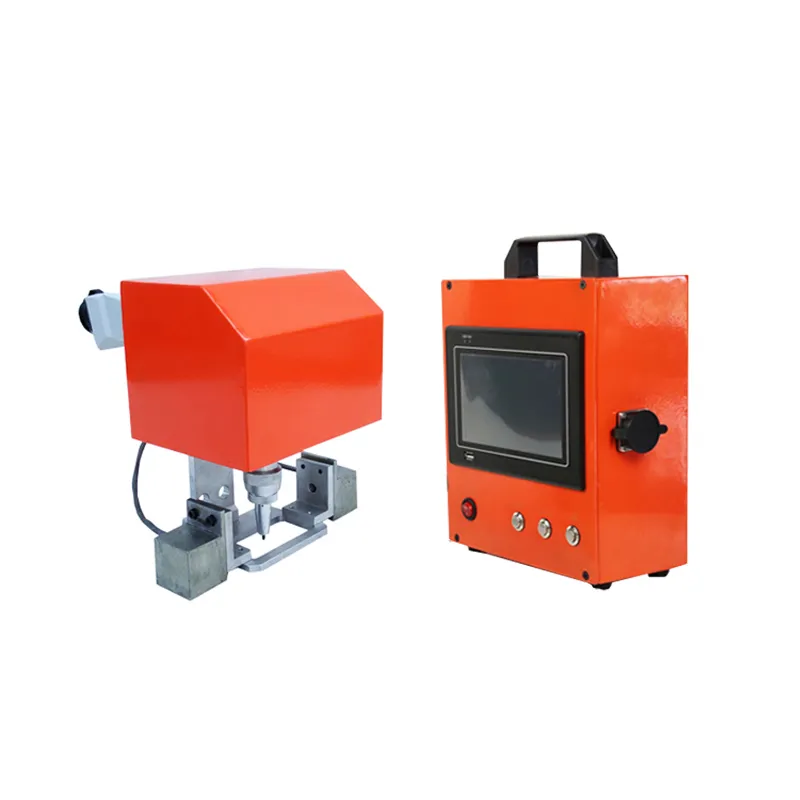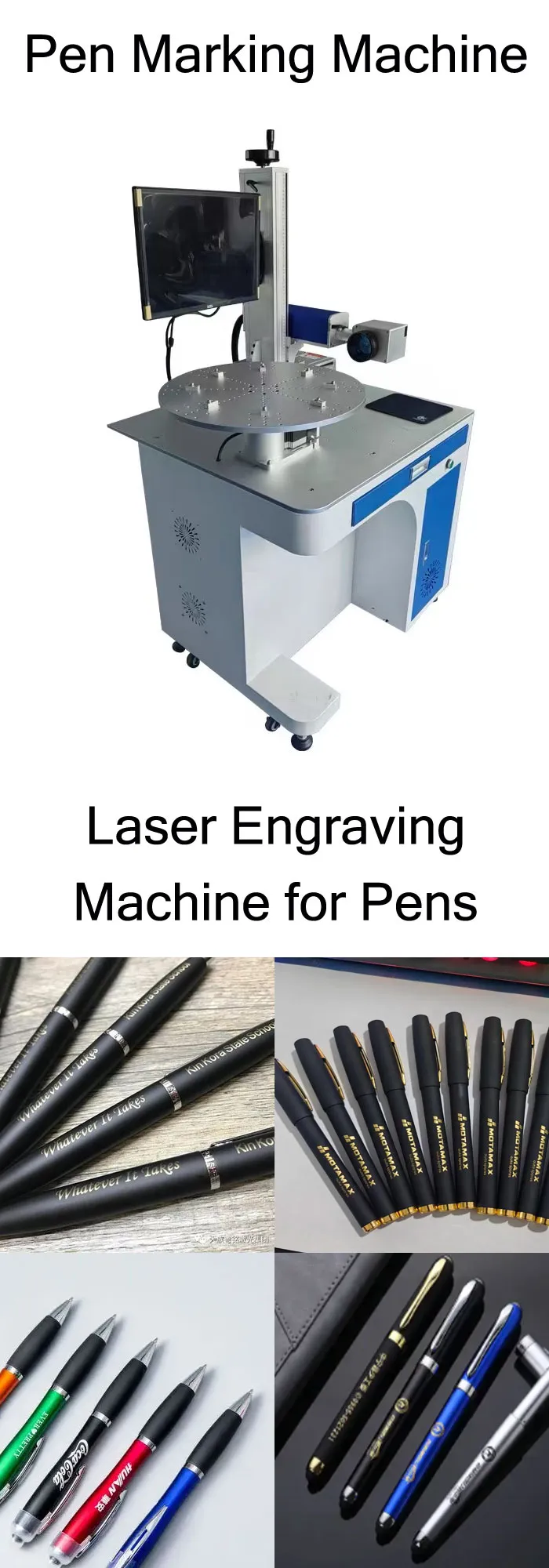
Pen Laser Marking Machine
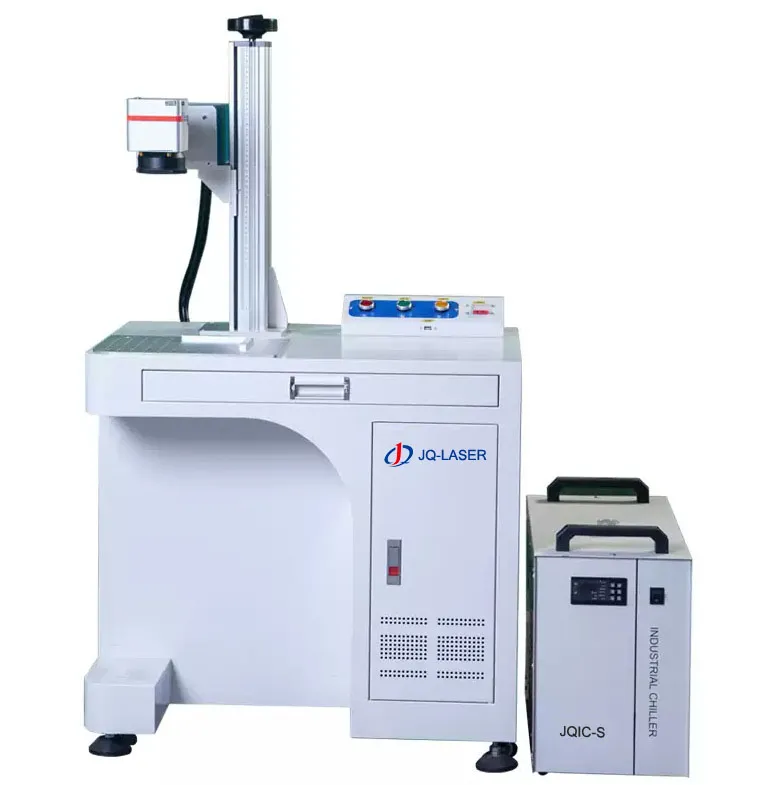
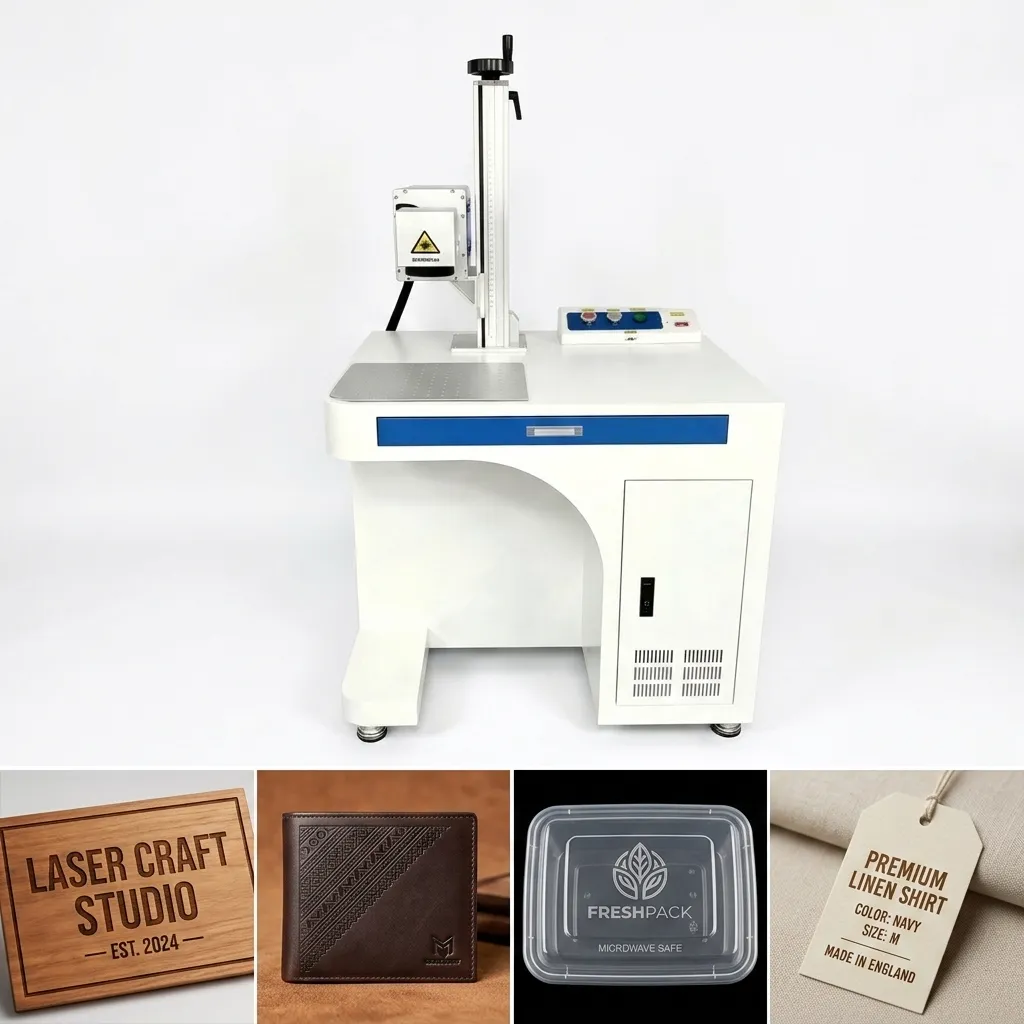
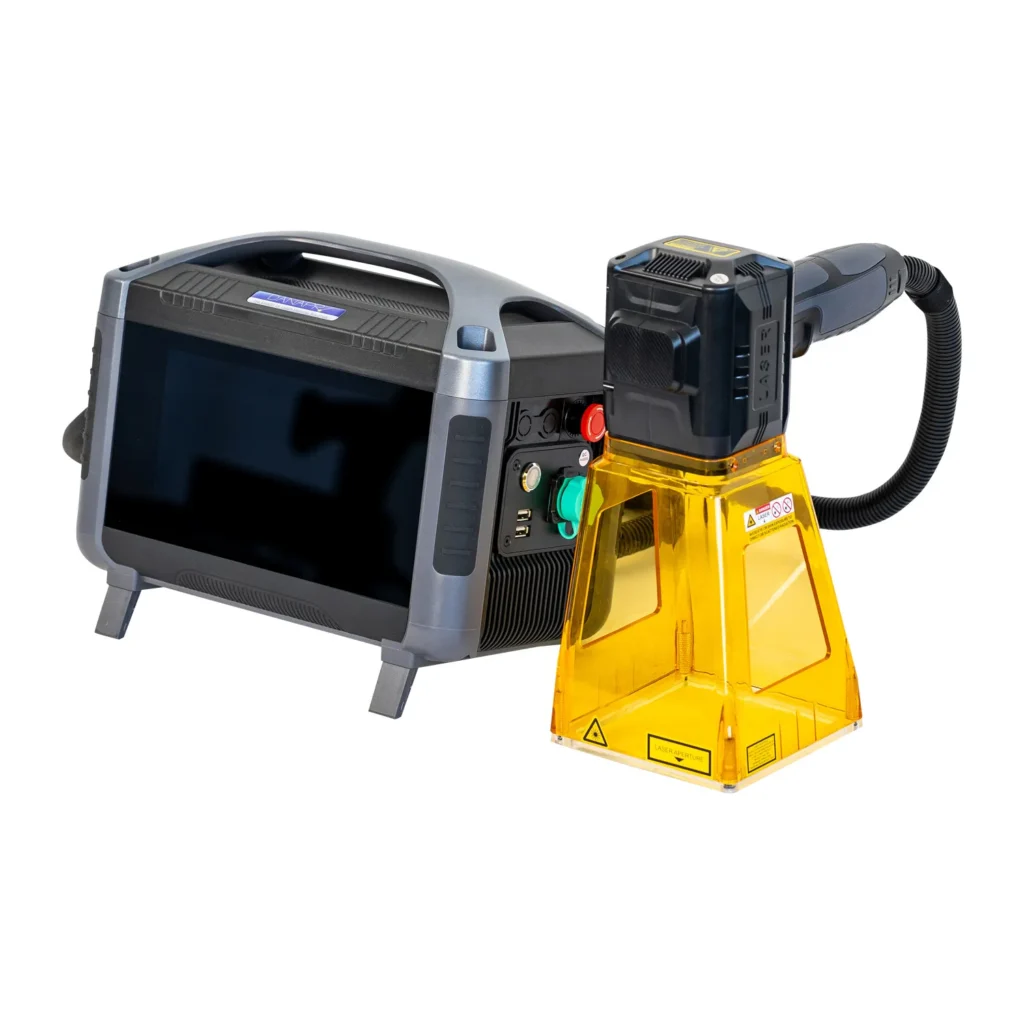
A fiber laser marking machine designed for permanent logos, names, serial numbers, QR codes and graphics on metal pens, promotional pens and selected plastic pen components. Available with fixed fixtures, rotary marking and automatic conveyor systems for different production volumes.
*Actual marking performance depends on material, pen surface, artwork, lens configuration, laser source and process parameters.
*Published scanner speed is not the same as actual pens/hour. Production throughput depends on artwork, pen positioning, fixture design, loading method and automation.
What Is a Pen Marking Machine?
A pen marking machine is a laser marking system configured specifically for engraving and marking pens. Instead of using ink, stickers or mechanical engraving tools, the laser creates a permanent mark directly on the surface of the pen.
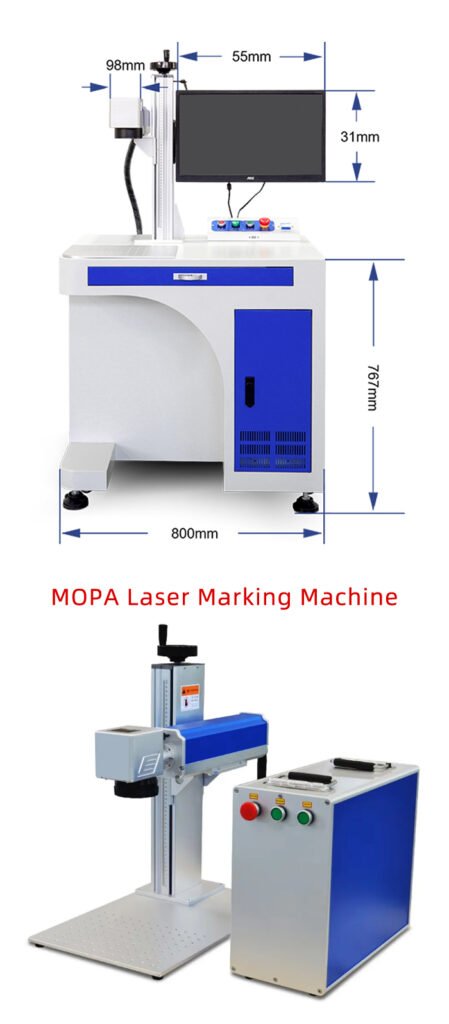
Depending on the pen material, the system can be configured with a standard fiber laser, MOPA fiber laser, UV laser or another suitable laser source. Metal pens are commonly processed with fiber laser systems, while special plastics and other sensitive materials may require a different wavelength.
For production environments, the laser head can be combined with a dedicated pen fixture, conveyor or rotary attachment. This is where a basic desktop marking machine becomes a purpose-built pen marking system.
The laser itself is only half of the solution. When customers tell us they need to engrave 500, 1,000 or 5,000 pens per day, the real engineering question becomes: how do we hold every pen in exactly the same position and move the next pen into the marking area without wasting operator time?
How a Pen Laser Marking Machine Works
Load
Place pens into the dedicated fixture or pen modules.
Position
The fixture controls the marking height and position.
Detect
A sensor or programmed sequence identifies the marking position.
Mark
The laser engraves the logo, name, text, number or graphic.
Move
The conveyor or operator moves the marked pen out of the station.
Repeat
The next pen enters the marking position.
What Types of Pens Can Be Laser Marked?
The correct laser depends on the pen’s actual material and surface treatment. A metal pen and a painted plastic pen should not automatically use the same laser parameters.
| Pen Material | Typical Laser | Typical Result | What to Test |
|---|---|---|---|
| Stainless Steel | Fiber / MOPA | Logo, text, serial number, QR, color effects with MOPA | Surface finish and desired contrast |
| Aluminum | Fiber / MOPA | High-contrast identification | Anodized or bare surface |
| Brass / Copper | Fiber | Permanent logos and text | Reflectivity and surface finish |
| Titanium | Fiber / MOPA | Identification and possible color marking | Alloy and target appearance |
| Plastic | Fiber / UV / CO2 depending on formulation | Contrast or surface modification | Polymer, additives and color |
| Wood / Acrylic | CO2 commonly considered | Engraving / surface marking | Material thickness and surface finish |
Metal Pen Laser Engraving
Metal pens are one of the most straightforward applications for a fiber laser marking machine. The laser can permanently mark names, company logos, serial numbers, patterns and other personalization content without mechanically touching the pen.
Corporate Pens
Engrave company logos, employee names or campaign information for promotional products.
Luxury Pens
Personalize names, initials, dates and decorative graphics on suitable metal surfaces.
OEM Pen Production
Apply fixed branding or variable product information during pen manufacturing.
Custom Pen Businesses
Produce one-off or small-batch personalized pens without making physical engraving tools.
How Many Pens Do You Need to Mark?
This is one of the first questions we ask before recommending a pen marking system. A machine for 30 personalized pens per day does not need the same automation as a line producing thousands of pens per shift.
| Production Situation | Recommended Setup | Why |
|---|---|---|
| Small batches / personalized orders | Desktop Fiber Laser + simple fixture | Lower investment and easier product changes |
| Hundreds of pens per day | Fiber Laser + multi-position fixture | Reduces repeated positioning and loading time |
| High-volume repeated production | Laser + pen-module conveyor | Automates product movement and indexing |
| Color marking on stainless steel | MOPA Fiber + suitable fixture | More pulse-control flexibility for color development |
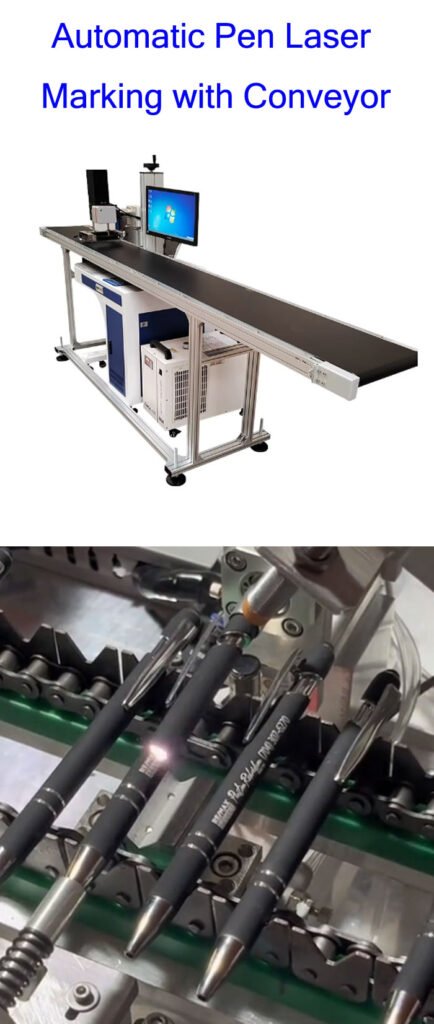
Automatic Pen Laser Marking with Conveyor
When pen production volume becomes high, the bottleneck is often not laser marking time. It is loading, positioning and removing the pens. A dedicated conveyor with pen modules can turn a manual marking process into a repeatable production workflow.
Load Pen Modules
Operators place pens into dedicated positions.
Index or Convey
The conveyor moves the pens toward the laser station.
Detect
A sensor detects the marking position.
Laser Mark
The laser engraves the programmed content.
Move Out
Marked pens continue to the unloading position.
A conveyor does not automatically mean unlimited production speed. The actual pens/hour depends on the marking content, number of pen positions, indexing time, laser cycle time, loading method and whether the system marks one or multiple pens at a time.
Do You Need a Rotary Axis for Pen Engraving?
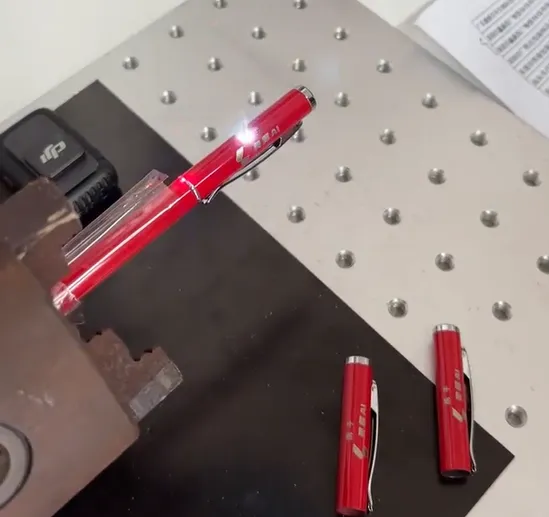
Not every pen needs a rotary axis. If the marking is on one flat or predefined side of the pen, a fixed pen fixture is usually simpler and less expensive.
A rotary axis becomes useful when the design needs to wrap around the cylindrical surface, when the pen must be rotated to a precise angular position, or when the same machine will process other cylindrical products such as tubes, rings or small shafts.
Fixed Pen Fixture
- Logo on one side
- Name engraving
- Serial number
- Simple product orientation
- Lower mechanical complexity
Rotary Axis
- Wrap-around graphics
- 360° marking
- Multiple angular positions
- Cylindrical product processing
- More flexible product geometry
Pen Laser Marking Machine Technical Specifications
The following are JQ Laser reference specifications for the fiber laser platform used for pen marking. The final pen marking system can be customized with fixtures, conveyor, rotary axis and other automation according to the customer’s production requirements.
| Laser Type | Pulsed Fiber Laser |
|---|---|
| Laser Power | 20W / 30W / 50W / 100W |
| Wavelength | 1064nm typical |
| Cooling | Air cooling is common for the published fiber configurations |
| Reference Marking Speed | Up to approximately 7,000mm/s |
| Standard Marking Field | 110 × 110mm |
| Optional Marking Field | 150 × 150 / 175 × 175 / 200 × 200 / 300 × 300mm depending on lens |
| Minimum Line Width | Approximately 0.01–0.02mm under suitable optical conditions |
| Minimum Character | Approximately 0.1–0.2mm depending on material and optical setup |
| Power Supply | 110V / 220V, 50/60Hz depending on destination configuration |
| Control System | BJJCZ / JCZ-compatible control configuration |
| Software | EZCAD2 commonly used; other configurations available according to system |
| Pen Fixture | Custom fixture / pen modules according to pen diameter and marking position |
| Conveyor | Optional customized conveyor for repetitive production |
| Rotary Axis | Optional for cylindrical or wrap-around marking |
Should You Choose 20W, 30W, 50W or 100W for Pen Marking?
More laser power does not automatically mean a better pen marking machine. For most pen applications, the right power depends on material, marking speed, desired contrast, engraving depth and production volume.
| Power | Typical Position | When It Makes Sense |
|---|---|---|
| 20W | Entry / general marking | Small-batch pen engraving, logos, names and standard identification. |
| 30W | General production | A practical starting point when marking speed and production volume increase. |
| 50W | Higher productivity | Useful when faster processing or more material removal is required. |
| 100W | Demanding production | Consider when production requirements or deeper engraving justify the higher power. |
If you only tell us “I need a laser for pens,” we cannot responsibly tell you that 50W or 100W is necessary. Send us the pen material, artwork, marking size and expected production quantity first.
Fixed Pen Fixture vs Automatic Conveyor
| Factor | Fixed Fixture | Pen Conveyor |
|---|---|---|
| Initial Cost | Lower | Higher |
| Small Batch | Very suitable | May be unnecessary |
| High Volume | Operator dependent | Better suited |
| Product Changeover | Usually simpler | Depends on module design |
| Labor Requirement | Higher for repetitive work | Lower for repetitive handling |
From One Personalized Pen to Thousands of Pens
Personalized Pen Engraving
Suitable for gift shops, promotional products, corporate gifts and custom orders.
- Names
- Initials
- Dates
- Small logos
- Short messages
Desktop fiber laser + simple pen fixture.
Industrial Pen Production
Suitable for OEM pen manufacturers and high-volume promotional pen production.
- Fixed brand logo
- Product model
- Batch number
- Serial number
- Variable customer information
Fiber laser + dedicated pen modules + conveyor + sensor/PLC as required.
How Do You Keep Every Pen Logo in the Same Position?
This sounds simple until you actually mark hundreds of cylindrical pens. A difference of only a few millimeters in loading position can make the logo look uneven.
The practical solution is mechanical positioning first.
- Control the pen’s diameter and seating position.
- Control the height between the pen and laser focus.
- Use a fixed reference point for the logo location.
- Prevent the pen from rolling during marking.
- Use a rotary axis if the artwork must follow the circumference.
- Add vision only when mechanical positioning alone cannot provide the required accuracy.
This is one reason we normally ask for the actual pen before designing a production fixture. A laser can be extremely precise, but it cannot compensate for a poorly designed workholding system.
Test Your Pens Before You Buy
Pen materials, coatings and surface finishes can behave differently under the laser. If you need a production-grade result, the most useful test is your actual pen—not a supplier’s generic sample.
Send Pens
Send the actual pen or provide clear material and surface information.
Send Artwork
Provide the logo, name, text, QR code or other required marking.
Define Volume
Tell us how many pens you need to process per day or per hour.
Develop Solution
We evaluate laser, fixture, rotary and conveyor requirements.
JQ Laser Pen Marking Machine Configuration
We do not treat a pen marking machine as one fixed machine model. The laser platform can be configured around the customer’s pen material, marking position and production volume.
20W–100W reference configurations for metal pen applications.
Optional when pulse control and stainless-steel color marking are required.
Customized according to pen diameter, length and marking position.
Optional for repetitive high-volume pen production.
Optional for wrap-around and cylindrical marking.
Optional when automatic positioning or inspection is required.
How We Test a Pen Laser Marking System Before Delivery
A good pen marking machine should not only produce a good sample once. The fixture, laser parameters and marking sequence need to work repeatedly.
01. Material Test
Confirm the actual pen surface and coating.
02. Artwork Test
Check logo, text, graphics or variable data.
03. Focus Test
Confirm marking height and optical focus.
04. Fixture Test
Check repeatable pen positioning.
05. Cycle Test
Run repeated marking cycles to evaluate consistency.
06. Final Inspection
Check marking quality and machine operation before packing.
Pen Laser Marking Machine Maintenance
Pen marking is generally a clean process, but the machine still needs routine inspection. Dust from pen surfaces, smoke from certain coatings and contamination around the optical path can eventually affect marking quality.
Clean the Work Area
Remove dust and debris around the fixture and laser station.
Check the Lens
Inspect the protective optical surface according to the manufacturer’s procedure.
Check the Fixture
Make sure pen modules have not become loose or misaligned.
Back Up Marking Files
Keep copies of logos, parameters and production marking files.
Pen Marking Machine FAQ
What is a pen marking machine?
A pen marking machine is a laser marking system configured to engrave or mark pens. Fiber lasers are commonly used for metal pens, while other laser wavelengths can be considered for different materials.
Can a fiber laser engrave metal pens?
Yes. Fiber laser systems are commonly used for stainless steel, aluminum, brass, copper, titanium and other suitable metal surfaces.
Can the machine engrave names on pens?
Yes. Names, initials, logos, dates, serial numbers and other text can be programmed for laser marking.
Can it engrave a logo on a stainless steel pen?
Yes. Stainless steel is a common fiber laser application. The marking parameters should be developed according to the surface finish and desired contrast.
Can I mark different names on each pen?
Yes. Variable text and serial-number marking can be configured when the software and production workflow are set up for variable data.
Can the machine automatically mark thousands of pens?
A conveyor-based system with dedicated pen modules can be designed for repetitive production. The achievable throughput should be calculated from the actual artwork, loading method, fixture capacity and marking cycle.
Do I need a rotary axis to engrave pens?
Not necessarily. A fixed fixture is usually sufficient when the mark is placed on one controlled side. A rotary axis becomes useful for wrap-around or angular marking.
Can MOPA mark pens in color?
MOPA fiber lasers can be considered for color marking on suitable stainless steel or titanium surfaces. The final color depends on material, surface condition and laser parameters.
Can the machine mark plastic pens?
Yes, but the correct laser depends strongly on the plastic formulation, color, additives and surface. Sample testing is recommended before selecting the final configuration.
How do I choose the right laser power for pens?
Start with the pen material, marking size, required contrast, production quantity and required cycle time. JQ Laser offers 20W, 30W, 50W and 100W fiber configurations for different marking requirements.

LEO — Sales Engineer, JQ Laser
LEO has more than 10 years of experience in laser marking and works with manufacturers on material testing, machine selection and automation marking projects.
Related Laser Marking Solutions
General-purpose fiber laser marking for metal products.
MOPA Fiber Laser Marking MachineFor color marking and specialized material applications.
Automatic Laser Marking MachineAutomated laser marking for industrial production.
Automatic Laser Marking Machine with ConveyorConveyor-based laser marking and production integration.
Automatic Laser Marking Machine with Rotary AxisRotary marking for cylindrical and round products.
Desktop Laser Marking MachineCompact laser marking for small-batch production.
Need a Laser Marking Machine for Pens?
Send us your pen material, product dimensions, marking artwork and expected production volume. We can recommend the laser power, fixture, rotary or conveyor configuration based on the actual application.